PostBase Vision
16
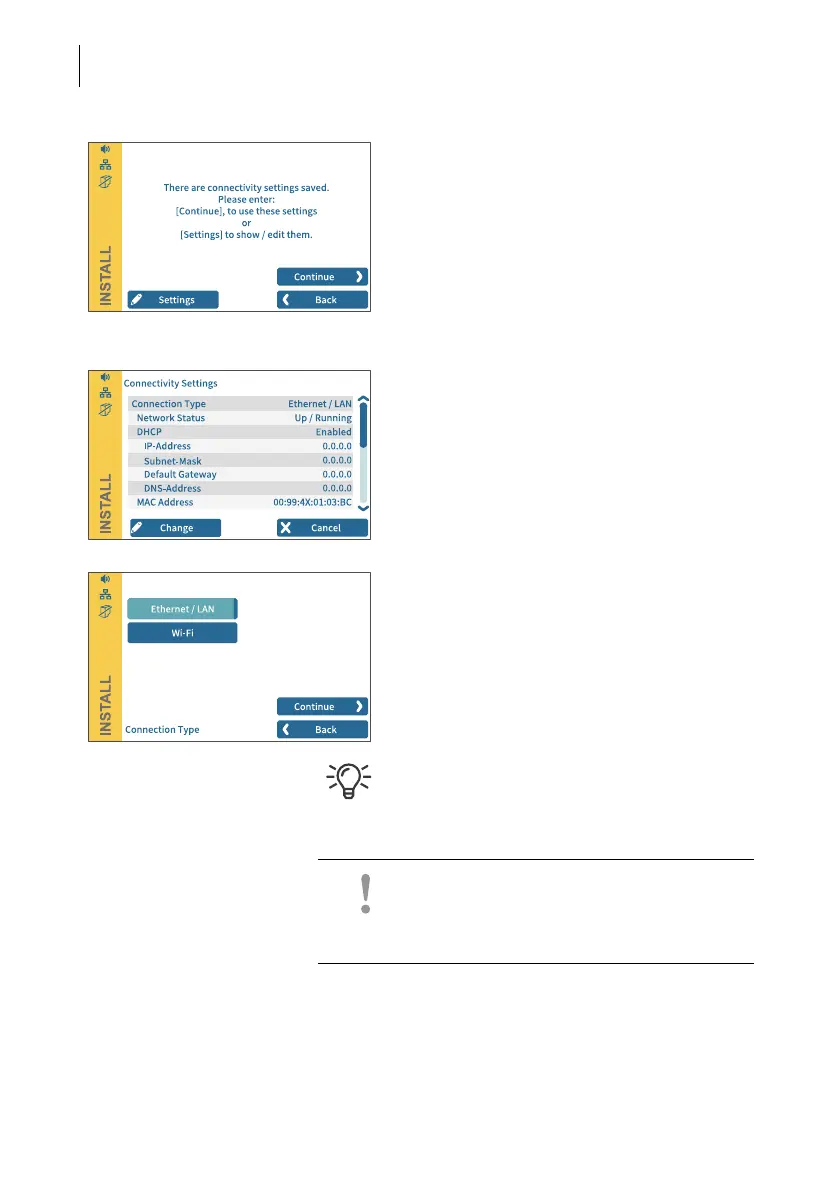
Connectivity settings
Default settings for an Ethernet connection
are stored for contacting the FP infrastruc-
ture. Establishing the connection should run
seamlessly with these settings.
To test the connection to the FP infrastruc-
ture with this default setting:
• Tap the CONTINUE button.
If no connection is established, the “Connec-
tivity Settings” must be adjusted:
• Tap C
HANGE to open the entry wizard for
setting up the network connection.
• First select the desired connection type.
• Confirm the selection and continue with the
CONTINUE button.
• Set the appropriate parameters for the net-
work step by step. If necessary, ask your
network administrator.
The “Connectivity Settings” overview in the
reference guide shows and explains the pos-
sible settings.
Caution! During the further course of instal-
lation, the PostBase Vision may start up
multiple times. Do not disconnect the
PostBase Vision from the power supply.



 To Next Page