Installation and commissioning
21
Step 7: Installing the PostBase Vision Feeder (optional)
Caution! Only connect the Feeder once the
PostBase Vision franking machine is fully
installed. Otherwise the PostBase Vision will
not recognise the feeder. The mailing system
will not work.
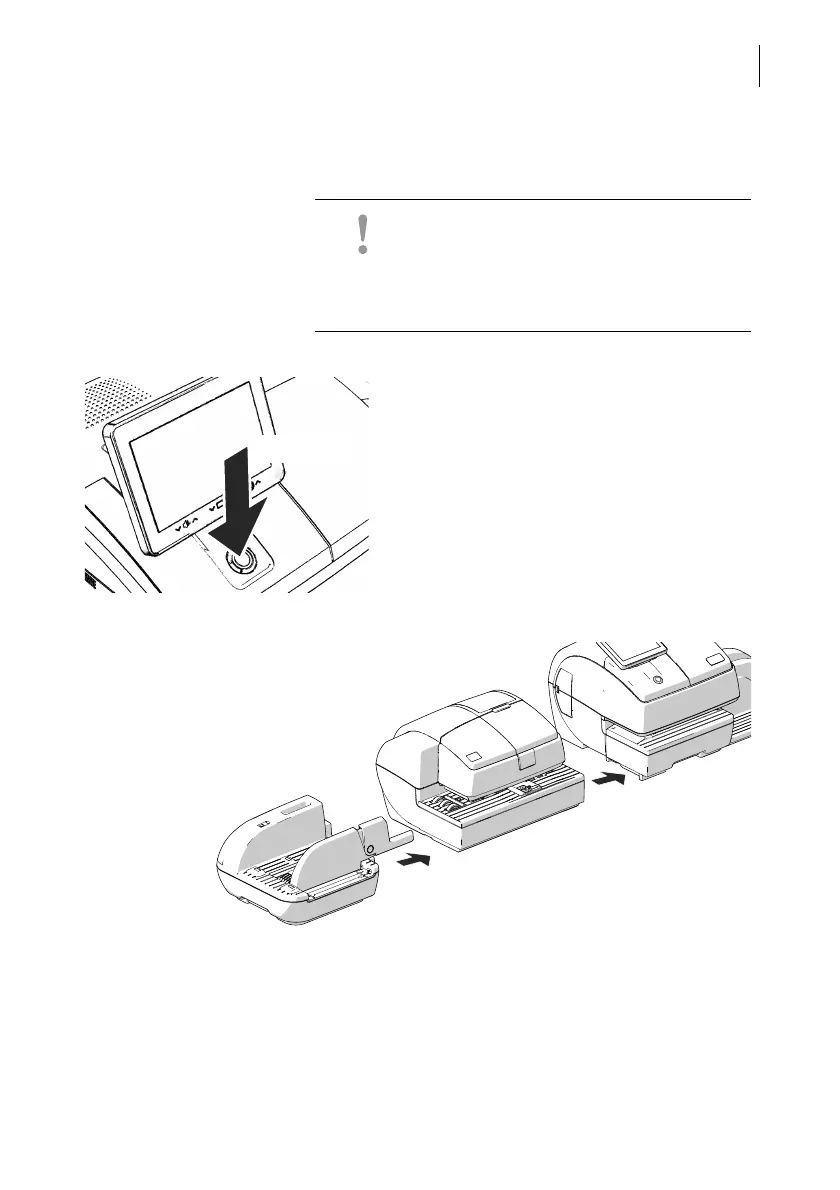
Turning off the franking machine
• Press the ON/OFF button for three
seconds.
The PostBase Vision will complete any cur-
rent actions, return the display to its home
position, and then turn itself off.
Setting up the feeder
• Place the ramp, feeder and franking
machine as shown in the illustration above.
• When assembling, ideally proceed from
left to right (starting at the ramp).
Ramp
Feeder
PostBase Vision
franking machine



 To Next Page