Frama Matrix F32/F42/F62
40
5. Main Menu
5.1. Overview
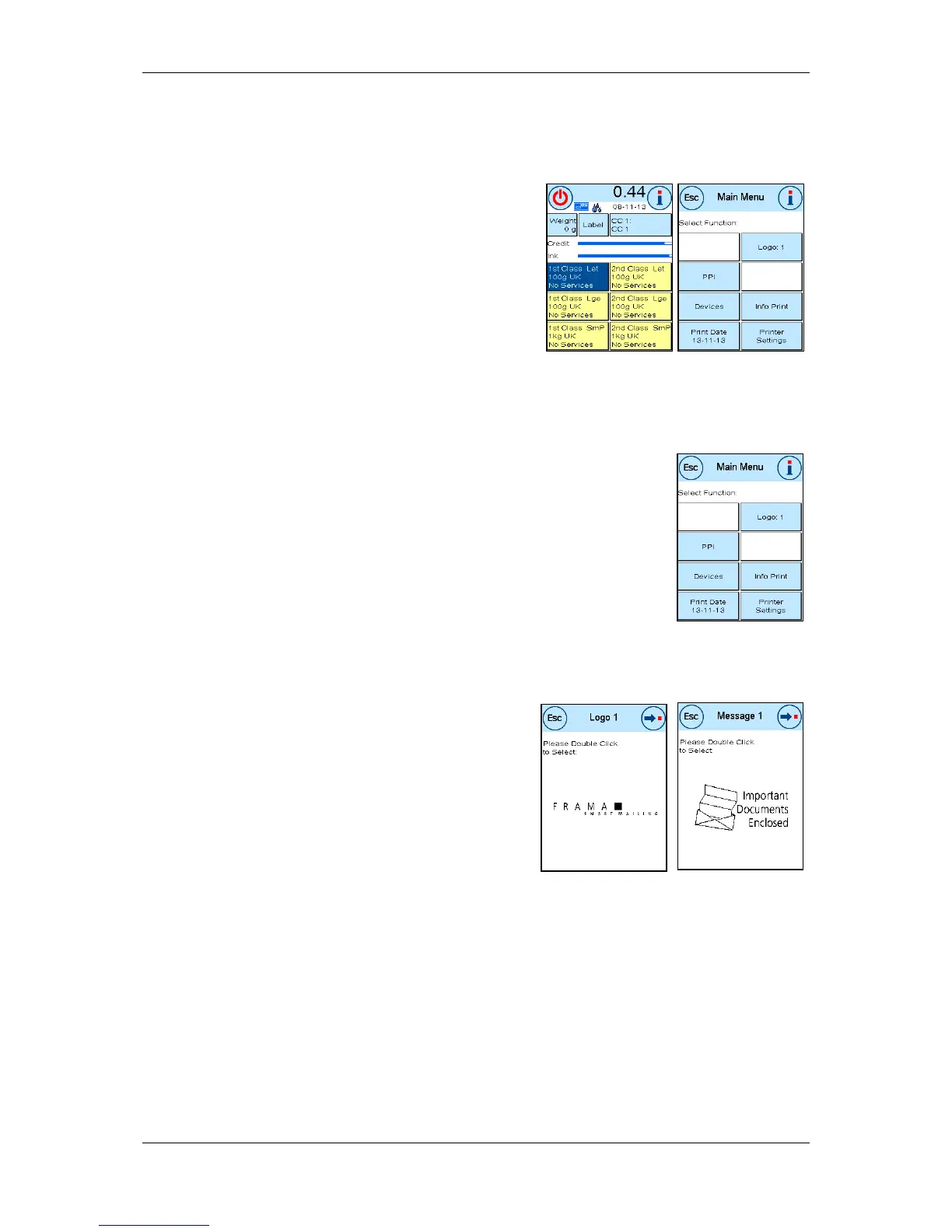
The Main Menu is the main control point for all the im-
portant system functions. Press the “ i" in one of the start
menus to access the Main Menu.
You can select the following functions in the Main Menu.
- PP (see page 43)
- Devices (see page 43)
- Print Date (see page 45)
- Message (see this page)
- Info Print (see page 46)
- Printer Settings (see page 48)
5.2. Logo
Your Frama Matrix franking system already has predefined advertising mes-
sages and has been programmed with advertising imprints as you requested.
You may also store text messages in the franking system.
Select them as follows:
1. To choose one of the messages, press the “i“ key in the Start menu to call
up the Main Menu.
2. Press the Logo key.
This could also be labelled Message or Text, depending on the current set-
ting.
3.Press the Logo key to choose from the stored logos or
press the Message key to select from the advertising
imprint created from your templates. Press Text to
choose one of the texts you have entered.
4. Press the arrow key to browse to the next entry.
5. Press the arrow key to go to the next message.
6. Press twice quickly on the entry required to select this
entry.



 To Next Page