4. Quick start
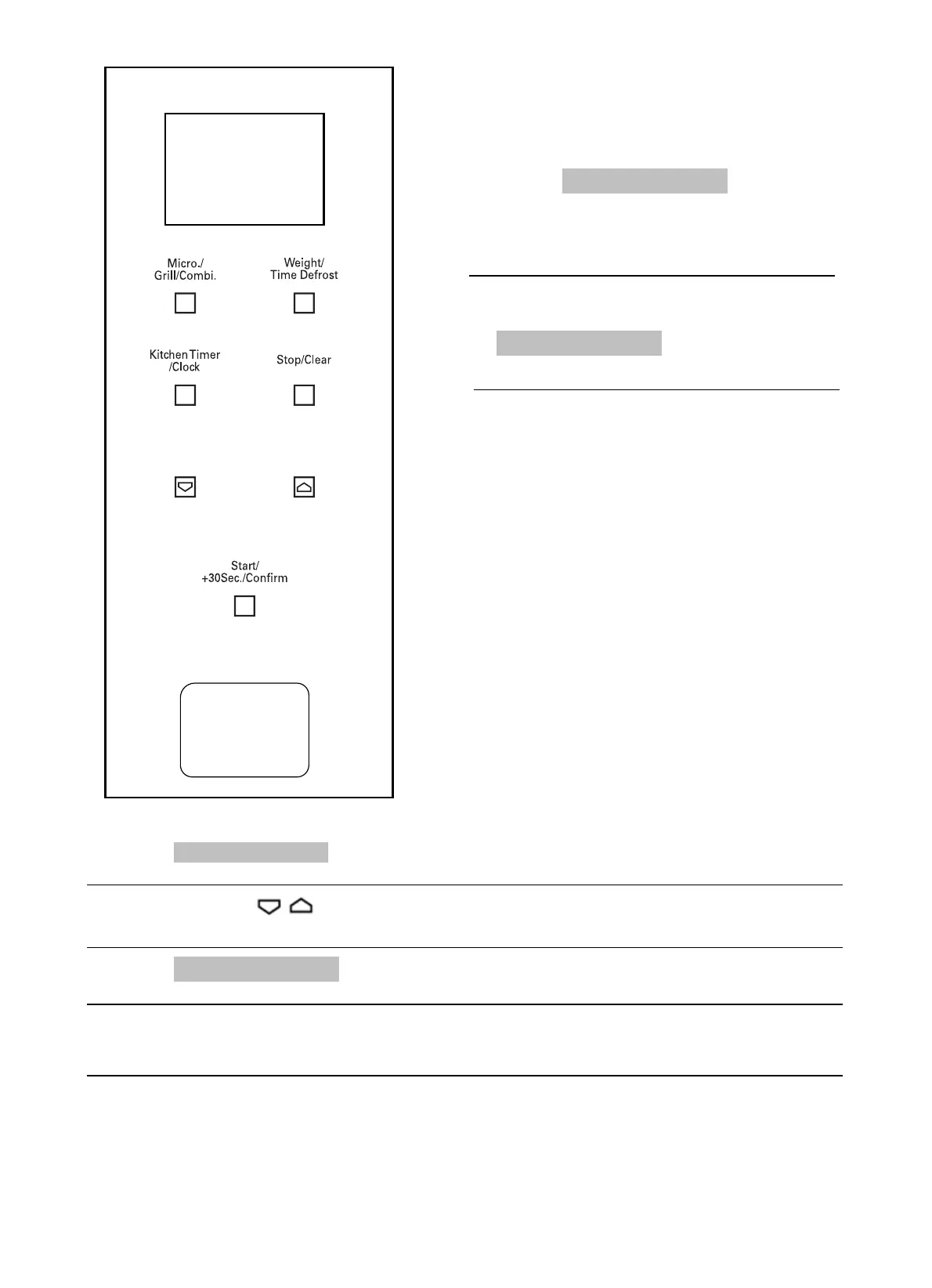
1. Press “Start+30Sec./Confirm” 1 to start
cooking at 100% power; press the button
repeatedly to increase the cooking time by
30-second intervals, up to a maxi
mum of
95 minutes.
Timer with acoustic signal (does not stop cooking)
1.
lights up.
2. Press one of the “ ” buttons to enter the correct time. (maximum cooking time is
95 minutes).
flashes
4.
sounds 5 times. If the clock has been set (24 hour system), the LED display shows the current
time.
Note: the Timer does not display the time in the 24-hour time format, as it is an actual timer.
Stopping the cooking cycle
Cooking can be stopped at any time by pressing the STOP/CLEAR button once or opening the oven
door. In both cases:
The emission of microwaves will be stopped immediately.
To cancel the cooking process, press the STOP/CLEAR button again.
Press “Kitchen Timer/Clock” once: 00:00 appears on the LED display, and the timer indicator
When the previously set time has elapsed, the timer indicator switches off. The acoustic signal
1
To restart cooking, close the door again and press the START button.
3. Press
“Start+30Sec./Confirm” 1 to confirm the setting and the timer indicator lights up
and
19
2. In microwave, grill, combination cooking or
time defrost state, each press of
can increase 30
seconds
of cooking time.
“Start+30Sec./Confirm”



 To Next Page