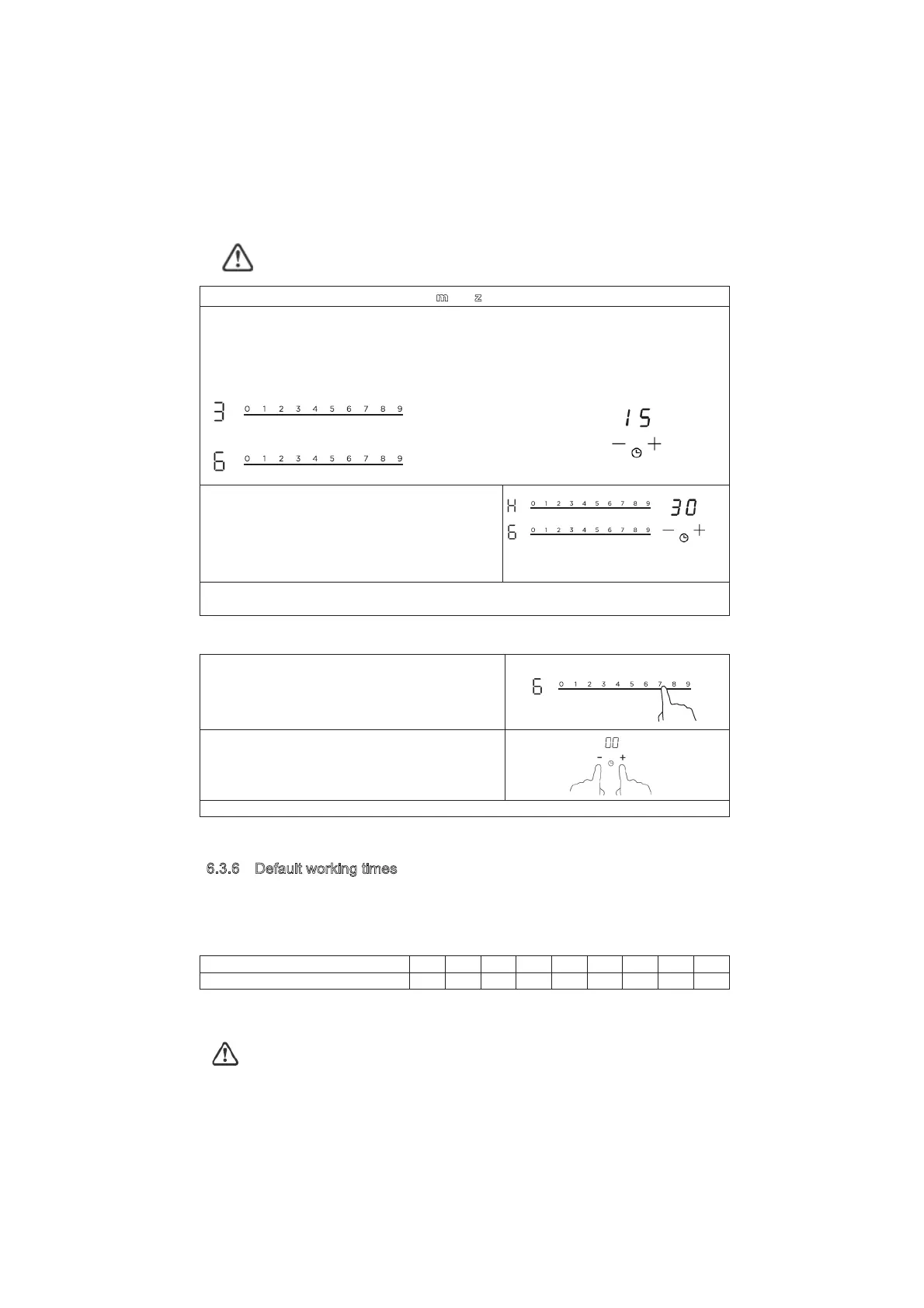
Other cooking zone will keep operating if they are turned on previously.
s
et more zones:
The steps for setting more zones are similar to the steps of setting one zone;
When you set the time for several cooking zones simultaneously, decimal dots of the relevant
cooking zones are on. The minute display shows the min. timer. The dot of the corresponding
zone flashes.
The shown as below:
(set to 15 minutes)
(set to 45 minutes)
Once the countdown timer expires, the
corresponding zone will switch off. Then it will
show the new min. timer and the dot of
corresponding zone will flash.
The shown as right:
(set to 30 minutes)
Touch the heating zone selection control, the corresponding timer will be shown in the timer
indicator.
c) Cancel the timer
Touching the heating zone slider control that you
want to cancel the timer
Touching the ”-“ and “+” together, the timer is
cancelled, and the ”00” will show in the minute
display.
Touch the slider control to set the timer to “00”, the timer is cancelled.
'HIDXOWZRUNLQJWLPHV
Auto shut down is a safety protection function for your induction hob. It shut down
automatically if ever you forget to turn off your cooking. The default working times for various
power levels are shown in the below table:
Power level 1 2 3 4 5 6 7 8 9
Default working timer (hour) 8 8 8 4 4 4 2 2 2
When the pot is removed, the induction hob can stop heating immediately and the hob
automatically switch off after 2 minutes.
People with a heart pace maker should consult with their doctor before using this unit.




 To Next Page