EasyManua.ls Logo

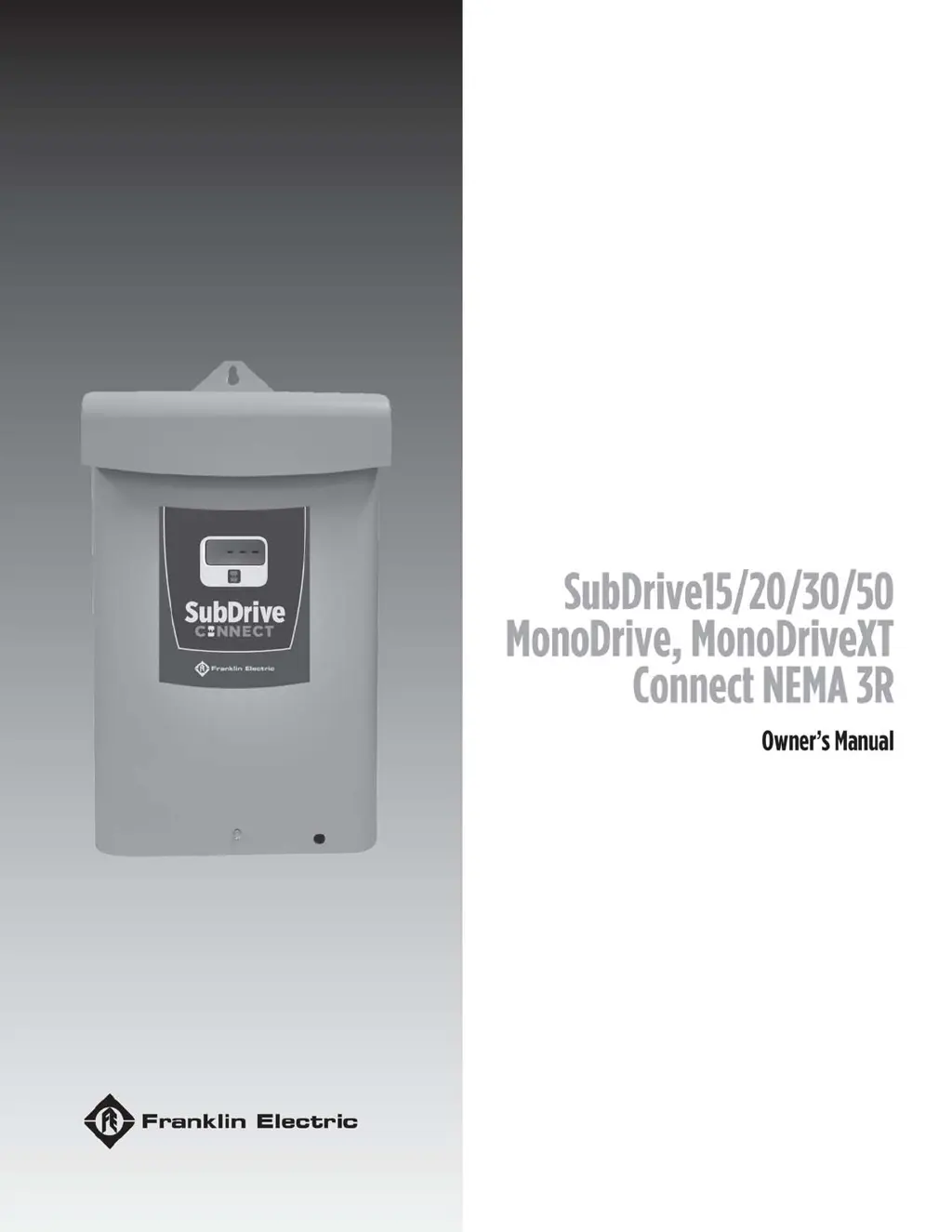
Franklin Electric SubDrive 50 - User Manual

Franklin Electric SubDrive 50
184 pages
Print Icon
To Next Page IconTo Next Page
Loading...

Table of Contents

Questions and Answers

  • T
    terrycameronAug 6, 2025
    Why is my Franklin Electric SubDrive 50 DC Drives showing undervoltage?
    • W
      williammedinaAug 6, 2025
      If your Franklin Electric DC Drives system shows undervoltage, it could be due to several reasons. First, the line voltage might be too low, less than approximately 150 VAC (normal operating range is 190 to 260 VAC). Also, check for misconnected input leads or loose connections at the breaker or panel. To resolve this, check and correct the incoming power connections, ensuring they are tight. You may also need to check the circuit breaker or fuses, and if the voltage is still incorrect, contact your power company.
  • E
    Elizabeth FosterAug 17, 2025
    What to do if Franklin Electric SubDrive 50 DC Drives show overcurrent or locked pump?
    • S
      Sandra WalshAug 17, 2025
      If your Franklin Electric DC Drives system is experiencing overcurrent or the pump is locked, it could be due to motor or pump misalignment, dragging, or being completely locked. Abrasives in the pump or excessive motor cable length can also cause this. Amperage may be above SFL at 30 Hz. To address this, remove and repair or replace the affected components as needed. Also, reduce the motor cable length, adhering to the Maximum Motor Cable Length table.
  • W
    William HughesNov 25, 2025
    How to troubleshoot motor underload on Franklin Electric SubDrive 50?
    • J
      Jeffrey AndersonNov 25, 2025
      If your Franklin Electric DC Drives motor is underloaded, several factors could be at play. The well might be over-pumped, or there could be a broken shaft or coupling. A blocked screen, worn pump, air/gas locked pump, or incorrect SubDrive settings for the pump end could also be the cause. Additionally, the Underload Sensitivity setting might be incorrect, with the frequency near maximum but the load less than the configured underload sensitivity. The system might be drawing down to the pump inlet (out of water). If it's a high static, light loading pump, reset the Potentiometer for less sensitivity if not out of water. Check the pump rotation (SubDrive only) and reconnect if necessary for proper rotation. For an air/gas locked pump, if possible, set it deeper in the well to reduce air/ga...

Summary

Copyright Information and Trademarks

Trademarks Used in Publication

Lists registered and unregistered trademarks referenced in the manual.

Product Information Overview

Product Description

Details the SubDrive Connect and MonoDrive Connect product families and their functions.

Product Features

Outlines key configuration, operation, protection, and communication features.

Available Models

Lists the different models and their corresponding part numbers.

Product Applications

Describes compatible motor and pump combinations for various applications.

Pump Sizing and Performance Guidance

Explains how to select the proper pump and its performance characteristics.

Generator Sizing Recommendations

Provides guidance on selecting an appropriately sized generator for the system.

Safety Instructions and Precautions

Hazard Message Definitions

Explains DANGER, WARNING, CAUTION, and NOTICE symbols for safety.

Getting Started Safety Checklist

Essential preparation steps and warnings before installing equipment.

Product Specific Safety Precautions

Lists specific safety warnings for product operation and handling.

Wi-Fi Module Declarations

Discusses FCC compliance for the Wi-Fi module and potential interference.

Preliminary Inspections

Contents of the Box

Lists the components included with the VFD unit.

Unpacking and Initial Inspection

Steps for checking the VFD for damage and verifying specifications.

Installation and Setup Guide

Installation Planning Process

Guides system goal planning, option identification, and hardware installation.

Submersible Constant Pressure System Setup

Surface Pressure Boosting Application Setup

Pressure Tank and Supply Pipe Sizing

Physical Installation Guidelines

Environmental Requirements for Mounting

Details handling, mounting location, and temperature requirements for the VFD.

Outdoor Installation Considerations

Specific guidelines for installing VFDs outdoors in NEMA 3R enclosures.

Drive Mounting Instructions

Electrical Installation Procedures

General Wiring Guidelines

Provides general recommendations for wiring practices.

Cable Routing Best Practices

Illustrates and explains proper routing of power and control wiring.

Branch Circuit Protection Requirements

Fuse;Circuit Breaker and Wire Sizing

Maximum Motor Cable Lengths

Conduit Locations and Sizing

High Voltage Wiring Connections

Proper Ground Connections

Explains proper grounding procedures for safety and performance.

Power Circuit and Motor Connections

Control Circuit Connections

Pressure Transducer Wiring

Details wiring for a 4-20mA pressure transducer.

Pressure Sensor Connection

Explains connecting a standard pressure sensor.

System Alarm Relay Output

Describes the function and use of the system alarm relay output.

System Run Relay Output

Describes the function and use of the system run relay output.

Auxiliary Control Input Configuration

Explains connecting external devices for control via the Aux Input.

Additional Control Input;Output Wiring

Built-In Duplex Alternator Wiring

Explains wiring alternator terminals for lead/lag pump configurations.

Moisture Sensor Wiring

Details wiring connections for the moisture sensor.

Drive Configuration Settings

Basic Setup (DIP SW1 - Position 1)

Initial DIP switch setting for basic setup or app control.

Motor Phase Selection (DIP SW1 - Position 2)

Selects motor phase based on drive model and motor type.

Motor Type Selection (DIP SW1 - Position 6)

Submersible Motor and Pump Size Settings

Surface Motor Overload and System Response Settings

Minimum Frequency Setting

Pressure Input Selection (DIP SW1 - Position 5)

Adjusting System Pressure Setting

Underload Sensitivity Adjustment

Steady Flow Selection (DIP SW1 - Position 4)

Operation Modes and Control Functions

Control Function Details

Details how the drive controls the pump and displays system information.

Standard Constant Pressure Operation

Maintains constant pressure during operation and idle states.

Fault Detection and Display

Describes how faults are indicated and where to find more information.

Drawdown Feature (FE Connect App)

Optional feature for increased water draw from tank.

Adjustable Bump Modes (FE Connect App)

Moisture Sensor Functionality

Tank Fill, Drain, and Level Control

Monitoring System Functions

Drive Protection Features

Power Factor Correction (PFC)

Explains the benefit of active power factor correction.

Over Temperature Foldback

Describes controller heat management in extreme conditions.

Motor Soft Start Benefit

Details the advantages of the soft-start feature for motor life.

Motor Overload Protection

Explains how the drive protects the motor from overload.

Broken Pipe Protection Feature

Describes the broken pipe detection feature and its adjustment.

Adjustable Underload Off Time (App)

Explains how to adjust underload off time via the app.

Communications and Mobile App

FE Connect Mobile Application Overview

Lists features and benefits of the FE Connect mobile application.

Setting Up Wi-Fi Connection

Guides connecting a mobile device to the drive's Wi-Fi signal.

Drive Configuration via FE Connect App

Pump and Motor Settings Configuration

Configures pump/motor parameters like poles, current, and frequency.

Pressure Control Configuration

Configures sensor type, range, and setpoint using the app.

Transducer Range Setting in App

Primary Setpoint Configuration

Drawdown Functionality

Surface Application System Response Settings

Underload Settings via App

Duplex Alternator Configuration

Advanced Application Options

Broken Pipe Detection Setting

Wet Floor Detect Input Configuration

Auxiliary Input Configuration

System Monitoring via App

Log Viewing and Emailing

Advanced Application Options

External Device Control (Auxiliary Input)

Using external devices like float switches or timers to control the drive.

Duplex Alternator Feature Details

Maintenance and Troubleshooting

Troubleshooting Overview

Provides guidance for diagnosing and resolving system issues.

System Diagnostics Fault History

Explains how the drive logs faults and where to view them.

Diagnostic Fault Codes

Lists fault codes, their possible causes, and corrective actions.

Diagnostic Fault Codes (Continued)

Diagnostic Fault Codes (Continued)

Diagnostic Fault Codes (Continued)

Symptom-Based Troubleshooting

Symptom-Based Troubleshooting (Continued)

Periodic Maintenance Tasks

Battery Replacement Procedure

Provides instructions and warnings for replacing the real-time clock battery.

Fan Replacement Procedure

Enhanced Pressure Input Board Replacement

Product Specifications

MonoDrive Connect;MonoDrive XT Connect Specifications

Lists detailed technical specifications for MonoDrive and MonoDrive XT.

SubDrive 15;20 Connect Specifications

SubDrive 30;50 Connect Specifications

Available Accessories

Applicable Standards and Ratings

Standard Limited Warranty Terms

Franklin Electric SubDrive 50 Specifications

General IconGeneral
Input Voltage200-240V AC
AmperageVaries with HP rating (Consult product manual)
Frequency50/60 Hz
Motor Type3-phase
Output CurrentVaries with HP rating (Consult product manual)
Control MethodSensorless vector
Protection FeaturesOverload, Overvoltage, Undervoltage, Short Circuit, Motor Over Temperature
Enclosure RatingNEMA 3R (Rainproof and Sleet Resistant)
Humidity95% non-condensing
DimensionsVaries by model. Consult product manual.
WeightVaries by model. Consult product manual.
Operating Temperature-10°C to 50°C

Related product manuals