30
Advanced Settings
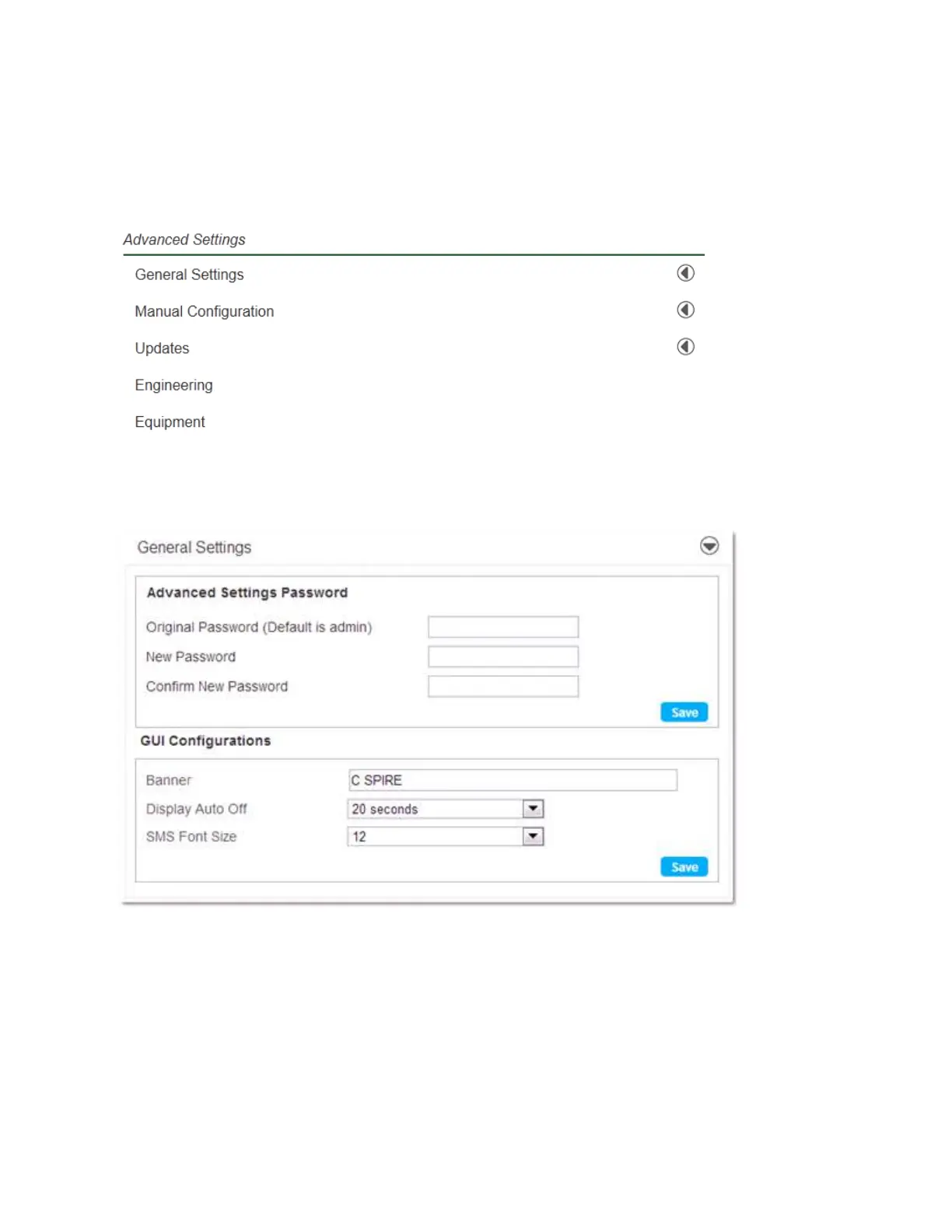
When you open the Advanced Settings, the following choices are available:
General Settings
Selecting the General Settings tab displays the following options:
Advanced Settings Password
The Advanced Settings Password section allows you to change the Administrator login password.
To change your password:
1. Enter the original password in the Original Password field. (factory default password is admin)
2. Enter your new password in the New Password field.


 To Next Page