4
Insert and Charge Your battery
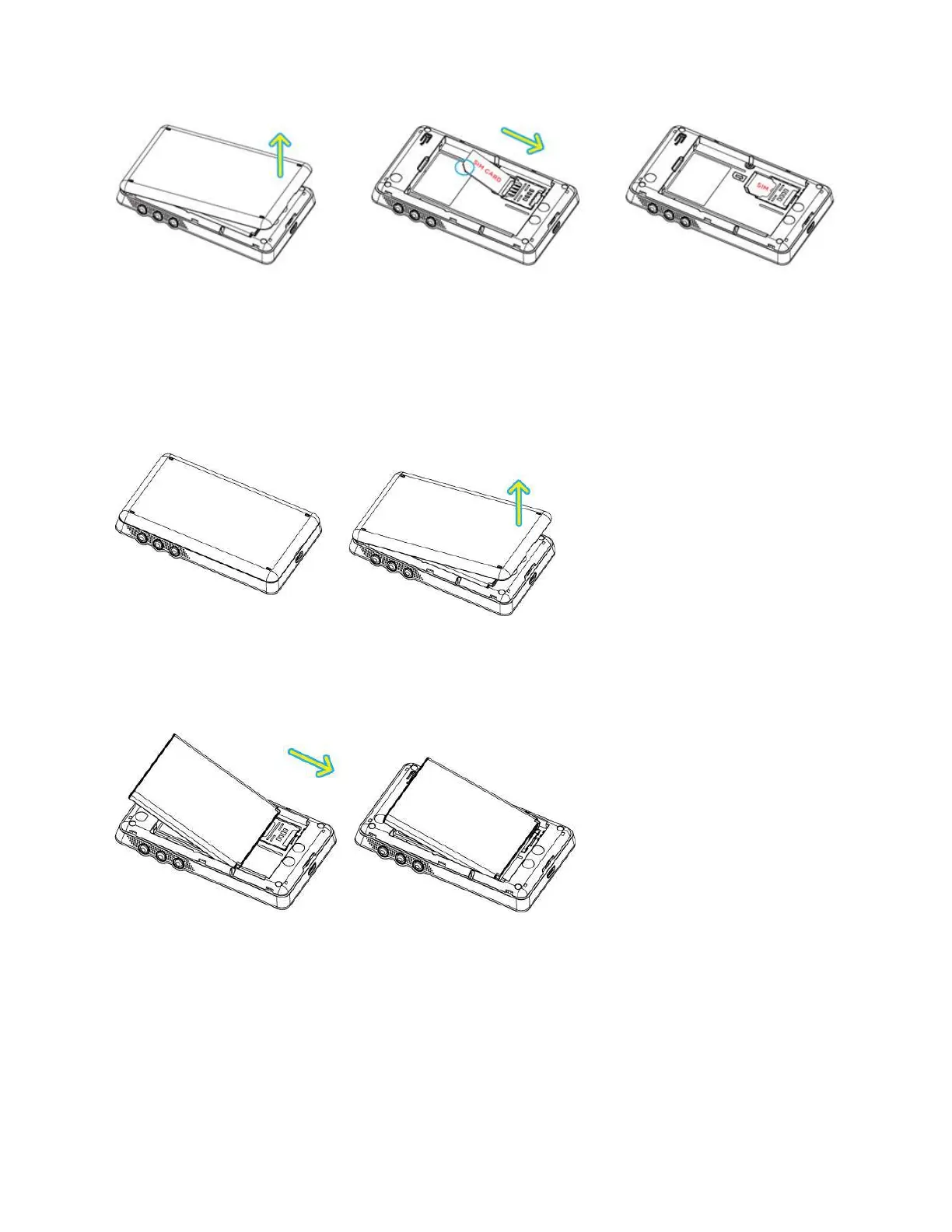
To insert and charge the battery, follow the below steps.
1. Lift and open the battery cover.
2. When inserting the battery, align the battery contacts with the contacts in the battery compartment
and slide the battery into the battery compartment.
3. Replace the cover, and press the four sides of the battery cover until it clicks into each notch.


 To Next Page