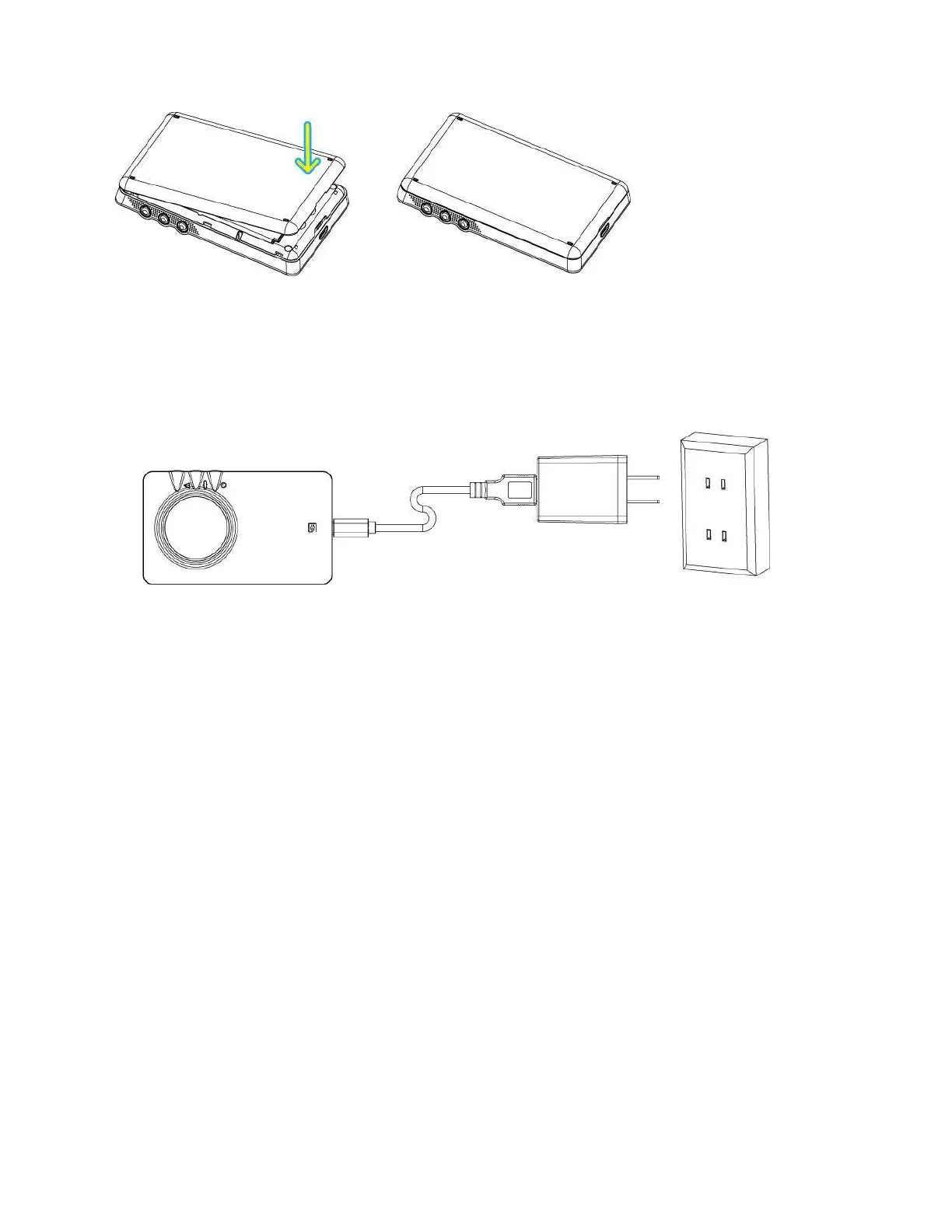
5
4. Connect the one end of the USB cable to the travel charger and also connect the other end of the USB
cable to the micro USB port on the bottom side of your 4G LTE Mobile Hotspot.
5. Plug the travel charger into the appropriate electrical outlet to charge the battery. The charging status
LED will be lit red while charging the battery. The LED color will change to green when the battery
is fully charged.
Note: Before you use the device, be sure to charge the battery fully until the charging status LED turns
green.
Important: Only use the batteries and the chargers that have been approved by C Spire. The warranty
is not valid with any damage caused by other batteries and chargers.


 To Next Page