QUICK INSTALLATION GUIDE (FHP)
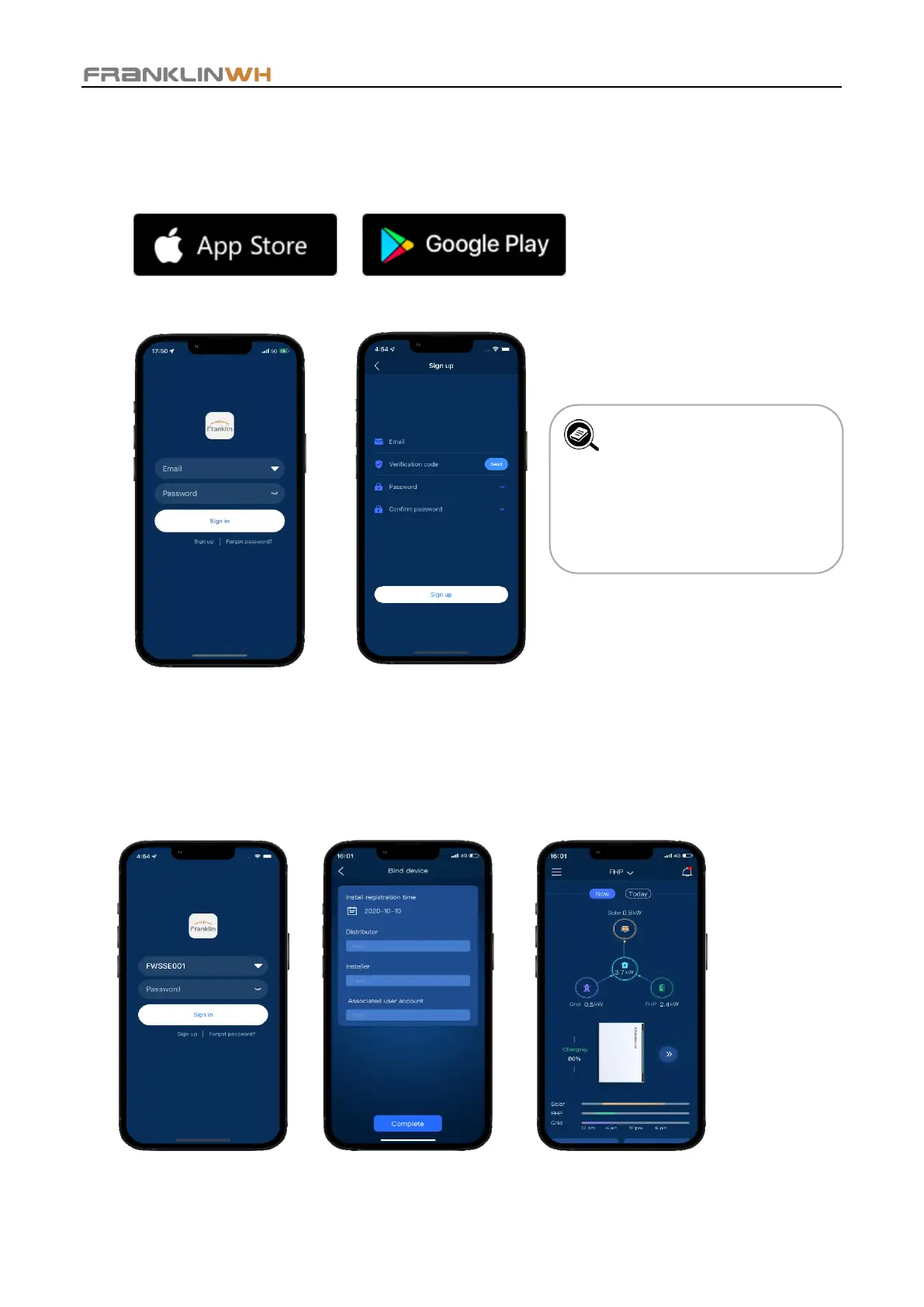
FHP System Activation with Smartphone App
Step 1: Search for FranklinWH and download the app.
Step 2: Homeowners sign up with assistance from installation service providers.
Step 3: Log in to the Installer Account.
a. Installer signs into their account to
set the FHP parameters.
b. Bind homeowner email account to the
FHP.
Step 4: Log into the Homeowner Account.
The main page of the FranklinWH App displays
the real-time data of the FHP system under the
Now module, where you can view the running
status of various energy devices in your home.
NOTE: The images provided
in this document are for
demonstration purposes
only. Depending on product
version, details may appear
slightly different.


 To Previous Page