eTower Installation Manual Revision 0
Page 15 | 23
6. Connecting the Freedom Lite
6.1 Power Cables
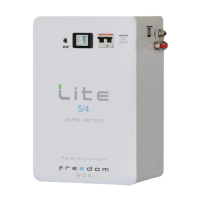
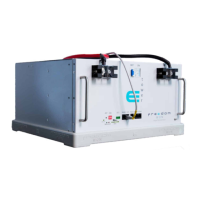
The eTower is simple to connect and the required accessories are all included in the box.
The supplied tower interconnecting busbars must be connected as illustrated in Figure 2.3,
making sure to put the red on the positive and the black on the negative – observe the +
and – signs near the terminals. The supplied 35mm
2
cables to connect to the inverter must
be connected to the top eTower module, one cable per pole is required for inverters up to
10kVA, and two per pole for inverters up to 20kVA. The lugs for the eTower end of the DC
cables are already fitted and the terminal bolts are long enough to accommodate both a
busbar and a lug on the same terminal when required. Torque all terminal bolts to 12N.m.
Caution: Prior to connecting any of the positive and negative cables and busbars to the
inverter and eTower modules, be sure to check that the main battery circuit breaker is
switched off on all eTower modules and that the inverter is also switched off. This will
ensure that there are no short circuits between the loose ends of the cables and prevent
the risk of metal tools causing a short circuit.
The DC cable cross sectional area is based on an acceptable voltage drop with the inverter
being mounted on the wall adjacent to the eTower with a maximum cable run of 5m (note
however that the standard cable length is 1,8m, longer cables are available on request or
can be made up by the installer).
Cable runs longer than 5m should be assessed and larger cables. Double Insulation welding
cable is recommended.
The cables may be routed through trunking and connected into the inverter on the positive
and negative terminals respectively. The inverter terminals on most inverters can then be
used for linking up the charge controller(s) to the DC Bus. On Installations where there are
too many inverters and/or charge controllers to connect to the DC bus using the inverter
terminals as a junction point a DC connector box is required.
6.2 Control Cables – Overview
For controlling external devices, you will need to connect the CAN Bus cable or RS485 cable
depending on the inverter, which allows the Battery Management System inside the eTower
to control and interface with these devices. The cables used are CAT5e or CAT6 Ethernet
cables with RJ45 plugs.
Cables are included in the eTower box for most inverter options. See 2.2.13 and 2.2.14 for
details on cable pin configurations should you need to make your own cables. Figure 5.1
provides the pin numbering of the RJ45 connector.


 To Next Page
 Loading...