eTower Installation Manual Revision 0
Page 5 | 23
one and counting consecutively upwards. The module that has the communication cable
connected to the inverter must always be set with address 01. To simplify the setup, set the
top module to address 01 and connect this module’s external communication CAN or RS485
port to the inverter, then increase consecutively through the addresses for each successive
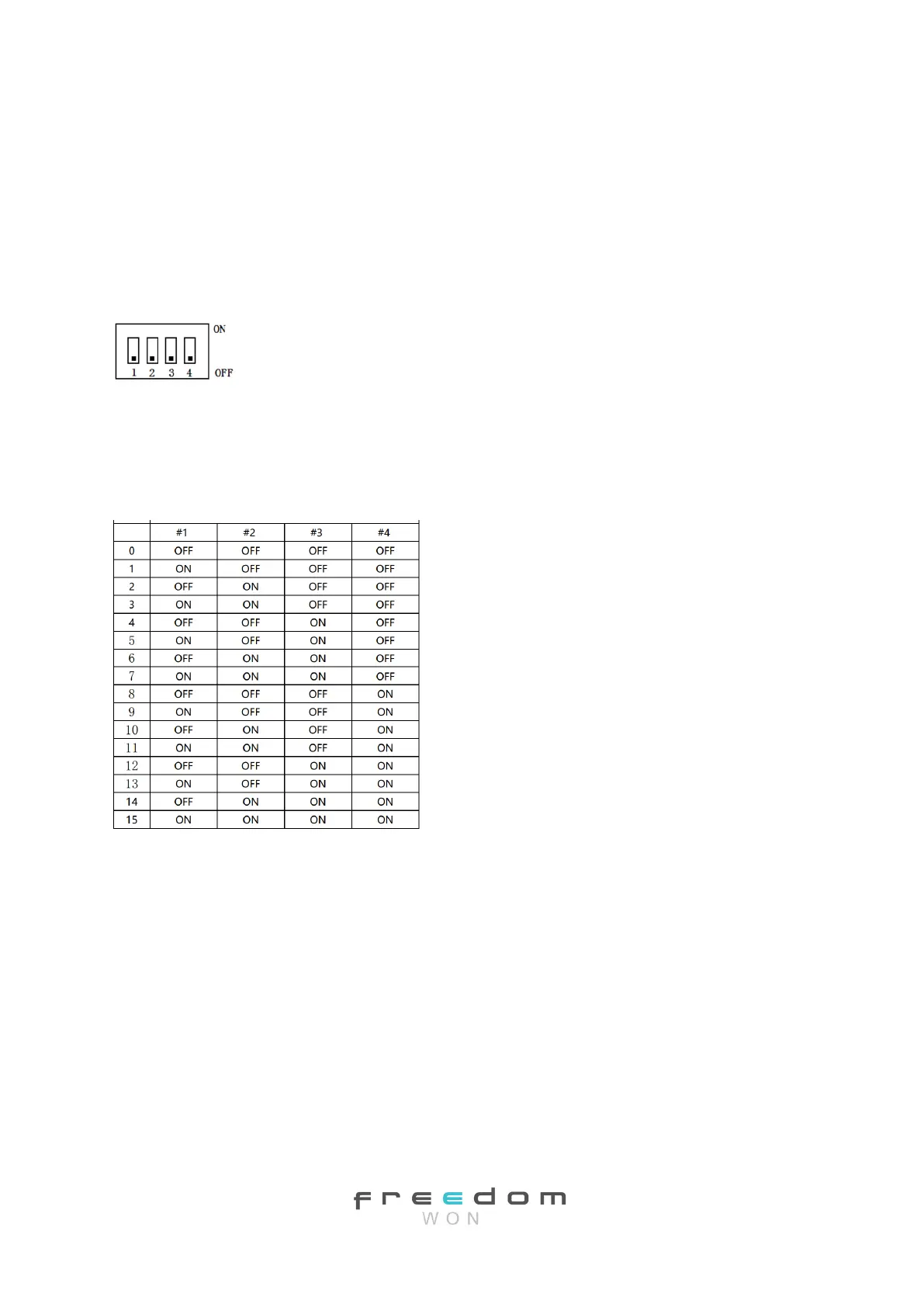
module below the top one. The dip switch numbering and on/off positions are illustrated in
Figure 2.2 and follows a normal binary sequence where the least significant bit is on the far
left.
Figure 2.2 Dip Switch Numbering and On/Off Positions
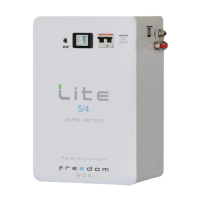
The dip switch settings for each module according to its address are to be set as shown in
Table 2.2. For a system without the ability to interface between the battery and the
inverter, all dip switches must be left switched off.
Table 2.2 Dip Switch Positions for Address Numbers 1 to 15.
Note that is it important to set these dip switches correctly to ensure proper
communication and system operation!
Although the eTower communication protocol can accommodate up to 15 modules, the
recommended limit is four modules per system because systems that require more than
20kWh are usually better accommodated by the Freedom Won LiTE range of high-
performance batteries.
2.2.7 RS232 Interface RJ11 Plug
This RS232 interface RJ11 plug port is used only for connecting a PC to the battery for
firmware updates, settings updates, real time battery data monitoring, and troubleshooting.
These functions are reserved for Freedom Won technicians or authorised service centres.


 To Next Page