INTRODUCTION
IMPORTANT
PRECAUTIONS
ASSEMBLY
BEFORE
YOU BEGIN
TREADMILL
OPERATION
CONDITIONING
GUIDELINES
TROUBLESHOOTING
& MAINTENANCE
LIMITED
WARRANTY
14
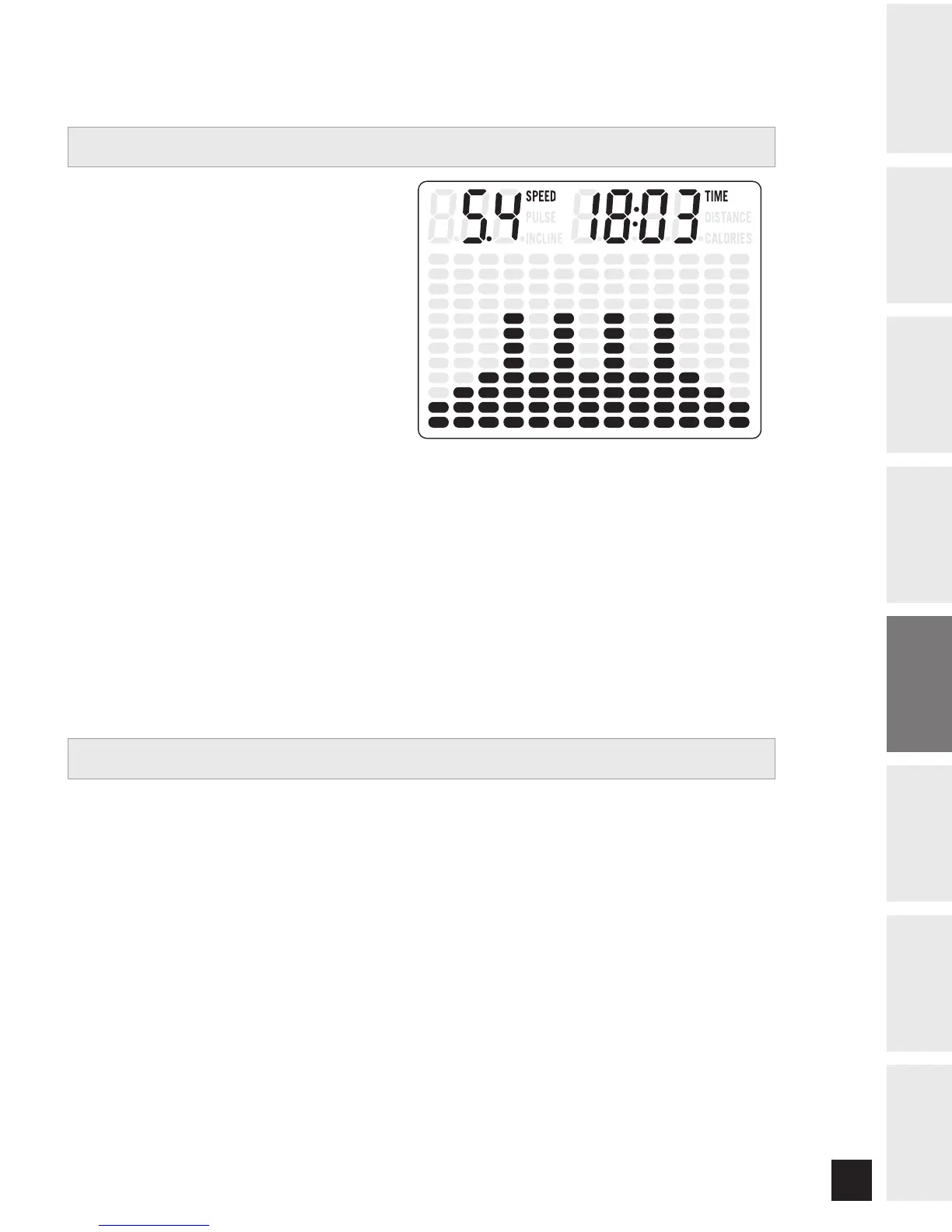
SPEED • Shown as MPH. Indicates how fast your
walking or running surface is moving.
TIME • Shown as Minutes:Seconds. View the time
remaining or the time elapsed in your workout.
PULSE • Shown as Beats Per Minute. Used to
monitor your heart rate (displayed when contact is
made with both pulse grips).
DISTANCE • Shown as Miles. Indicates distance
traveled during your workout.
INCLINE • Shown as Percent. Indicates the incline of your walking or running surface.
CALORIES • Total Calories burned during your workout.
PROGRAM PROFILES • Represents the profile of the program being used (speed during speed based
programs and incline during incline based programs).
HANDLEBARS
Place the palm of your hands directly on the grip pulse handlebars. Both hands must grip the bars for your heart
rate to register. It takes 5 consecutive heart beats (15-20 seconds) for your heart rate to register. When gripping
the pulse handlebars, do not grip tightly. Holding the grips tightly may elevate your blood pressure. Keep a loose,
cupping hold. You may experience an erratic readout if consistently holding the grip pulse handlebars. Make sure
to clean the pulse sensors to ensure proper contact can be maintained. (See page 27).
MONITOR DISPLAY
HEART RATE


 To Next Page