2201 Cantu Court Suite 215 Sarasota, FL 34232 Page 22 of 23
(941) 378-4242 (800-237-3928 Fax (941) 378-2765
Stewartsigns.com
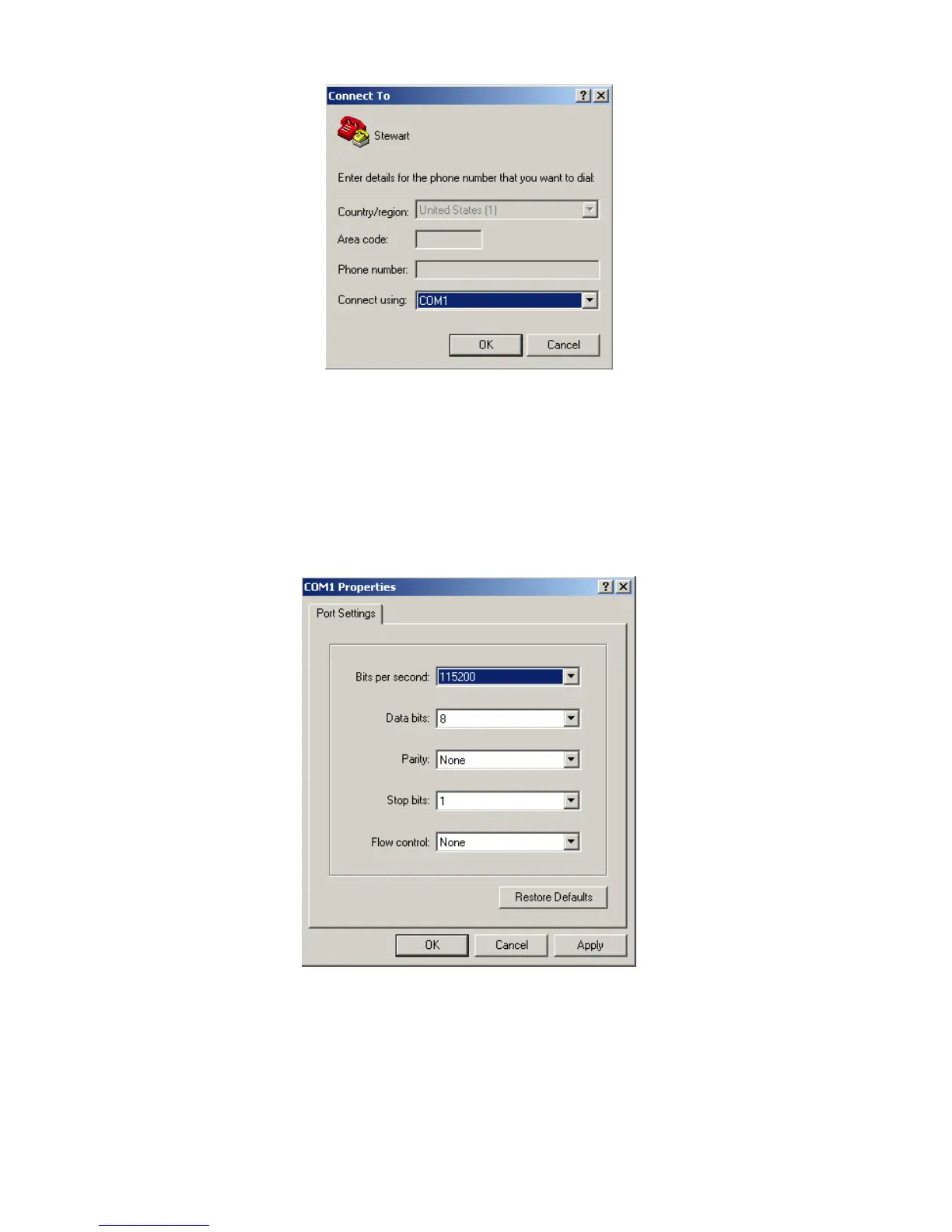
Figure #27
5. Select the connection type to be used. From the “Connect using” drop-down menu
and select the P.C. Serial Port you plugged the serial cable into. (this is usually
COM1),
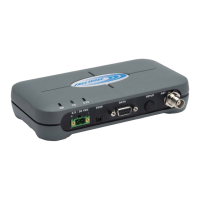
6. Click on the OK button. The “Properties” dialog box appears for the selected
connection type. See figure #28.
Figure #28


 To Next Page