Door Locks and Handles
One key operates the ignition switch and all of the
door locks.
IMPORTANT: Each key is numbered. Record
the number so a duplicate key can be made, if
needed.
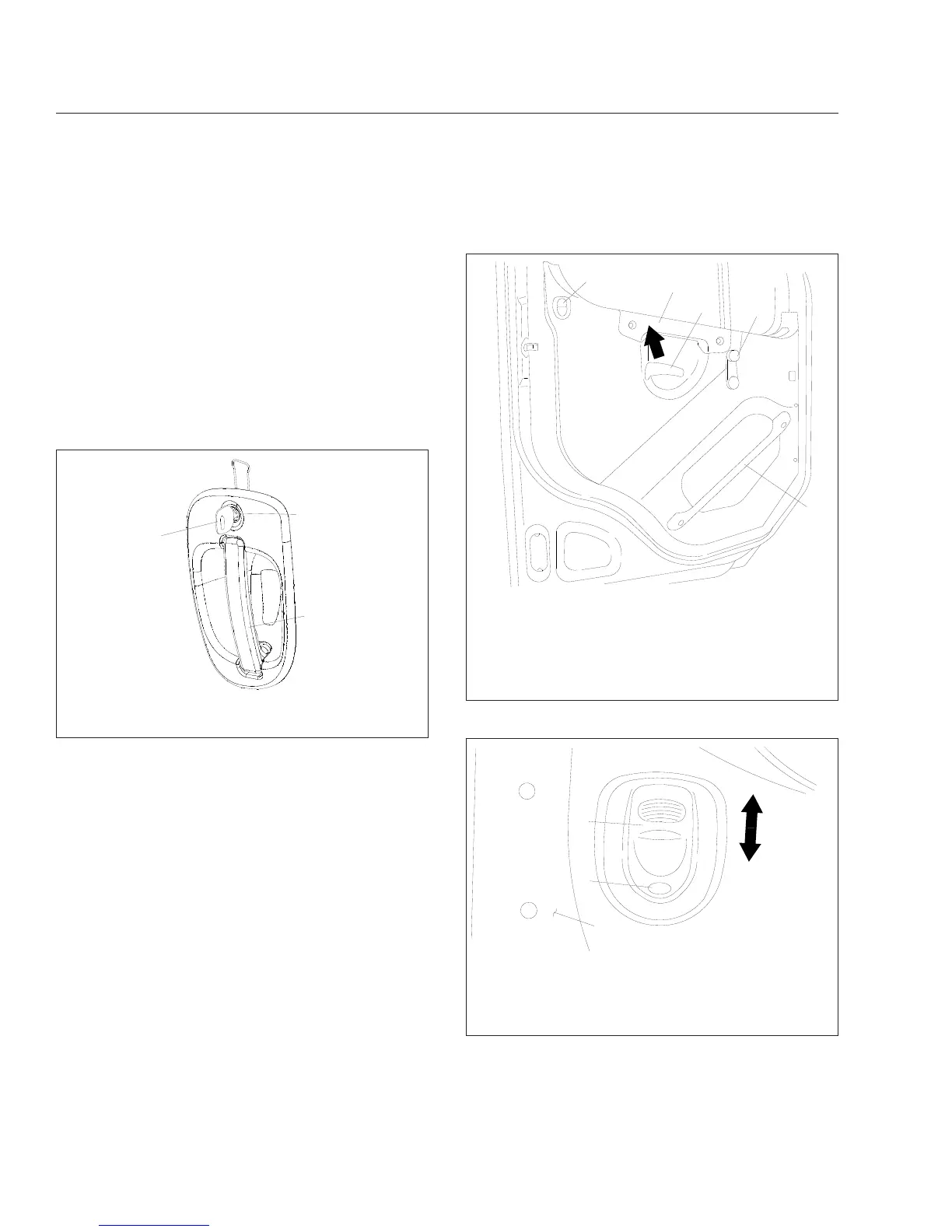
To unlock the driver’s door from outside the cab, in-
sert the key in the lockset and turn it one-quarter turn
clockwise (
Fig. 2.1). To remove the key, turn it coun-
terclockwise to its original position. Pull out on the
door pull handle to open the door.
To unlock the passenger’s door from outside the cab,
insert the key in the lockset and turn it one-quarter
turn counterclockwise. Turn the key clockwise to the
original position to remove it.
To open the door from the inside, lift up on the door
lever. This will unlatch the door whether or not it is
locked. See
Fig. 2.2.
NOTE: The cab door locks can be operated
when the doors are open.
To lock a door from outside the cab, insert the key in
the lockset and turn it in the direction opposite to the
unlocking direction (counterclockwise for the driver’s
door, clockwise for the passenger’s door). Close the
door if it is open.
To lock either door from inside the cab, push the lock
button downwards (
Fig. 2.3). To unlock the door
without unlatching it, push the lock button upwards. A
red dot will show below the lock button when it is
unlocked.
10/22/2001
f720397
1
2
3
1. Key
2. Lock
3. Door Pull Handle
Fig. 2.1, Exterior Door Handle
10/25/2001
f720398
1
2
3
4
5
To open the door from the inside, lift up on the door lever
(arrow).
1. Lock Button
2. Armrest/Handle
3. Door Lever
4. Window Crank
5. Inner Door Grab
Handle (optional)
Fig. 2.2, Door Interior
10/24/2001
f720401
1
2
3
Move the button down to lock, and up to unlock (arrows).
The door is unlocked when the red dot shows.
1. Door
2. Lock Button
3. Red Dot
Fig. 2.3, Door Lock Button
Vehicle Access
2.1



 To Next Page