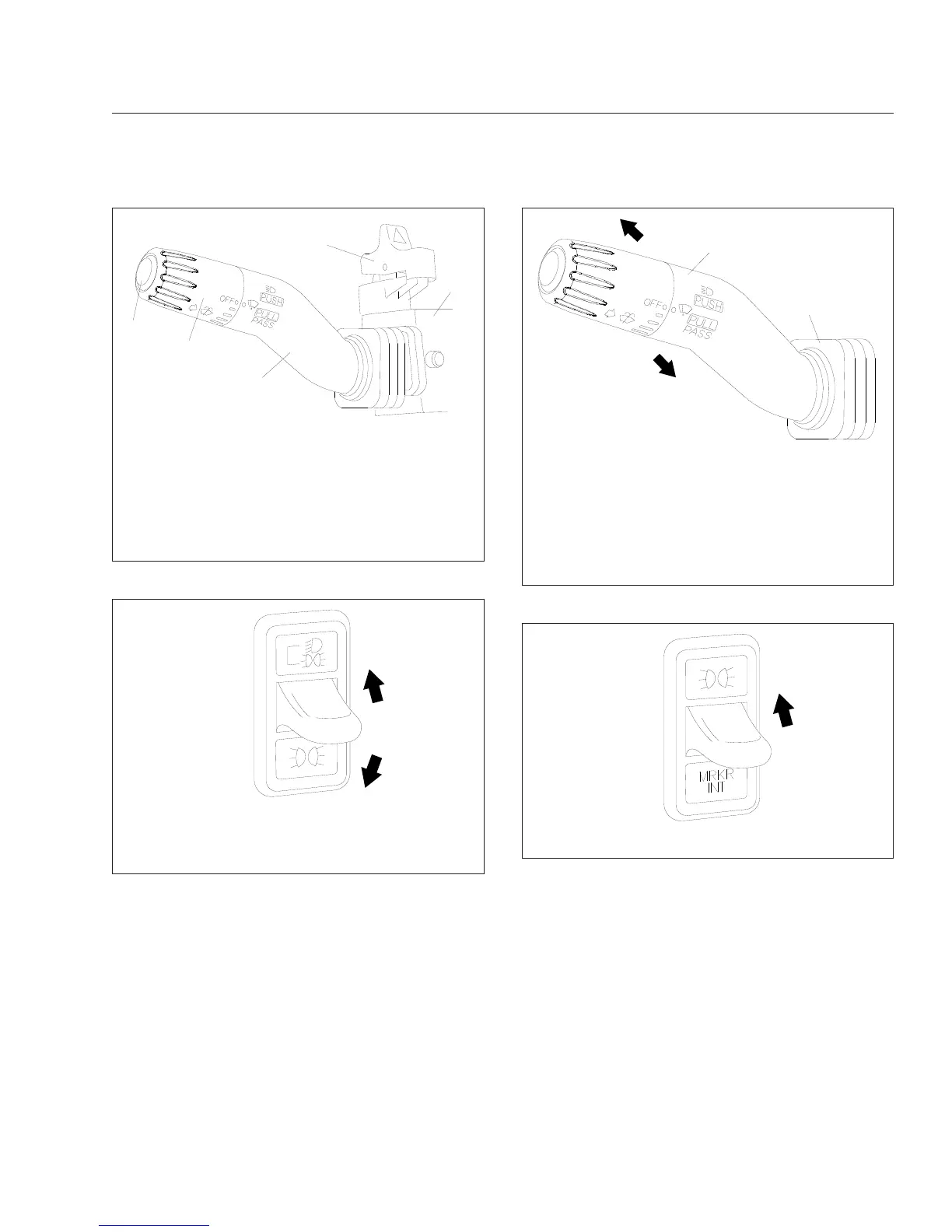
With the vehicle lights on, raise and hold the paddle
switch to briefly turn off the marker lights and tail-
lights. The dash lights will flash with the marker lights
when the switch is actuated. When the paddle is re-
leased the marker lights will return to normal opera-
tion. With the vehicle lights off, raise the paddle
switch briefly to turn the marker lights on.
Panel Light Increase/Decrease Switch
When the instrument panel lights are on, they can be
brightened or dimmed by using the INCR/DECR
rocker switch (
Fig. 5.9), located just below the head-
light switch.
To brighten the panel lights, press the upper part of
the rocker switch. To dim the panel lights, press the
lower part of the rocker switch.
f820386
1
2
3
4
5
11/16/2001
Press the upper part of the rocker switch to activate the
hazard warning lights.
1. Windshield Washer Button
2. Windshield Wiper Control Dial
3. Turn Signal Lever
4. Hazard Warning Light Switch
5. Multifunction Switch Module
Fig. 5.5, Hazard Warning Light Switch
10/15/2001
f610580
Raise the paddle to illuminate the low-beam headlights.
Lower the paddle to illuminate the clearance lights,
marker lights, and taillights.
Fig. 5.6, Headlight Switch
10/17/2001
f820385
1
2
Push the lever away from you to turn on the high-beam
headlights. Pull the lever back to the neutral position to
turn them off.
Pull the lever towards you to flash the high-beam
headlights momentarily.
1. Turn Signal Lever 2. Boot
Fig. 5.7, High-Beam Headlight Operation
05/09/2002
f610581
Raise the paddle to flash the marker lights.
Fig. 5.8, Marker Light Interrupt Switch
Driver Controls
5.4



 To Next Page