Lane Keeping Assist
Important safety notes
G
WARNING
LaneKeeping Assist cannot always clearly
detect lane markings.
In such cases, LaneKeeping Assist can:
R
give an unnecessarywarning
R
not give awarning
Thereisarisk of an accident.
Always pay particular attention to thetraffic
situationand keepwithin thelane, espe-
cially if LaneKeeping Assist alertsyou.
G
WARNING
The LaneKeeping Assist warning does not
return thevehicle to theoriginal lane. There
is arisk of an accident.
You should always steer, brakeoraccelerate
yourself, in particular if warned by Lane
Keeping Assist.
The system may be impaired or may not oper-
ate:
R
if there is low visibility, e.g.due to insuffi-
cientroad illuminationordue to snow, rain,
fog or heavy spray
R
if there is glare,e.g.fromoncomingtraffic,
thesun or reflection fromother vehicles
(e.g. if theroad surface is wet)
R
if thewindshieldisdirty, misted up, dam-
aged or covered,for instance by asticker, in
thevicinityofthe camera
R
if no or several unclear lane markingsare
present for one lane, e.g.inaconstruction
area
R
if thelane markingsare worn away, dark or
covered up, e.g.bydirt or snow
R
if thedistancetothe vehicle in front is too
small and thelane markingsthuscannot be
detected
R
if thelane markingschange quickly, e.g.
lanes branch off,cross one another or
merge
R
if theroad is narrow and winding
R
if there are highlyvariable shade conditions
on theroad surface
R
if attachments, e.g.asnowplough,restrict
thecamera'sview of theroad lane markings
R
after asignificant change in load with the
ignitionswitchedon. Therefore, start the
engine again after asignificant change in
load for LaneKeeping Assist to be available
without any restrictions
If you fail to adapt your driving style or if you
are inattentive, LaneKeeping Assist can nei-
ther reducethe risk of an accidentnor over-
ride thelaws of physics. LaneKeeping Assist
cannot takethe road and weather conditions
intoaccount,nor theprevailing traffic situa-
tion. LaneKeeping Assist is onlyanaid. You
are responsible for thedistancetothe vehicle
in front,for vehicle speed,braking in good
timeand remaininginlane. Always adapt your
driving style to theprevailing road and weather
conditionsand maintain asufficient,safe dis-
tance fromother road users.
Makesure that thewindshieldisalways kept
clean and unobstructed in thearea of thecam-
era (Y page 157). You can switch on thewind-
shieldwiper to clean thewindshield, for exam-
ple, or remove snow and ice fromthe wind-
shield.
Overview
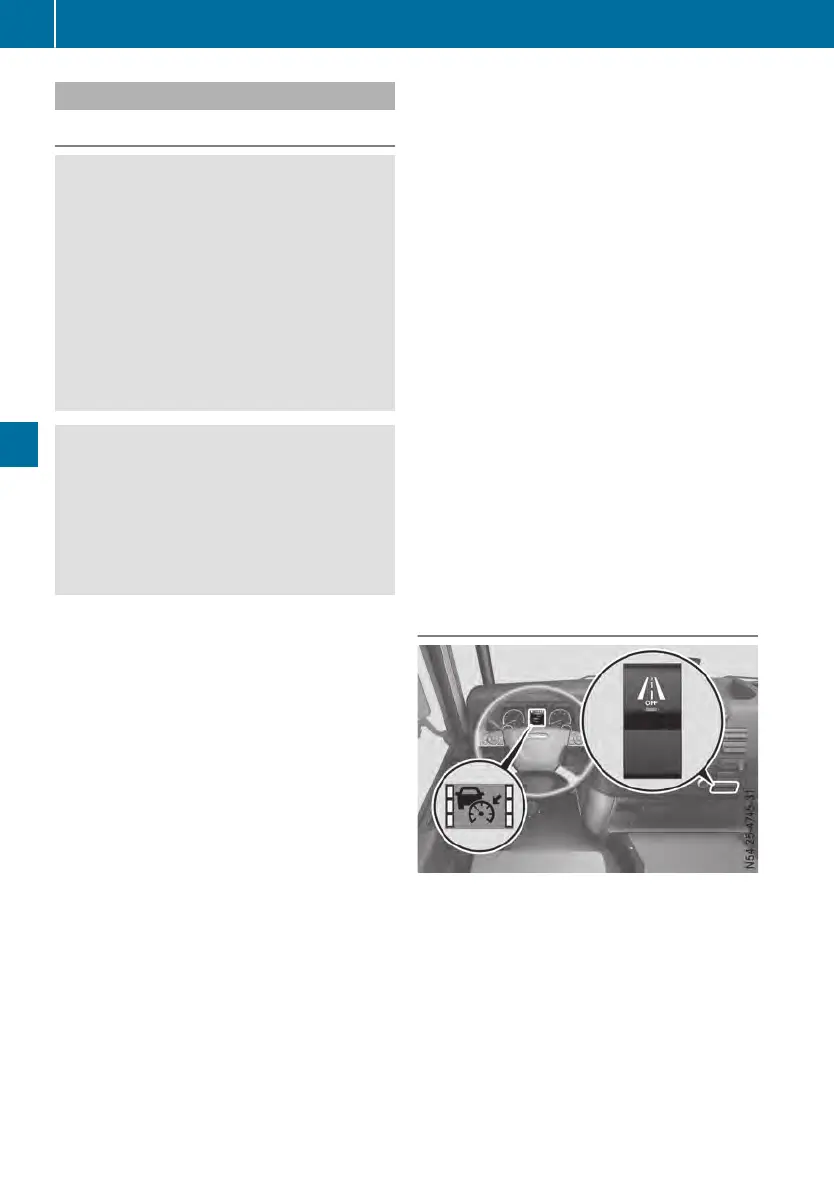
LaneKeeping Assist button and display
i
The lane markingsare also displayed in
the AssistanceAssistance menuwindow in the à
driving mode menu(Ypage 76).
The lane markingsinthe status area and in the
AssistanceAssistance menuwindow of theon-board
computershow thestatus of LaneKeeping
Assist in colour:
134
Driving systems
Driving mode












 To Next Page