The indicator lamp lights up and remains lit
after the engine is started if:
R
aserious emissions-related malfunction is
detected
R
an emissions-related malfunction is still
present,and more than 200 hours have
elapsed since detection
On-board computer
Operating the on-board computer
G
WARNING
If you operate information systems and com-
munication equipment integrated in the
vehicle when driving, you may be distracted
from the traffic situation. You could also
lose control of the vehicle. There is arisk of
an accident.
Only operate this equipment when the traffic
situation permits. If you are not sure that
this is possible, park the vehicle paying
attention to traffic conditions and operate
the equipment when the vehicle is station-
ary.
Observe the legal requirementsfor the country
you are currently in while operating the on-
board computer.
The on-board computer only shows messages
or warnings from certain systems in the dis-
play. You should thereforemake sure your
vehicle is operating safely at all times. Other-
wise, you could cause an accident by driving
an unsafe vehicle. If your vehicle is not operat-
ing safely, stop immediately, paying attention
to the road and traffic conditions.
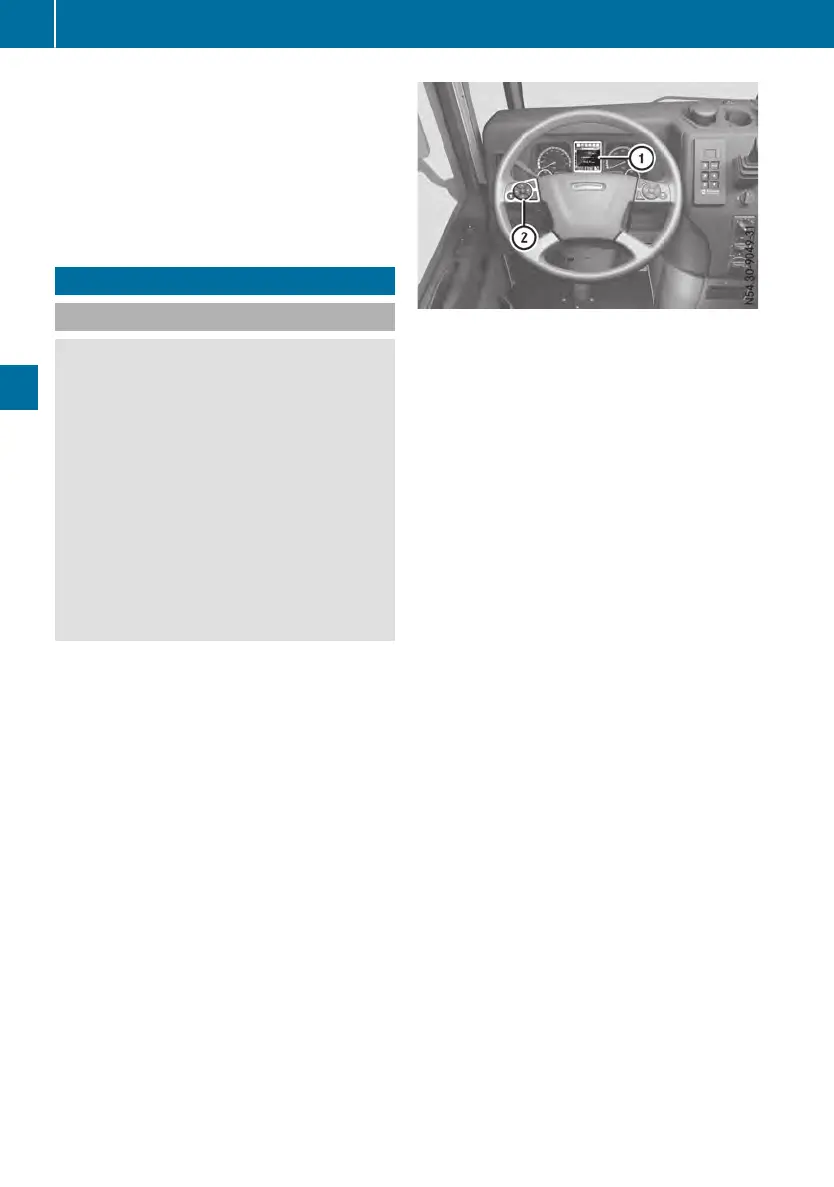
:
On-board computer display
;
Buttons
u
Selectsthe next main menu/next entry
in the input window; increases or resets
value
t
Selectsthe previous main menu/previ-
ous entryinthe input window or decrea-
ses value
r
Next menu window/nextmenu bar
down in the input window
s
Previous menu window/nextmenu bar
up in the input window
9
Opens and closes input window/
acknowledges event window
4
Stores/displays favorite menu window
Navigate through the on-board computer
menus using the left group of buttonsonthe
multifunction steeringwheel.
Whilst you are driving, the on-board computer
provides information about:
R
Fuel consumption
R
Trip time
R
Operating conditions
R
Maintenance due dates
R
Malfunctions
R
Causes of malfunctions
R
Measures to be taken
X
Turn the key to the radio position in the igni-
tion lock.
X
Turn the key to the drive position in the igni-
tion lock.
The on-board computer shows the last
active menu window, e.g. the Truck infoTruck info
menu window in the ß trip data menu.
If amalfunction is detected, the on-board
computer will display the eventsinanevent
window first. In addition to the event win-
dow, an indicator lamp may light up in the
instrument cluster or in the status area of
72
On-board computer
On-board computer and displays












 To Next Page