EasyManua.ls Logo

FRIEDLAND PA4 - User Manual

FRIEDLAND PA4
20 pages
Print Icon
To Next Page IconTo Next Page
Loading...
EXIT
1. Check all windows and doors are closed.
2. a) Fullguard - Press 'Away' then 'Arm'.
or b) Partguard - Press 'Home' then 'Arm'.
3. Leave premises by entry/exit route.
ENTRY
1. Enter premises by entry/exit route.
2. Enter your 4 digit password. If a mistake is
made re-enter the correct passcode.
MAINS
CLEAR 24Hr
Zone 1 Zone 2 Zone 3 Zone 4
123
0
456
789
ARM
OMIT
RESET
HOME
ER
AWAY
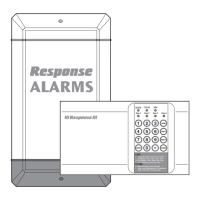
Installation & Operating Manual
PA4
4 Zone Wired Intruder
Alarm System
Question and Answer IconNeed help?

Do you have a question about the FRIEDLAND PA4 and is the answer not in the manual?

Summary

FOREWORD

SAFETY WARNINGS

Installation Safety Precautions

Essential safety advice for installing the alarm system.

SYSTEM SECURITY

System Security Measures

Advice on physical security and user code protection.

INTRODUCTION AND SYSTEM OVERVIEW

Control Panel, Power, and Detector Basics

Overview of the control panel, power failure, and detector types.

KIT CONTENTS AND SYSTEM EXPANSION

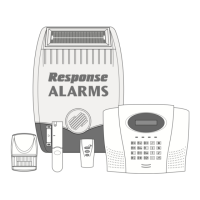
Included System Components

List of all items supplied in the PA4 alarm package.

System Expansion Options

Information on available accessories for system upgrades.

SYSTEM FEATURES AND FUNCTIONS

User Operational Functions

Explains user controls like Arm/Disarm, Event Log.

Installer and System Functions

Details installer access, programming, zones, and tamper circuits.

SYSTEM PROGRAMMABLE OPTIONS

Zone Delay, Duration, and Omit Settings

Configuring zone delays, alarm duration, and omissions.

Home Arming and User;Installer Codes

Setting up 'Home' feature, user access, and installer codes.

INSTALLATION PLANNING AND PLACEMENT

General Planning and Control Panel Location

Initial planning and advice on control panel placement.

Detector and Siren Placement Guidelines

Recommendations for positioning PIRs, contacts, and the siren.

FURTHER INSTALLATION CONSIDERATIONS

Night Arming and Installation Example

Tips for night arming and a visual installation example.

INSTALLING THE CONTROL PANEL

Control Panel Mounting and Wiring

Steps for physically mounting and connecting the panel.

Control Panel Testing Procedures

Procedures for verifying the control panel's functionality.

WIRING THE DETECTION ZONES

Zone Wiring Color Code and Configurations

Standard wiring colors and methods for detection zones.

TESTING PIR MOVEMENT DETECTORS

PIR Detector Testing and Troubleshooting

Verifying PIR operation and resolving common faults.

INSTALLING PIR MOVEMENT DETECTORS

PIR Detector Mounting and Positioning

Guidance on optimal placement and physical mounting of PIR units.

PIR Detector PCB Layout and Features

Diagram of the PIR's internal components and settings.

WIRING PIR MOVEMENT DETECTORS

PIR Detector Wiring Connections and Pulse Count

Detailed steps for connecting PIR wires and setting pulse count.

TESTING PIR MOVEMENT DETECTORS AT CONTROL PANEL

PIR Detector Field of View Test

Verifying PIR coverage and response at the panel.

TYPICAL WIRING ARRANGEMENTS

Single and Multiple PIR Wiring Diagrams

Visual guides for wiring single and multiple PIR detectors.

Combined Detector Wiring Diagrams

Visuals for wiring PIRs and Magnetic Contacts.

INSTALLING MAGNETIC CONTACT DETECTORS

Magnetic Contact Placement and Wiring

Advice on placement and steps for wiring magnetic contacts.

EXTERNAL SIREN AND POWER MANAGEMENT

External Siren Installation and Wiring

Steps for mounting and connecting the external siren unit.

Control Panel Power and Batteries

Connecting main power and installing backup batteries.

TESTING MAGNETIC CONTACTS AT THE CONTROL PANEL

Magnetic Contact Test Procedure

Steps to verify the operation of magnetic contacts.

SYSTEM PROGRAMMING OVERVIEW

General Programming Modes and Options

Introduction to system programming modes and available options.

INSTALLER PROGRAMMING MODE

Entering Installer Mode and Changing Codes

Accessing installer functions and updating security codes.

PROGRAMMABLE TIME AND ZONE SETTINGS

Exit;Entry Delays and Alarm Duration

Adjusting delay times and siren duration.

Home Feature and Walk Through Zones

Configuring 'Home' arming and 'Walk Through' zones.

Summary

FOREWORD

SAFETY WARNINGS

Installation Safety Precautions

Essential safety advice for installing the alarm system.

SYSTEM SECURITY

System Security Measures

Advice on physical security and user code protection.

INTRODUCTION AND SYSTEM OVERVIEW

Control Panel, Power, and Detector Basics

Overview of the control panel, power failure, and detector types.

KIT CONTENTS AND SYSTEM EXPANSION

Included System Components

List of all items supplied in the PA4 alarm package.

System Expansion Options

Information on available accessories for system upgrades.

SYSTEM FEATURES AND FUNCTIONS

User Operational Functions

Explains user controls like Arm/Disarm, Event Log.

Installer and System Functions

Details installer access, programming, zones, and tamper circuits.

SYSTEM PROGRAMMABLE OPTIONS

Zone Delay, Duration, and Omit Settings

Configuring zone delays, alarm duration, and omissions.

Home Arming and User;Installer Codes

Setting up 'Home' feature, user access, and installer codes.

INSTALLATION PLANNING AND PLACEMENT

General Planning and Control Panel Location

Initial planning and advice on control panel placement.

Detector and Siren Placement Guidelines

Recommendations for positioning PIRs, contacts, and the siren.

FURTHER INSTALLATION CONSIDERATIONS

Night Arming and Installation Example

Tips for night arming and a visual installation example.

INSTALLING THE CONTROL PANEL

Control Panel Mounting and Wiring

Steps for physically mounting and connecting the panel.

Control Panel Testing Procedures

Procedures for verifying the control panel's functionality.

WIRING THE DETECTION ZONES

Zone Wiring Color Code and Configurations

Standard wiring colors and methods for detection zones.

TESTING PIR MOVEMENT DETECTORS

PIR Detector Testing and Troubleshooting

Verifying PIR operation and resolving common faults.

INSTALLING PIR MOVEMENT DETECTORS

PIR Detector Mounting and Positioning

Guidance on optimal placement and physical mounting of PIR units.

PIR Detector PCB Layout and Features

Diagram of the PIR's internal components and settings.

WIRING PIR MOVEMENT DETECTORS

PIR Detector Wiring Connections and Pulse Count

Detailed steps for connecting PIR wires and setting pulse count.

TESTING PIR MOVEMENT DETECTORS AT CONTROL PANEL

PIR Detector Field of View Test

Verifying PIR coverage and response at the panel.

TYPICAL WIRING ARRANGEMENTS

Single and Multiple PIR Wiring Diagrams

Visual guides for wiring single and multiple PIR detectors.

Combined Detector Wiring Diagrams

Visuals for wiring PIRs and Magnetic Contacts.

INSTALLING MAGNETIC CONTACT DETECTORS

Magnetic Contact Placement and Wiring

Advice on placement and steps for wiring magnetic contacts.

EXTERNAL SIREN AND POWER MANAGEMENT

External Siren Installation and Wiring

Steps for mounting and connecting the external siren unit.

Control Panel Power and Batteries

Connecting main power and installing backup batteries.

TESTING MAGNETIC CONTACTS AT THE CONTROL PANEL

Magnetic Contact Test Procedure

Steps to verify the operation of magnetic contacts.

SYSTEM PROGRAMMING OVERVIEW

General Programming Modes and Options

Introduction to system programming modes and available options.

INSTALLER PROGRAMMING MODE

Entering Installer Mode and Changing Codes

Accessing installer functions and updating security codes.

PROGRAMMABLE TIME AND ZONE SETTINGS

Exit;Entry Delays and Alarm Duration

Adjusting delay times and siren duration.

Home Feature and Walk Through Zones

Configuring 'Home' arming and 'Walk Through' zones.

FRIEDLAND PA4 Specifications

General IconGeneral
BrandFRIEDLAND
ModelPA4
CategorySecurity System
LanguageEnglish

Related product manuals