EasyManua.ls Logo

FRIEDLAND SA5 - User Manual

FRIEDLAND SA5
52 pages
Print Icon
To Next Page IconTo Next Page
Loading...
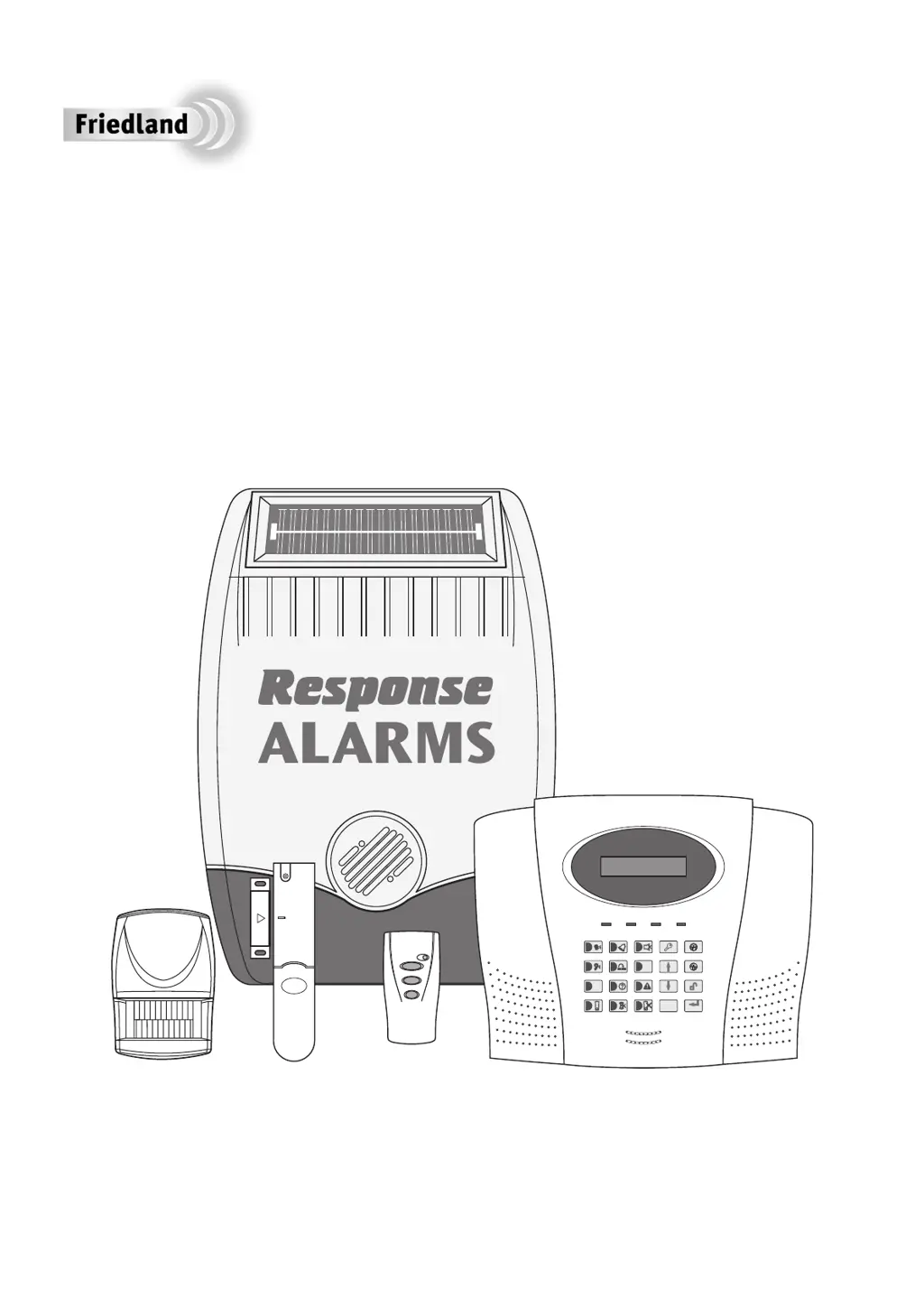
Installation & Operating Manual
SA5
6 Zone Communicating
Wirefree Alarm System
E
S
C
E
NT
E
R
2
6
7
9
#
*
8
5
3
1
4
0

Table of Contents

Other manuals for FRIEDLAND SA5

Questions and Answers

Summary

Foreword

Tools and Equipment Required

Lists necessary tools for installation.

Device Range

Explains how walls affect signal transmission range.

System Security

Discusses system security features and recommendations.

Safety Precautions

Provides important safety advice during installation and use.

Kit Contents

System Components Included

Lists the components included in the alarm system kit.

Included Accessories

Lists additional items provided with the alarm system.

Introduction and Overview

Multiple Users and Access Codes

Details system user configuration and access codes.

System Arming Modes

Explains the different system arming modes (Full, Part-Arm).

Entry and Exit Delays

Describes the function and configuration of entry/exit delays.

Zone Configuration

Explains the 6 wirefree and 4 wired zones and their modes.

Zone Lockout Feature

Describes the feature that temporarily disables zones after repeated triggers.

Quick Set Feature

Describes the fast arming feature with a 5-second exit delay.

Final Exit Set Zone

Explains the zone that resets exit delay.

Walk Through Zone Functionality

Details the feature to temporarily disable zones on entry routes.

Omit Zone Functionality

Allows temporary omission of a zone for the next arming session.

Event Log Functionality

Describes the log storing up to 50 system events.

Chime Mode Operation

Explains the low-volume warning for zone entry in standby mode.

Voice Dialler Functionality

Details the telephone dialler for alarm notification.

Remote Manager Service

Describes the interface with the MyGARD Alarm Monitoring Service.

Latch Key Facility

Explains the facility to call a phone number upon system disarming.

Answerphone Functionality

The control panel has a built-in answerphone facility.

Voice Memo Recording

Allows recording short messages at the control panel.

Remote Phone Access and Control

Allows remote interrogation and control via phone.

Device Tamper Protection

Protection against unauthorized interference with devices.

Jamming Detection System

Detects attempts to illegally jam the radio channel.

Battery Monitoring System

Monitors battery levels in system devices.

System House Code Configuration

Configures devices to communicate with the control panel.

Planning and Extending Your Alarm System

Typical Installation Guide

Shows suggested positions for system components in a typical property.

Detector Placement Guide

Remote Control Unit Operation

Explains the function and operation of the remote control.

Control Panel

Control Panel Placement

Provides guidance on where to mount the control panel.

Remote Control Configuration

Details the process of setting up the remote control's House Code.

Remote Control Testing

Instructions for testing the remote control's functionality.

Control Panel Installation

Inside View of Control Panel

Diagram showing internal components and connections of the control panel.

Control Panel Mounting Procedure

Step-by-step guide for physically mounting the control panel.

Control Panel House Code Configuration

Battery and Power Connections

Instructions for connecting power and backup batteries.

Setting the System House Code

Steps to set the system's unique House Code.

System Testing

Test Mode Activation and Walk Test

How to enter the system's test mode and perform a walk test.

Detector Testing Procedure

Instructions for testing all detectors.

Passive Infra Red (PIR) Movement Detectors

PIR Detector Operation Principles

Explains how PIR detectors work and their limitations.

PIR Detector Optimal Placement

Guidance on optimal placement for PIR detectors.

PIR Detector Installation and Configuration

PIR Detector Mounting Considerations

Points to consider for trouble-free PIR detector operation.

PIR Detector DIP Switch Settings

How to set DIP switches for house code, zone, and walk test.

PIR Detector Sensitivity Adjustment

PIR Detector Stabilization Period

Information on the initial stabilization period after battery connection.

PIR Detector Testing

Steps for testing the PIR detector's functionality.

Magnetic Contact Detectors

Magnetic Contact Detector Operation

Explains how magnetic contact detectors work.

Magnetic Contact Detector Placement

Guidance on optimal placement for magnetic contact detectors.

Magnetic Contact Detector Installation and Configuration

Magnetic Contact Detector Mounting

Instructions for physically mounting the magnetic contact detector.

Wired Magnetic Contact Connection

How to wire an additional magnetic contact.

Magnetic Contact Detector DIP Switch Settings

How to set DIP switches for house code and zone.

Magnetic Contact Detector Testing

Steps for testing the magnetic contact detector.

External Solar Siren

Solar Siren Features and Power

Describes the siren's features and power source.

Solar Siren Optimal Placement

Guidance on optimal placement for the solar siren.

Solar Siren Installation and Configuration

Solar Siren Mounting Procedure

Steps for physically mounting the solar siren.

Solar Siren DIP Switch Settings

How to set DIP switches for house code and alarm duration.

Siren Powering Up Procedure

External Connections Overview

Diagram and explanation of the control unit's terminal block.

System Testing

Test Mode Activation

How to enter the system's test mode.

Detector Testing Procedures

Instructions for testing all detectors.

Detector Testing Details

Remote Control Testing

How to test each button on the remote controls.

PIR Detector Testing

How to test PIR detectors for movement detection.

Magnetic Contact Detector Testing

How to test magnetic contact detectors.

Alarm Siren Testing

Siren Test Operations

How to test the wirefree and hardwired sirens.

Siren Service Mode Switching

Siren Mode Switching

How to switch the siren between Service and Operating modes.

Voice Dialer Test

Voice Dialler Test Procedure

Steps to test the voice dialler functionality.

Remote Manager Test

Remote Manager Test Procedure

Steps to test the remote manager service connection.

Factory Settings

User Setup Defaults

Default user setup configurations.

System Setup Defaults

Default system setup parameters.

Zone Setup Defaults

Default zone setup configurations.

Voice Dialer Setup Defaults

Default voice dialler setup parameters.

Full Arm Setup Defaults

Default full arm setup parameters.

Part-Arm 1 Setup Defaults

Default part-arm 1 setup parameters.

Part-Arm 2 Setup Defaults

Default part-arm 2 setup parameters.

Time and Date Defaults

Default time and date settings.

Latch Key Setup Defaults

Default latch key setup parameters.

Answerphone Setup Defaults

Default answerphone setup parameters.

Remote Manager Setup Defaults

Default remote manager setup parameters.

Reset Factory Settings

Reset Procedure Steps

Detailed steps to reset the system to factory defaults.

Programming Instructions

Navigating Programming Menus

How to navigate the system's programming menus.

User Setup

User Access Code Configuration

How to configure user access codes.

Latch Key Feature Configuration

How to set up the Latch Key feature.

Telephone Application Setup

Setting up telephone functions like Voice Dialler and Answerphone.

User 1-6 Access Code and Message Setup

Master User Access Code Setup

Configuring the master user access code.

System Setup

Learn System House Code

How to learn the system's House Code.

Alarm Duration Configuration

Setting the duration of the alarm sound.

Siren Duration Settings

Wirefree Siren Enable;Disable

Enabling or disabling the wireless siren.

Jamming Detection Enable;Disable

Enabling or disabling RF jamming detection.

Control Panel Backlight Settings

Adjusting the control panel display backlight timeout.

Alarm Relay Configuration

Configuring the operation of alarm relay contacts.

Zone Lockout Enable;Disable

Enabling or disabling the zone lockout feature.

Remote Phone Access and Control

Rings to Answer Phone Settings

Setting the number of rings before the panel answers.

Dialler Delay Configuration

Delaying the dialler activation after an alarm.

Dial Method Configuration

Configuring the dialler for exchange type (Pulse/Tone).

Dial Mode Configuration

Selecting between Voice Dialler or Remote Monitoring service.

Zone Setup

Zone Naming Convention

Allocating names to zones for identification.

Zone Type Configuration

Setting the operating mode for each zone (e.g., Intruder, Panic).

Zone Type Details

24 Hour Intruder and Fire Zone Types

Setting zones for continuous monitoring or fire detection.

Test Zone Type

Setting zones for testing without triggering alarms.

Final Exit Set Configuration

Controlling the Final Exit Set feature for zones.

Chime Mode Configuration

Enabling or disabling the chime feature for zones.

Zone Entry Delay Configuration

Configuring entry delay status and period for zones.

Part-Arm Zone Activation

Part-Arm 1 Zone Activation

Controlling zone activation during Part-Arm 1.

Part-Arm 2 Zone Activation

Controlling zone activation during Part-Arm 2.

Walk Through Zone Functionality

Determining if a zone is Entry-Door or Entry-Route.

Voice Dialer Setup

Telephone Number Configuration

Entering and managing phone numbers for the dialler.

Dialling Sequence Notes

Special characters for pauses and editing numbers.

Alarm Message Play Time Setting

Record Alarm Messages

Recording alarm voice messages.

Replay Alarm Messages

Replaying recorded alarm messages.

Call Routing Configuration

Enabling/disabling phone numbers in the dialling sequence.

Tel Confirm Times Setting

Setting number of confirmations to stop dialler.

Call Attempts Setting

Full Arm Exit Delay Period

Configuring the exit delay for Full Arm mode.

Full Arm Entry Delay Beeps

Enabling/disabling entry delay beeps for Full Arm.

Full Arm Exit Delay Beeps

Enabling/disabling exit delay beeps for Full Arm.

Part-Arm 1 Setup

Part-Arm 1 Exit Delay Period

Configuring the exit delay for Part-Arm 1.

Part-Arm 1 Entry Delay Beeps

Enabling/disabling entry delay beeps for Part-Arm 1.

Part-Arm 1 Exit Delay Beeps

Enabling/disabling exit delay beeps for Part-Arm 1.

Part-Arm 2 Setup

Part-Arm 2 Exit Delay Period

Configuring the exit delay for Part-Arm 2.

Part-Arm 2 Entry Delay Beeps

Enabling/disabling entry delay beeps for Part-Arm 2.

Part-Arm 2 Exit Delay Beeps

Enabling/disabling exit delay beeps for Part-Arm 2.

Time & Date Setup

Date Configuration

Setting the system date.

Time Configuration

Setting the system time.

Latch Key Setup

Latch Key Status Configuration

Enabling the Latch Key facility.

Selected Users Setup for Latch Key

Latch Key Telephone Number Entry

Entering phone numbers for Latch Key.

Answerphone Setup

Answerphone Status (ON;OFF)

Enabling/disabling the answerphone.

Record Answerphone Greeting

Recording a greeting message for the answerphone.

Replay Answerphone Greeting

Remote Manager Telephone Number

Entering the phone number for the monitoring service.

Remote Manager Unit ID Entry

Entering the System ID Code for the monitoring service.

Remote Manager Call Attempts

Setting call attempt limits for the monitoring service.

Operating Instructions

Arming the System

How to arm the system in Full Arm mode.

Part-Arm 1 System Arming

How to arm the system in Part-Arm 1 mode.

Part-Arm 2 System Arming

How to arm the system in Part-Arm 2 mode.

Disarming the System

How to disarm the system.

Operating Instructions Details

Quick Set Operation

Using the quick set function for arming.

Omit Zone Operation

Temporarily omitting zones.

Personal Attack (PA) Alarm Activation

Triggering a personal attack alarm.

Device Tamper Alarm Trigger

How tamper protection triggers an alarm.

Chime Facility Operation

Operating the chime facility.

Event Log Access

Accessing the event log.

Operating Instructions Continued

Leaving a Voice Memo Message

Recording voice memos at the control panel.

Replaying and Deleting Messages

Accessing and deleting stored messages.

Remote Phone Access and Control

External Answerphone Compatibility

Procedure for external answerphone compatibility.

Remote Access and Control Functions

Siren Service Mode

How to put the siren into Service Mode.

Siren Operating Mode

How to put the siren into Operating Mode.

Battery Monitoring

PIR Detector Low Battery Indication

Low battery indication for PIR detectors.

Magnetic Contact Detector Low Battery Indication

Low battery indication for magnetic contact detectors.

Control Panel Low Battery Indication

Low battery indication for the control panel.

Remote Control Low Battery Indication

Low battery indication for the remote control.

Maintenance

Solar Siren Maintenance

Cleaning and battery care for the solar siren.

Control Panel Maintenance

Battery life and care for the control panel.

Detector and Remote Control Maintenance

Maintenance for detectors and remote controls.

Replacement Battery Specifications

Specifies batteries for detectors and remote controls.

Product Disposal Guidelines

Guidelines for product and battery disposal.

Alarm Record

Zone Settings Recording

Table to record zone configuration details.

User Access Codes Recording

Section to record user access codes.

System House Code Recording

Diagram to record the system's house code.

Voice Dialer Phone Numbers Recording

Space to record voice dialler phone numbers.

Latch Key Phone Numbers Recording

Space to record latch key phone numbers.

Remote Security Manager Service Recording

Space to record remote manager service details.

Trouble Shooting

Control Unit Power Issues

Troubleshooting for power issues with the control unit.

Control Unit Low Battery Issues

Diagnosing low battery issues on the control unit.

User Access Code Entry Problems

Troubleshooting invalid user access codes.

Siren Not Responding to Detectors

Issues with the siren not detecting triggers.

Detection Zone Triggered, No Alarm

Reasons for no alarm sound after detection.

Siren Active, Panel No Alarm

Siren active but panel shows no alarm.

Siren Not Responding to Control Panel

Siren not receiving commands from the panel.

False Alarms (Tamper;PA)

Troubleshooting false alarms due to tamper or PA.

Remote Control LED Issues

Troubleshooting remote control LED issues.

PIR Detector False Alarms

Causes and solutions for PIR false alarms.

PIR Detector Not Detecting Movement

Troubleshooting PIR detection failures.

Trouble Shooting - System Issues

Voice Dialer Alarm Response Issues

Troubleshooting voice dialler communication issues.

Answerphone Functionality Issues

Troubleshooting answerphone functionality.

Voice Memo Recording Issues

Issues with recording voice memos.

Remote Manager Service Connection Issues

Troubleshooting remote manager service connection.

Remote Phone Access Functionality Issues

Troubleshooting remote access issues.

Latch Key Not Responding Issues

Troubleshooting latch key functionality.

Extending Your Alarm System

Available Accessories

Lists available accessories to enhance system protection.

Guarantee Information

Warranty Terms and Conditions

Details the warranty terms and conditions.

Product Return Procedure

Instructions for returning a faulty product.

Component Specification

External Solar Siren Specifications

Technical details of the solar siren.

Control Panel Specifications

Technical details of the control panel.

Magnetic Contact Detector Specifications

Technical details of the magnetic contact detector.

Remote Control Specifications

Technical details of the remote control.

Keypad Specifications

Technical details of the keypad.

PIR Red Movement Detector Specifications

Technical details of the PIR detector.

Research and Development Information

Information about the company's R&D.

Customer Helpline Information

Contact information for customer support.

Summary

Foreword

Tools and Equipment Required

Lists necessary tools for installation.

Device Range

Explains how walls affect signal transmission range.

System Security

Discusses system security features and recommendations.

Safety Precautions

Provides important safety advice during installation and use.

Kit Contents

System Components Included

Lists the components included in the alarm system kit.

Included Accessories

Lists additional items provided with the alarm system.

Introduction and Overview

Multiple Users and Access Codes

Details system user configuration and access codes.

System Arming Modes

Explains the different system arming modes (Full, Part-Arm).

Entry and Exit Delays

Describes the function and configuration of entry/exit delays.

Zone Configuration

Explains the 6 wirefree and 4 wired zones and their modes.

Zone Lockout Feature

Describes the feature that temporarily disables zones after repeated triggers.

Quick Set Feature

Describes the fast arming feature with a 5-second exit delay.

Final Exit Set Zone

Explains the zone that resets exit delay.

Walk Through Zone Functionality

Details the feature to temporarily disable zones on entry routes.

Omit Zone Functionality

Allows temporary omission of a zone for the next arming session.

Event Log Functionality

Describes the log storing up to 50 system events.

Chime Mode Operation

Explains the low-volume warning for zone entry in standby mode.

Voice Dialler Functionality

Details the telephone dialler for alarm notification.

Remote Manager Service

Describes the interface with the MyGARD Alarm Monitoring Service.

Latch Key Facility

Explains the facility to call a phone number upon system disarming.

Answerphone Functionality

The control panel has a built-in answerphone facility.

Voice Memo Recording

Allows recording short messages at the control panel.

Remote Phone Access and Control

Allows remote interrogation and control via phone.

Device Tamper Protection

Protection against unauthorized interference with devices.

Jamming Detection System

Detects attempts to illegally jam the radio channel.

Battery Monitoring System

Monitors battery levels in system devices.

System House Code Configuration

Configures devices to communicate with the control panel.

Planning and Extending Your Alarm System

Typical Installation Guide

Shows suggested positions for system components in a typical property.

Detector Placement Guide

Remote Control Unit Operation

Explains the function and operation of the remote control.

Control Panel

Control Panel Placement

Provides guidance on where to mount the control panel.

Remote Control Configuration

Details the process of setting up the remote control's House Code.

Remote Control Testing

Instructions for testing the remote control's functionality.

Control Panel Installation

Inside View of Control Panel

Diagram showing internal components and connections of the control panel.

Control Panel Mounting Procedure

Step-by-step guide for physically mounting the control panel.

Control Panel House Code Configuration

Battery and Power Connections

Instructions for connecting power and backup batteries.

Setting the System House Code

Steps to set the system's unique House Code.

System Testing

Test Mode Activation and Walk Test

How to enter the system's test mode and perform a walk test.

Detector Testing Procedure

Instructions for testing all detectors.

Passive Infra Red (PIR) Movement Detectors

PIR Detector Operation Principles

Explains how PIR detectors work and their limitations.

PIR Detector Optimal Placement

Guidance on optimal placement for PIR detectors.

PIR Detector Installation and Configuration

PIR Detector Mounting Considerations

Points to consider for trouble-free PIR detector operation.

PIR Detector DIP Switch Settings

How to set DIP switches for house code, zone, and walk test.

PIR Detector Sensitivity Adjustment

PIR Detector Stabilization Period

Information on the initial stabilization period after battery connection.

PIR Detector Testing

Steps for testing the PIR detector's functionality.

Magnetic Contact Detectors

Magnetic Contact Detector Operation

Explains how magnetic contact detectors work.

Magnetic Contact Detector Placement

Guidance on optimal placement for magnetic contact detectors.

Magnetic Contact Detector Installation and Configuration

Magnetic Contact Detector Mounting

Instructions for physically mounting the magnetic contact detector.

Wired Magnetic Contact Connection

How to wire an additional magnetic contact.

Magnetic Contact Detector DIP Switch Settings

How to set DIP switches for house code and zone.

Magnetic Contact Detector Testing

Steps for testing the magnetic contact detector.

External Solar Siren

Solar Siren Features and Power

Describes the siren's features and power source.

Solar Siren Optimal Placement

Guidance on optimal placement for the solar siren.

Solar Siren Installation and Configuration

Solar Siren Mounting Procedure

Steps for physically mounting the solar siren.

Solar Siren DIP Switch Settings

How to set DIP switches for house code and alarm duration.

Siren Powering Up Procedure

External Connections Overview

Diagram and explanation of the control unit's terminal block.

System Testing

Test Mode Activation

How to enter the system's test mode.

Detector Testing Procedures

Instructions for testing all detectors.

Detector Testing Details

Remote Control Testing

How to test each button on the remote controls.

PIR Detector Testing

How to test PIR detectors for movement detection.

Magnetic Contact Detector Testing

How to test magnetic contact detectors.

Alarm Siren Testing

Siren Test Operations

How to test the wirefree and hardwired sirens.

Siren Service Mode Switching

Siren Mode Switching

How to switch the siren between Service and Operating modes.

Voice Dialer Test

Voice Dialler Test Procedure

Steps to test the voice dialler functionality.

Remote Manager Test

Remote Manager Test Procedure

Steps to test the remote manager service connection.

Factory Settings

User Setup Defaults

Default user setup configurations.

System Setup Defaults

Default system setup parameters.

Zone Setup Defaults

Default zone setup configurations.

Voice Dialer Setup Defaults

Default voice dialler setup parameters.

Full Arm Setup Defaults

Default full arm setup parameters.

Part-Arm 1 Setup Defaults

Default part-arm 1 setup parameters.

Part-Arm 2 Setup Defaults

Default part-arm 2 setup parameters.

Time and Date Defaults

Default time and date settings.

Latch Key Setup Defaults

Default latch key setup parameters.

Answerphone Setup Defaults

Default answerphone setup parameters.

Remote Manager Setup Defaults

Default remote manager setup parameters.

Reset Factory Settings

Reset Procedure Steps

Detailed steps to reset the system to factory defaults.

Programming Instructions

Navigating Programming Menus

How to navigate the system's programming menus.

User Setup

User Access Code Configuration

How to configure user access codes.

Latch Key Feature Configuration

How to set up the Latch Key feature.

Telephone Application Setup

Setting up telephone functions like Voice Dialler and Answerphone.

User 1-6 Access Code and Message Setup

Master User Access Code Setup

Configuring the master user access code.

System Setup

Learn System House Code

How to learn the system's House Code.

Alarm Duration Configuration

Setting the duration of the alarm sound.

Siren Duration Settings

Wirefree Siren Enable;Disable

Enabling or disabling the wireless siren.

Jamming Detection Enable;Disable

Enabling or disabling RF jamming detection.

Control Panel Backlight Settings

Adjusting the control panel display backlight timeout.

Alarm Relay Configuration

Configuring the operation of alarm relay contacts.

Zone Lockout Enable;Disable

Enabling or disabling the zone lockout feature.

Remote Phone Access and Control

Rings to Answer Phone Settings

Setting the number of rings before the panel answers.

Dialler Delay Configuration

Delaying the dialler activation after an alarm.

Dial Method Configuration

Configuring the dialler for exchange type (Pulse/Tone).

Dial Mode Configuration

Selecting between Voice Dialler or Remote Monitoring service.

Zone Setup

Zone Naming Convention

Allocating names to zones for identification.

Zone Type Configuration

Setting the operating mode for each zone (e.g., Intruder, Panic).

Zone Type Details

24 Hour Intruder and Fire Zone Types

Setting zones for continuous monitoring or fire detection.

Test Zone Type

Setting zones for testing without triggering alarms.

Final Exit Set Configuration

Controlling the Final Exit Set feature for zones.

Chime Mode Configuration

Enabling or disabling the chime feature for zones.

Zone Entry Delay Configuration

Configuring entry delay status and period for zones.

Part-Arm Zone Activation

Part-Arm 1 Zone Activation

Controlling zone activation during Part-Arm 1.

Part-Arm 2 Zone Activation

Controlling zone activation during Part-Arm 2.

Walk Through Zone Functionality

Determining if a zone is Entry-Door or Entry-Route.

Voice Dialer Setup

Telephone Number Configuration

Entering and managing phone numbers for the dialler.

Dialling Sequence Notes

Special characters for pauses and editing numbers.

Alarm Message Play Time Setting

Record Alarm Messages

Recording alarm voice messages.

Replay Alarm Messages

Replaying recorded alarm messages.

Call Routing Configuration

Enabling/disabling phone numbers in the dialling sequence.

Tel Confirm Times Setting

Setting number of confirmations to stop dialler.

Call Attempts Setting

Full Arm Exit Delay Period

Configuring the exit delay for Full Arm mode.

Full Arm Entry Delay Beeps

Enabling/disabling entry delay beeps for Full Arm.

Full Arm Exit Delay Beeps

Enabling/disabling exit delay beeps for Full Arm.

Part-Arm 1 Setup

Part-Arm 1 Exit Delay Period

Configuring the exit delay for Part-Arm 1.

Part-Arm 1 Entry Delay Beeps

Enabling/disabling entry delay beeps for Part-Arm 1.

Part-Arm 1 Exit Delay Beeps

Enabling/disabling exit delay beeps for Part-Arm 1.

Part-Arm 2 Setup

Part-Arm 2 Exit Delay Period

Configuring the exit delay for Part-Arm 2.

Part-Arm 2 Entry Delay Beeps

Enabling/disabling entry delay beeps for Part-Arm 2.

Part-Arm 2 Exit Delay Beeps

Enabling/disabling exit delay beeps for Part-Arm 2.

Time & Date Setup

Date Configuration

Setting the system date.

Time Configuration

Setting the system time.

Latch Key Setup

Latch Key Status Configuration

Enabling the Latch Key facility.

Selected Users Setup for Latch Key

Latch Key Telephone Number Entry

Entering phone numbers for Latch Key.

Answerphone Setup

Answerphone Status (ON;OFF)

Enabling/disabling the answerphone.

Record Answerphone Greeting

Recording a greeting message for the answerphone.

Replay Answerphone Greeting

Remote Manager Telephone Number

Entering the phone number for the monitoring service.

Remote Manager Unit ID Entry

Entering the System ID Code for the monitoring service.

Remote Manager Call Attempts

Setting call attempt limits for the monitoring service.

Operating Instructions

Arming the System

How to arm the system in Full Arm mode.

Part-Arm 1 System Arming

How to arm the system in Part-Arm 1 mode.

Part-Arm 2 System Arming

How to arm the system in Part-Arm 2 mode.

Disarming the System

How to disarm the system.

Operating Instructions Details

Quick Set Operation

Using the quick set function for arming.

Omit Zone Operation

Temporarily omitting zones.

Personal Attack (PA) Alarm Activation

Triggering a personal attack alarm.

Device Tamper Alarm Trigger

How tamper protection triggers an alarm.

Chime Facility Operation

Operating the chime facility.

Event Log Access

Accessing the event log.

Operating Instructions Continued

Leaving a Voice Memo Message

Recording voice memos at the control panel.

Replaying and Deleting Messages

Accessing and deleting stored messages.

Remote Phone Access and Control

External Answerphone Compatibility

Procedure for external answerphone compatibility.

Remote Access and Control Functions

Siren Service Mode

How to put the siren into Service Mode.

Siren Operating Mode

How to put the siren into Operating Mode.

Battery Monitoring

PIR Detector Low Battery Indication

Low battery indication for PIR detectors.

Magnetic Contact Detector Low Battery Indication

Low battery indication for magnetic contact detectors.

Control Panel Low Battery Indication

Low battery indication for the control panel.

Remote Control Low Battery Indication

Low battery indication for the remote control.

Maintenance

Solar Siren Maintenance

Cleaning and battery care for the solar siren.

Control Panel Maintenance

Battery life and care for the control panel.

Detector and Remote Control Maintenance

Maintenance for detectors and remote controls.

Replacement Battery Specifications

Specifies batteries for detectors and remote controls.

Product Disposal Guidelines

Guidelines for product and battery disposal.

Alarm Record

Zone Settings Recording

Table to record zone configuration details.

User Access Codes Recording

Section to record user access codes.

System House Code Recording

Diagram to record the system's house code.

Voice Dialer Phone Numbers Recording

Space to record voice dialler phone numbers.

Latch Key Phone Numbers Recording

Space to record latch key phone numbers.

Remote Security Manager Service Recording

Space to record remote manager service details.

Trouble Shooting

Control Unit Power Issues

Troubleshooting for power issues with the control unit.

Control Unit Low Battery Issues

Diagnosing low battery issues on the control unit.

User Access Code Entry Problems

Troubleshooting invalid user access codes.

Siren Not Responding to Detectors

Issues with the siren not detecting triggers.

Detection Zone Triggered, No Alarm

Reasons for no alarm sound after detection.

Siren Active, Panel No Alarm

Siren active but panel shows no alarm.

Siren Not Responding to Control Panel

Siren not receiving commands from the panel.

False Alarms (Tamper;PA)

Troubleshooting false alarms due to tamper or PA.

Remote Control LED Issues

Troubleshooting remote control LED issues.

PIR Detector False Alarms

Causes and solutions for PIR false alarms.

PIR Detector Not Detecting Movement

Troubleshooting PIR detection failures.

Trouble Shooting - System Issues

Voice Dialer Alarm Response Issues

Troubleshooting voice dialler communication issues.

Answerphone Functionality Issues

Troubleshooting answerphone functionality.

Voice Memo Recording Issues

Issues with recording voice memos.

Remote Manager Service Connection Issues

Troubleshooting remote manager service connection.

Remote Phone Access Functionality Issues

Troubleshooting remote access issues.

Latch Key Not Responding Issues

Troubleshooting latch key functionality.

Extending Your Alarm System

Available Accessories

Lists available accessories to enhance system protection.

Guarantee Information

Warranty Terms and Conditions

Details the warranty terms and conditions.

Product Return Procedure

Instructions for returning a faulty product.

Component Specification

External Solar Siren Specifications

Technical details of the solar siren.

Control Panel Specifications

Technical details of the control panel.

Magnetic Contact Detector Specifications

Technical details of the magnetic contact detector.

Remote Control Specifications

Technical details of the remote control.

Keypad Specifications

Technical details of the keypad.

PIR Red Movement Detector Specifications

Technical details of the PIR detector.

Research and Development Information

Information about the company's R&D.

Customer Helpline Information

Contact information for customer support.

FRIEDLAND SA5 Specifications

Power IconPower
sealed lead acid battery voltage6 V
sealed lead acid battery capacity1.2 Ahr
solar panel voltage7.5 V
solar panel charge rate60 mA
Operating Environment IconOperating Environment
rf operating frequency433 MHz
control panel range75 metre max
remote control range50 metre max
keypad range50 metre max
pir red movement detector range75 metre max
detection rangeup to 12 metres at 110°
Battery IconBattery
remote control battery life> 1 year
keypad battery life> 1 year
pir red movement detector battery life> 1 year
Weight and Dimensions IconWeight and Dimensions
control panel height185 mm
control panel width52 mm
control panel depth125 mm
magnetic contact detector height52 mm
magnetic contact detector width125 mm
magnetic contact detector depth12 mm
keypad width75 mm
keypad height110 mm
keypad depth30 mm

Related product manuals