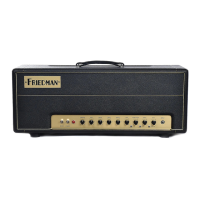
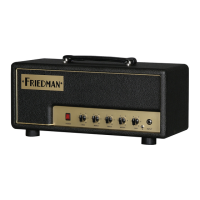
1. Achieve exceptional-sounding electric guitar
tracks at any volume level, without the need for
great-sounding rooms or expensive guitar mics.
2. Record electric guitars directly into the DAW,
and then mix, edit and process without ever
leaving the DAW environment
3. Re-amp less-than-perfect DI guitar tracks previously
recorded in other guitar-amp situations.
4. Faithfully emulate highly sought-after electric guitar
tones made famous by rock’s greatest guitar players.
5. Get intense amounts of distortion without the
need to maintain a high output volume.
6. Have a piece of rock and roll history right in
your DAW that feels and responds like a
physical amp when played through Apollo’s
low–latency monitoring.
The Basics
Use this plug-in exactly like you would operate the real BE100 amplifier. First pick a channel based on your desired distortion setting; selecting the ‘CLN’ channel will give
you rich clean tones, the 'BE’ channel provides distorted tones, and the ‘HBE’ channel provides heavy distortion. Start with a presence setting of ‘5’ and adjust to taste
along with the Bass, Middle, and Treble tone settings.
The BE100 plug-in was developed with the Apollo series interfaces in mind. Of course the BE100 plug-in will work with any UAD-2 device, but to experience the
ultra-low latency (desirable for playing in real-time) you need an Apollo interface.
To play and record dry DI guitar tracks with the lowest latency and the highest quality possible connect your guitar to the Hi-Z Input of the Apollo Interface or connect a
quality DI Box and Mic Preamp to a line input of your Apollo series interface.
The Insert Effects Switch in the Console Software:
If you insert the BE100 plug-in in the Console software mixer (to use the plug-in with the lowest possible latency) you have to decide whether you want to record pro-
cessed guitar amp sounds (click the INSERT EFFECTS switch to REC in the Apollo console) or whether you only want to record the dry DI guitar signal, while monitoring
the processed amp sound during tracking, of course (click the INSERT EFFECTS switch to MON in the Apollo console).
The advantage of only monitoring the processed sound is that you can alter the settings of your amp and FX completely during mixdown! If you decide later that less or
more Gain or Delay would sound better for your song you can still make that happen.
The advantage of recording pre-processed guitar tracks is that you will have more DSP for additional plug-ins during mixdown. While you can still add effects like EQ and
compression to the recorded guitar tracks, you will have committed to an amp and cabinet sound. Once you know ‘your sound’ you may even save some time by record-
ing processed guitar tracks and using them without further tweaking or fiddling around... your band mates or your producer may even appreciate this.


 To Next Page
 Loading...