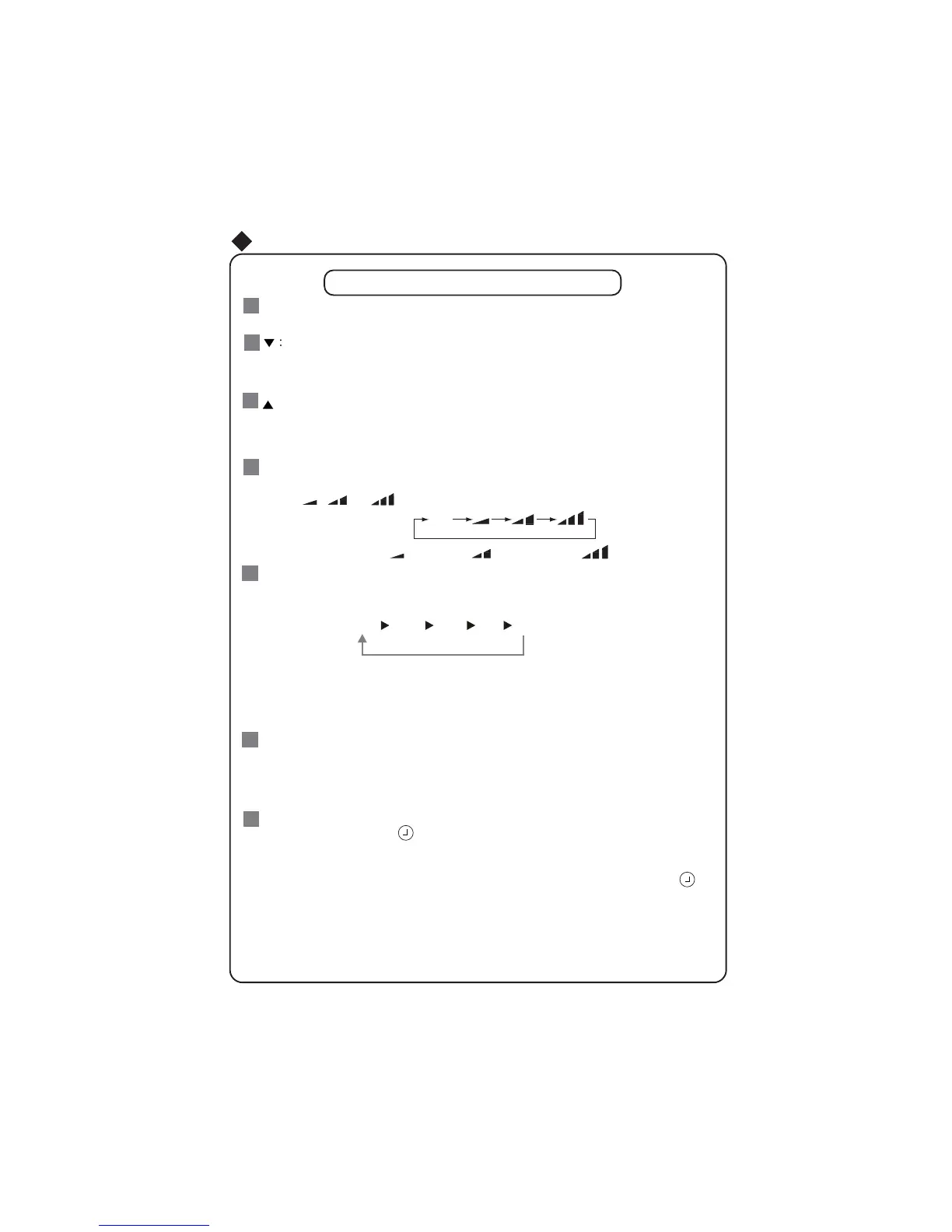
Pressing CLOCK button,
blinks. Within 5 seconds , pressing + or - button adjusts the
CLOCK :
present time. Holding down either button above 2 seconds increases or decreases the
time by 1 minute every 0.5 second and then by 10 minutes every 0.5 second. During
blinking after setting, press CLOCK button again to confirm the setting, and then
will
be constantly displayed.
7
Remote Controller Description
:
This button is used for setting Fan Speed in the sequence that goes from AUTO,
to
then back to Auto.
,
,
,
FAN
:
6
MODE :
5
Each time you press this button, a mode is selected in a sequence that goes from AUTO,
COOL,DRY, FAN,and HEAT
*
, as the following:
AUTO
COOL
DRY
FAN HEAT
*
*Note: Only for models with heating
function.
After energization, AUTO mode is defaulted. In AUTO mode, the set temperature will not
be displayed on the LCD, and the unit will automatically select the suitable operation
mode in accordance with the room temperature to make indoor room comfortable.
1
3
2
4
Press this button to turn on the unit .Press this button again to turn off the unit.
Press this button to decrease set temperature. Hold it down for 2 secondsRUPRUH
to rapidly decrease set temperature. In AUTO mode, set temperature is not
adjustable.
Press this button to increase set temperature. Hold it down for 2 secondsRUPRUH
to rapidly increase set temperature. In AUTO mode, set temperature is not
adjustable.
Auto
Low speed
Medium speed
High speed
Remote Control Instructions
6(16256$9(
3UHVVWKLVEXWWRQWRWXUQRQ
6(16256$9(IXQFWLRQ6DYHVURRPDPELHQWWHPSHUDWXUH
DQGDXWRPDWLFDOO\DGMXVWVPDLQWDLQLQJWKDWURRPDPELHQWXQWLOSUHVVHGDJDLQZKLFK
FDQFHOVWKH
6(16256$9(IXQFWLRQ
START / STOP
:
AUTO



 To Next Page