QUICK REFERENCE GUIDE
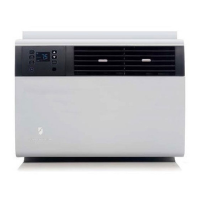
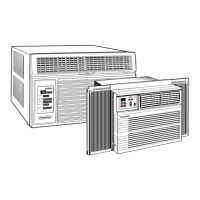
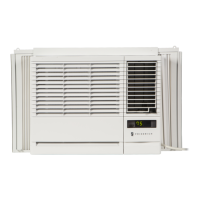
QuietMaster
®
Electronic Room Air Conditioner
➀➀
➀➀
➀
TO START UNIT
Touch the ON/OFF button. The unit will automatically be in regular COOLING mode with the temperature
set at 75
°
F (24
°
C) and the fan speed at F1 (SLEEP).
NOTE: Should the FILTER ALERT light flash when you first turn the unit on, touch the FILTER ALERT
button to turn off the flashing light.
!
For complete operating instructions refer to the Operating Guide.
➁
TO ADJUST TEMPERATURE
COOLER – Touch
COOLER
and hold until the display
shows the desired room temperature.
WARMER – Touch WARMER and hold until the display
shows the desired room temperature.
FAHRENHEIT / CELSIUS – Touch ºF / ºC to show the
temperature in Celsius, touch again to show Fahrenheit.
➂
TO ADJUST THE FAN SPEED
Touch SPEED 1-4 until the display shows the desired fan
speed. F1 is the lowest setting (SLEEP SETTING), F2 is
LOW, F3 is MEDIUM, F4 is HIGH. Touch SMART FAN
(light on) and the fan speed will adjust automatically to
maintain the desired comfort level.
Touch SPEED 1-4 for manual control of fan speeds
➃
TO SET THE CLOCK TIME
Touch SET HOUR CLOCK and hold until the hour closest to
the actual time appears in the display. Make sure you set
A.M. and P.M. properly.
Minutes will NOT show on the display.
920–044-01 (11/2000)
DISPLAY
PM
DISPLAY
PM
ON / OFF
TOUCH
➄
TO SET THE TIMER
STOP TIME – Touch A/C STOP and hold until the hour you want the unit to shut off appears in the
display.
START TIME – Touch A/C START and hold until the hour you want the unit to come on appears in the
display.
Touch TIMER ON (light on) to activate the timer function. Touch TIMER OFF (light off) to cancel the
timer function. Once the on and off times have been selected, they will remain in memory. However, if
the power is interrupted, set the CLOCK TIME again.
SPEED
1 – 4
SMART
FAN
°
F /
°
C
Cooler Warmer
Smart Center
®
ELECTRONIC CONTROLS
DISPLAY
PM
Set Hour
Clock
Timer
On/Off
A /C
Stop
A /C
Start
DISPLAY
PM

 Need help?
 General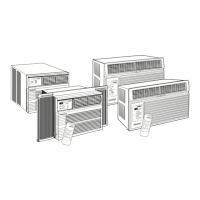


 To Next Page