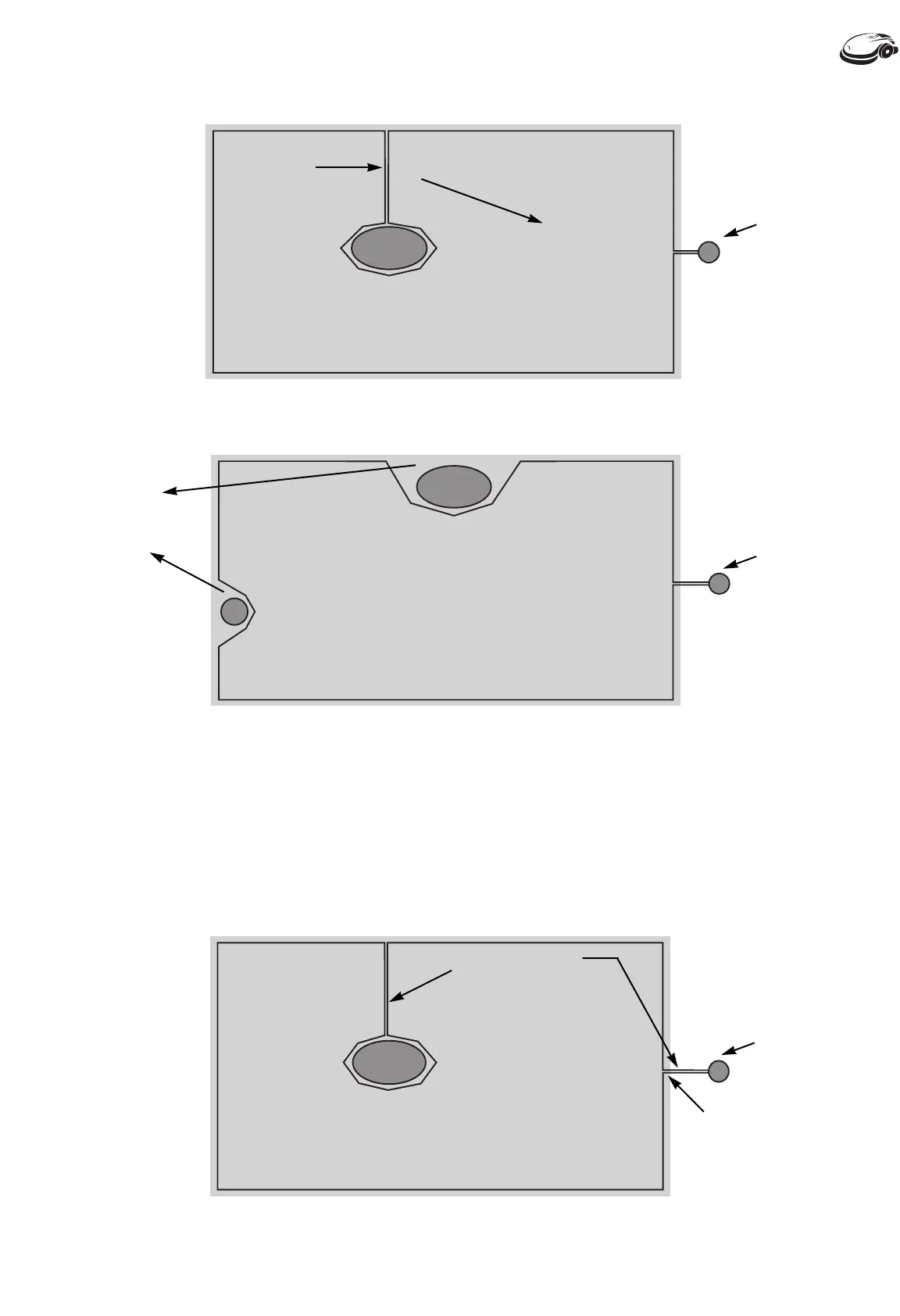
2.8 Terminating Perimeter Wire
After laying the perimeter wire, attach the two wire ends together and connect them
to the perimeter switch connector, making sure the wire from the switch to the
ground is taut (fig. 2-8).
Note: To connect the wires to the switch connector, strip a 1/4 inch of insulation from each wire end and
insert one end into each hole of the connector (no polarity). Tighten the screws.
Chapter Two
2.3
Fig. 2-6
Flower Bed
Lawn
Distance from
perimeter wire
to island wire
must be greater
than 5 feet.
Two wires parallel
and touching
Fig. 2-7
Flower Bed
Tree
Lawn
Distance
between
obstacle and
lawn edge is
less than 7 ft.
Mounted
Perimeter
Switch
Mounted
Perimeter
Switch
}
Chapter 2 - Perimeter Wire Installation (cont’d)
Fig. 2-8
Two wires parallel
and touching
Flower Bed
Closed perimeter
wire loop
Mounted
Perimeter
Switch
Sales: 1-877-404-7626 Support: 1-877-669-2687
Perimeter Island








 To Next Page