Chapter 5
Page 24
Chapter 5
Manual Operation
5.1 Driving and Navigating
The Robomower is equipped with a Manual Controller that allows you to easily drive it. Using your
thumb or index finger of your right hand, gently press the navigator button in the direction you want
to drive. The button is omni-directional, allowing for slight turns as well as sharp turns, all the way to
a complete circle.
!
Serious injury can occur. Always wear appropriate footwear when driving
and using the Robomower in the manual mode. Keep a safe distance from
the mower when operating it manually. Note that the reverse driving
direction is from the point of view standing at the rear of the mower. Always
look behind you when using the reverse direction drive. Do not operate the
mower in areas not suitable for manual operation or on slopes where a sure
footing is not possible. Cut across slopes for safety. Do not drive the
mower with persons sitting on it and do not manually operate within 10 feet
(3 m) of other persons or pets.
WARNING!
5.2 Manual Mowing
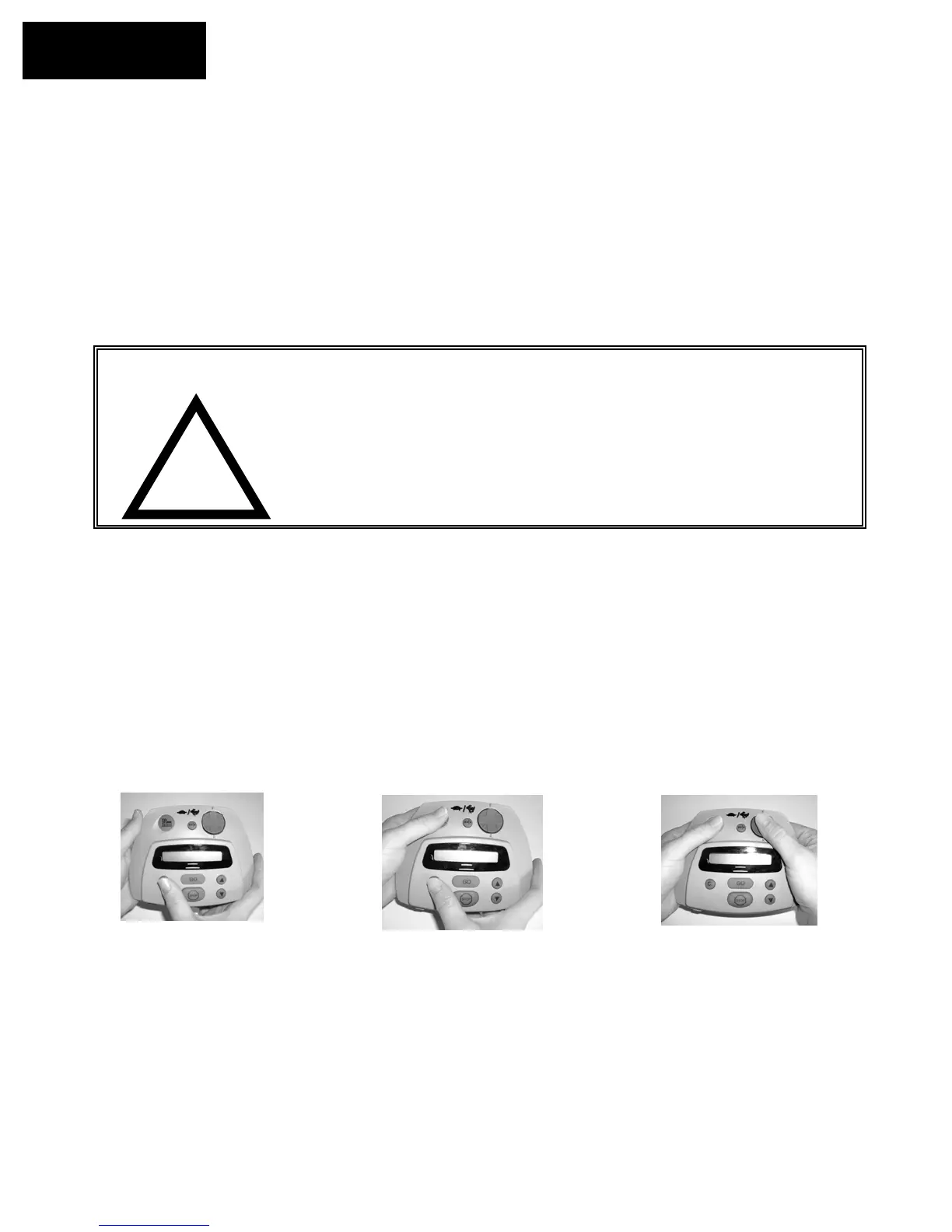
You have the ability to manually activate the blades on the Robomower in order to trim small areas.
After the blades are activated you may drive the mower using the navigator button and you may cut
in any direction the navigator button will operate. The manual mowing operation on the Manual
Controller is a two-step OPC (Operator Presence Control) type system for safe use. At any time the
blades have been stopped, it will require the OPC activation process to be repeated. During manual
mowing operation, activation to any bumper sensor will shut down the blades, requiring the blade
activation process to be repeated.
Step 3
Step 1
Step 2
Using right thumb, press and hold
‘C’ button
Release the ‘C’ button. Maintain
pressure on the ‘Mow’ button with your
left thumb. Navigate and drive the
mower using your right thumb on the
‘Navi
ator
ad.
While holding the ‘C’ button,
press the ‘Mow’ button with
your left thumb. The blades
will n
w
r
.








 To Next Page