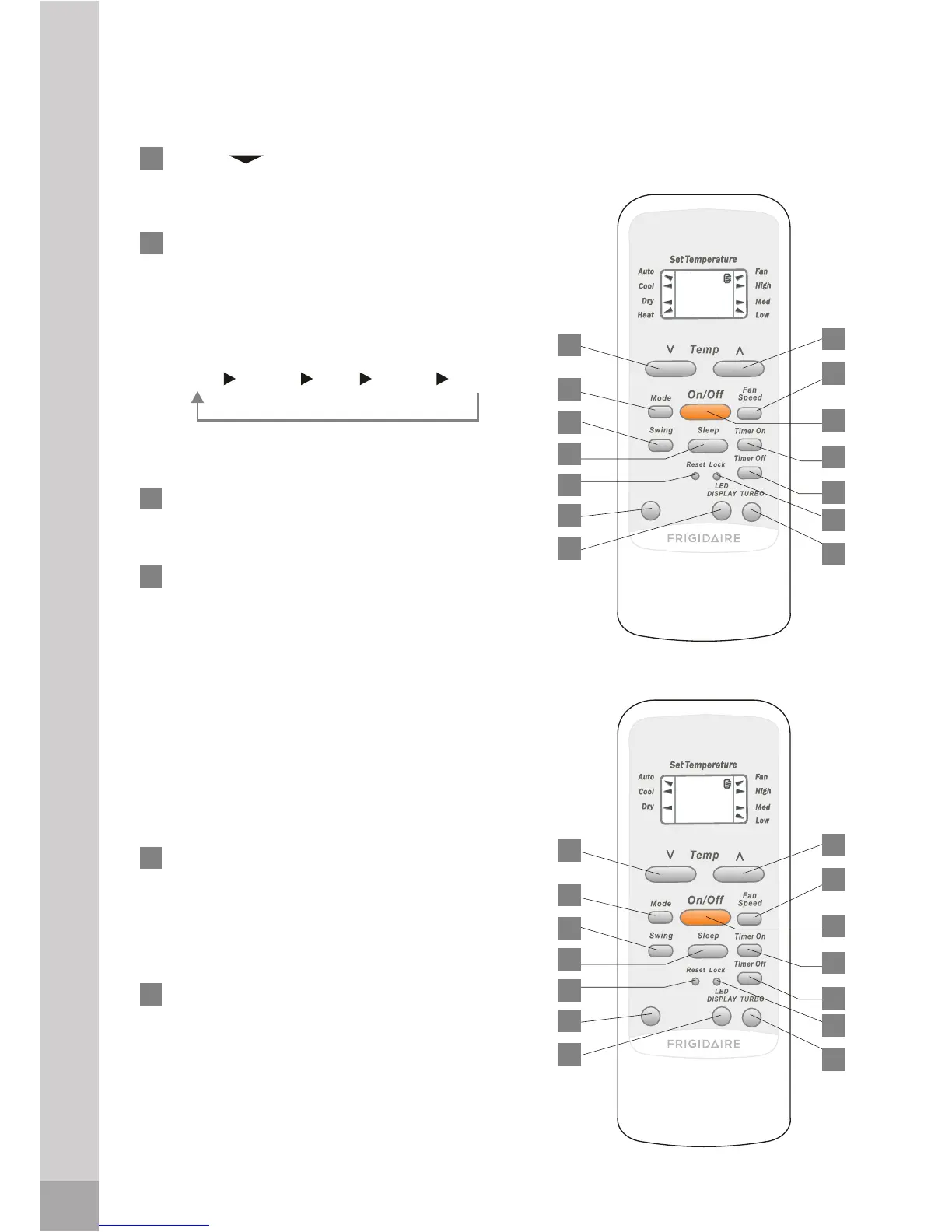
Remote control description
1
2
3
5
6
TEMP :Press the button to
decrease the indoor temperature
setting.
button, a mode is selected in a
sequence that goes from AUTO,
COOL, DRY, HEAT*, and FAN, as
the following figure indicates:
SWING: Press this button, the
louver would swing up and down
automatically. Press again to stop it.
SLEEP: Press this button to go into
the Energy-Saving operation mode.
Press it again to cancel. This
function only can be used in
and maintain the most comfortable
temperature for you. While the unit
is running under SLEEP operation
mode, it would be canceled if you
press the other buttons.
RESET: When you press the
recessed RESET button, all current
settings will be cancelled and the
control will return to the initial
factory settings.
to change the swing angle of the
louver. The swing angle of the
the louver swings at a certain angle
heating effect of the air conditioner,
4
Remote control description
AUTO
COOL DRY HEAT* FAN
MODE: Each time you press the
COOL, HEAT(Only for models with
heating function) or AUTO mode,
* Note: Only for models with heating
function
72
72
72
72
AIR FLOW
DIRECTION
AIR FLOW
DIRECTION
1
2
3
4
5
6
7
8
9
10
11
12
13
14
Cooling and heating model
Cooling model
1
2
3
4
5
6
7
8
9
10
11
12
13
14
some models):
Press this button
AIR FLOW DIRECTION(on
which would affect the cooling and
louver is 6



 To Next Page