Using the Standard View and Advanced View
Overview
The FRITZ!Box user interface offers two views: the standard view and
the advanced view.
The standard view of the FRITZ!Box user interface includes all settings
and functions that are needed for normal operation of the FRITZ!Box.
In the advanced view, additional settings options are offered for
advanced users. These settings are not required for everyday opera
tion of the FRITZ!Box.
Instructions: Switching between the Views
You should only use the advanced view of the “Internet” and “Home
Network” menus if you have advanced network expertise. Combining
various settings in these menus can produce a situation in which the
user interface of the FRITZ!Box can no longer be opened.
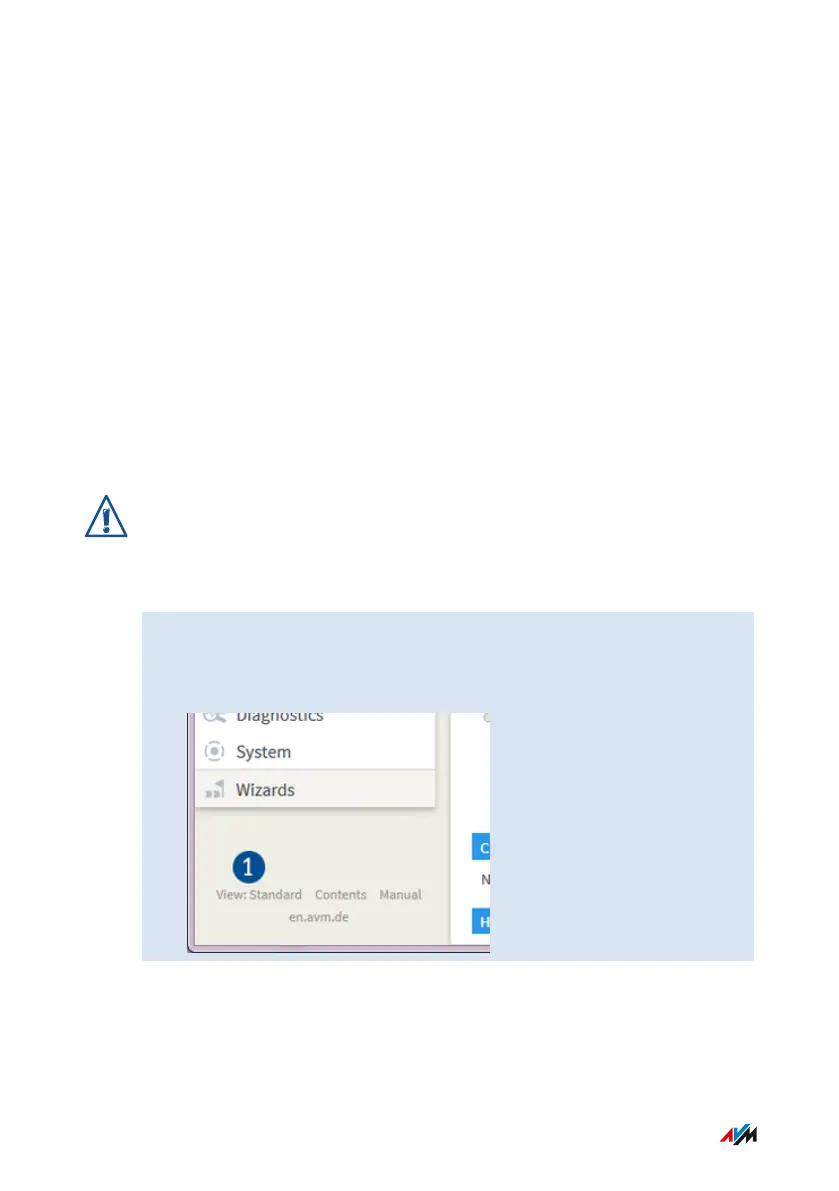
1. Click in the area to the left under the menu on “View” (1) to
switch back and forth between the “Standard” and “Advanced”
views.
User Interface
...............................................................................................
...............................................................................................
71FRITZ!Box6890


 To Next Page