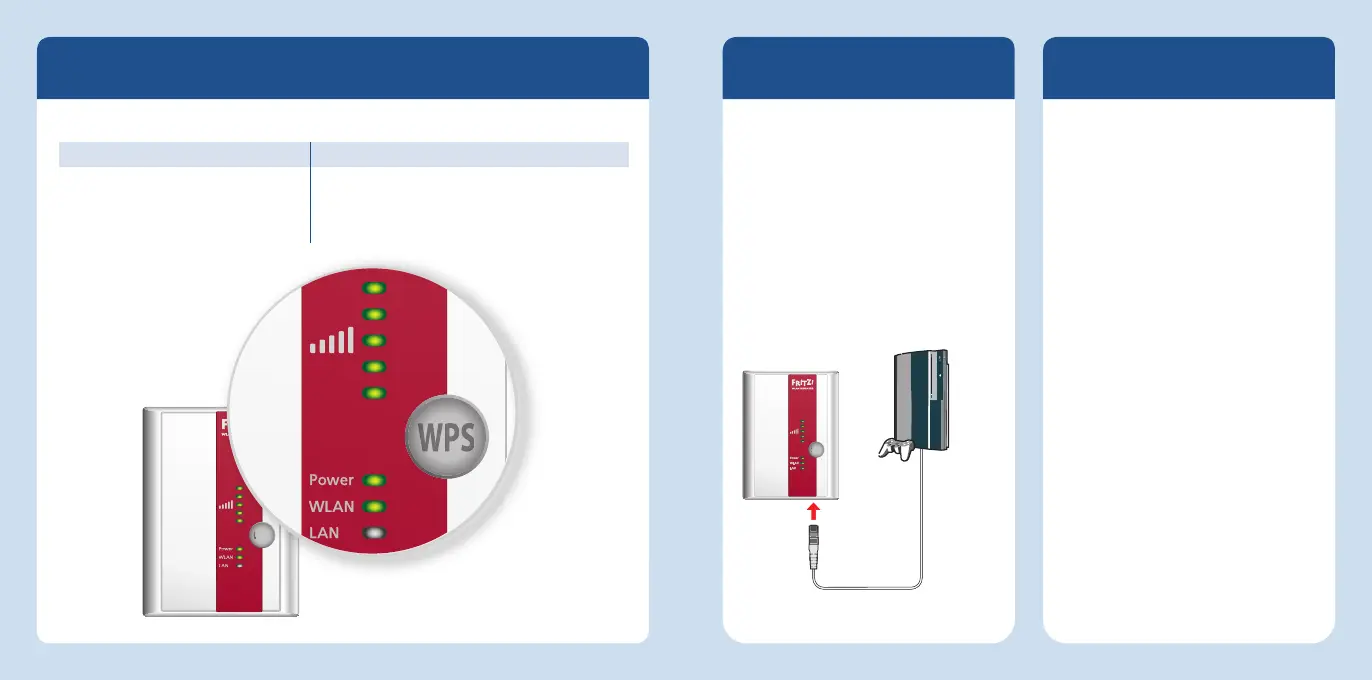
Button
The following functions are operated using the button:
Function Press for at least
Switch wireless LAN on and off 1 second
Initiate WPS quick connection 6 seconds
Restore factory settings 15 seconds
Front panel: LEDs and button
LAN Port
The FRITZ!WLANRepeater has a LAN port.
Any network devices can be connected
to this port to integrate these devices
into your wireless network.
Network devices include computers,
Blu-ray players, satellite or TV receivers,
IP cameras, printers and network hard
drives. Network devices always have
their own LAN port.
PlayStation on the LAN port
Operating Modes
The FRITZ!WLANRepeater can work in
two operating modes:
In the WLAN Bridge mode, preset upon
delivery: you connect the FRITZ!W-
LANRepeater with your FRITZ!Box over
WiFi. Computers and other network
devices are also connected to the
FRITZ!WLAN Repeater connected wire-
lessly or with a LAN cable.
In the LAN Bridge operating mode
you connect the FRITZ!WLANRepeater
to your FRITZ!Box using a LAN cable.
Computers and other network devices
are connected with the FRITZ!WLAN
Repeater via WiFi.
For details on confi guring the LAN
bridge operating mode, please see the
FRITZ!WLAN Repeater manual at
avm.de/en/service/manuals.
28 29
English
English














 To Next Page