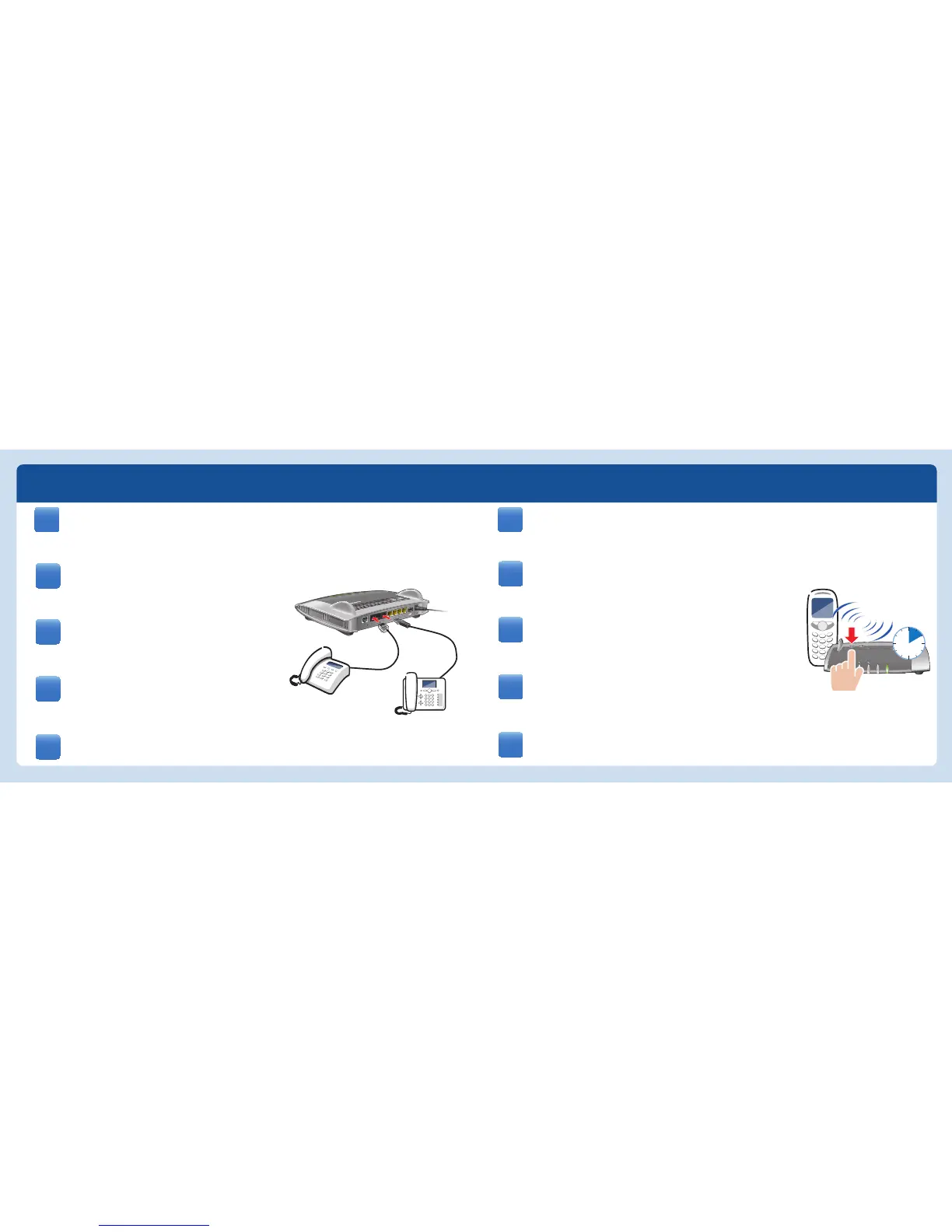
• Inicie en su teléfono DECT el proceso de conexión.
• Indique en el teléfono el PIN “0000”.
• Presione el botón DECT en su FRITZ!Box.
• Attivate la modalità di registrazione del vostro telefono DECT.
• Digitate il PIN “0000” sul telefono.
• Premete il tasto DECT sul FRITZ!Box.
• Bringen Sie Ihr DECT-Telefon in den Anmeldemodus.
• Geben Sie am Telefon die PIN „0000“ ein.
• Drücken Sie die DECT-Taste auf der FRITZ!Box.
• Put your DECT telephone in registration mode.
• Enter the PIN “0000” on the telephone.
• Press and hold down the “DECT” button on the FRITZ!Box.
• Faites passer votre téléphone DECT sur le mode d’enregistrement.
• Saisissez le code confi dentiel « 0000 » sur le téléphone.
• Enfoncez la touche DECT de FRITZ!Box.
Raccordez vos téléphones : Les appareils analogiques
à FON1 et FON2, les appareils RNIS à FONS
0
.
Schließen Sie Ihre Telefone an: Analoge Geräte an
FON1 und FON2, ISDN-Geräte an FONS
0
.
Connect your telephones: Connect analog devices to
the sockets FON 1 and FON2, ISDN devices to the
socket FONS
0
.
Podrá conectar sus teléfonos: los dispositivos
analógicos a los puertos FON1 y FON2 y los
dispositivos RDSI al puerto FONS
0
.
Collegate i telefoni così: I dispositivi analogici a
FON1 e FON2 e gli apparecchi ISDN a FONS
0
.
Telefone / Telephones / Téléphones / Teléfonos / Telefoni
DE
EN
FR
ES
IT















 To Next Page