Version
1.0
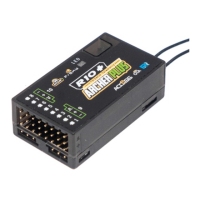
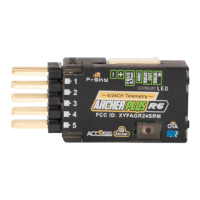
Instruction Manual for FrSky ARCHER PLUS R8/GR8 Receiver
FrSky Electronic Co., Ltd. www.frsky-rc.com Contact us : frsky@frsky-rc.com
Add: F-4,Building C, Zhongxiu Technology Park, No.3 Yuanxi Road, Wuxi, 214125, Jiangsu, China Technical Support: sales4tech@gmail.com
How to switch the S.Port/F.Port/FBUS
Enter into the [Set] of receiver. Click the Telem.Port, and select S.Port/F.Port/FBUS.
How to Switch High PWM Speed mode
1. The factory default setting is OFF .
2. To go to the receiver [Options], select On to active high speed mode .
Warning: High PWM speed mode is only applied for digital servos. Turn off High PWM Speed mode
when using analog servo, otherwise servos will get hot and may burn out.
How to set the altitude telemetry data (ARCHER PLUS GR8)
1. Bind the receiver with the built-in variometer sensor to the transmitter.
2. Enter [Model] menu and use [Telemetry] tool.
3. Discover new sensors and then the [Altitude] data should keep flashing in the list.
4. Holding the [Altitude] bar can call the [Edit] menu out.
5. The telemetry data like [Range] and [Unit] of the variometer can be set now.



 To Next Page