Need help?
Do you have a question about the FrSky TWIN Series and is the answer not in the manual?
Describes the dual 2.4G active protocol and its benefits for resilience and range.
Explains assigning ports as PWM, SBUS, FBUS, or S.Port for bidirectional transmission.
Offers advanced modes with more programmable channels and flexibility over classical modes.
Details the process of registering and binding the receiver to the transmitter.
Describes OFF, BASIC, and ADV modes for stabilization module setup.
Details the procedure to calibrate the gyroscope sensor before mounting the device.
Details the steps to perform a self-check on the stabilization device.
Details the process for updating firmware via OTA.
Explains the 3 failsafe modes: No Pulses, Hold, and Custom.
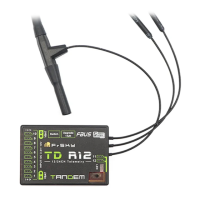
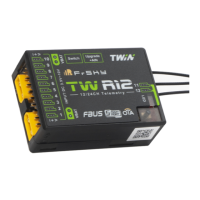
The FrSky TW R12 & TW SR12 are advanced receivers designed for RC users seeking enhanced resilience and long-range capabilities in their radio communications. These receivers feature the new stable TW protocol, which simultaneously integrates dual active 2.4GHz frequency bands, differing from traditional active-standby redundancy solutions. This means both 2.4GHz bands are active at the same time, providing robust and reliable signal transmission. The receivers are equipped with three 2.4GHz antennas for optimal performance.
The TW R12 and TW SR12 receivers offer highly configurable channel ports. Each port can be assigned as PWM, SBUS, FBUS, or S.Port. When configured to use the FBUS protocol within the ETHOS system, a single line can connect signal control and telemetry to any FBUS-compatible device (such as XACT servos or ADV Sensors), enabling bidirectional transmission and simplifying model wiring.
Both receivers include a socket for connecting a switch panel, enabling a built-in Power Switch function. They also utilize standard XT30 plugs for safe and efficient power delivery. The channel ports are designed with current overload wires to safeguard connected devices.
The TW SR12 model specifically integrates an ADV Stabilizer function, an upgrade from classical gyroscope stabilization modes. This advanced mode offers more programmable stabilized channels and greater flexibility. The classical stabilization mode is enhanced with 5 additional stabilization channels, allowing for pin mapping to each channel across multiple flight modes like Stabilization, Auto-Level, Hover, and Knife-Edge for airplane models. In the advanced stabilization mode, all output pins are configurable for stabilization, and additional features such as Stab file sharing, programmable parameters, and developer access are available. The ADV stabilizer also incorporates high-precision telemetry sensors for monitoring altitude, vertical speed, and other parameters, offering a significant advantage over standard S series stabilization receivers.

 To Next Page
 General