Need help?
Do you have a question about the FrSky TWIN X14 and is the answer not in the manual?
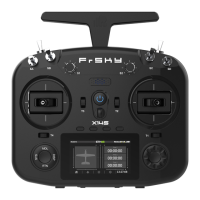
The FrSky TWIN X14 is a robust radio system designed for remote control models, offering advanced features for enhanced reliability, control, and user experience. Its core functionality revolves around a dual 2.4G frequency system, which operates in "TW mode." Unlike traditional active-standby redundancy, the TW active-active protocol ensures that both 2.4G frequency bands are simultaneously engaged on the TWIN series RF module and receiver. This innovative approach provides superior signal integrity and reliability.
Equipped with two internal 2.4G RF antennas, the TWIN X14 delivers expansive multi-directional coverage for transmitting signals. This, combined with an exterior antenna mounting frame, contributes to lower latency, higher reliability, and faster data rates. Beyond the TW mode, the TWIN X14 also supports ACCST D16 and ACCESS modes, offering compatibility with a wide range of receiver options, allowing users flexibility when building their RC models.
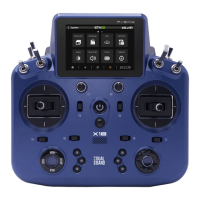
The design of the TWIN X14 emphasizes ergonomics, compactness, and flexibility, drawing inspiration from the TANDEM X18's form factor. This design philosophy aims to enhance portability, reduce weight, and streamline the overall aesthetic. The ergonomic layout ensures that frequently used controls such as momentary buttons, shoulder sliders, and top-mounted switches are easily accessible, promoting comfortable and intuitive operation.
A notable feature for real-time and frequent operations is the inclusion of four customizable buttons, strategically placed at the center of the radio panel. For instance, when flying an RC glider, these buttons can be configured as additional Trim functions via ETHOS, allowing pilots to make on-the-fly adjustments to flap or surface angles to adapt to changing air environments.
The TWIN X14 addresses storage concerns by integrating a built-in 128MB flash storage, providing ample space for file storage. Powering the system is a 2600mAh Li Battery, which is easily replaceable and rechargeable via a Type-C port. This built-in recharging system adds to the device's practicality.
Further enhancing its user-friendly design, the TWIN X14 features an attachable and foldable structure on its rear shell. This design facilitates the easy installation of an optional stand holder accessory, transforming the X14 into a versatile device that can be conveniently carried or positioned anywhere, offering operational flexibility without requiring the user to hold the radio continuously.
The navigation controls are intuitive, with the left control managing functions like RTN, SYS, MDL, DISP, and Page UP/Down. The right navigation control is dedicated to scrolling and entering selections. Short clicks on the page controls handle Page Down, while long presses manage Page Up.
For maintenance and updates, the TWIN X14 leverages the ETHOS Suite. This software allows users to update the radio bootloader, firmware, SD card, and flash memory, as well as convert image and audio formats. Users can find the latest information and download the ETHOS Suite from the official FrSky website. It is crucial to always keep the radio bootloader updated to the latest version when using the ETHOS Suite with a FrSky ETHOS radio.
Charging the 2S Li-battery is done via USB-C, with a green LED indicator providing status updates: LED on signifies charging, LED off indicates the end of charge, and a flashing LED signals a charge fault. For optimal charging, it's recommended to use a USB adapter with a voltage of 5V+0.2V and a current of ≥2.0A. The charging effect is improved when the voltage difference between battery cells exceeds 50 mV.
The device supports a comprehensive model setup procedure. Users can create new models by selecting the model type (e.g., Airplane, Glider, Heli, Multi) from the Model Select menu. After configuring the model channels, users can name the model and set a model picture. The internal RF module can be enabled and configured for various binding modes, including ACCST D16, ACCESS, and TW MODE, to match the receiver. The internal RF module supports up to 24 channels, and the channel range is configurable by pressing the channel bars. The system automatically assigns a Model ID to the receiver, which can be adjusted if needed.
The registration process involves selecting the "Set [Register]" option in the RF System-Internal Module tool, then pressing the F/S button on the receiver and powering it on. Once "RX Connected" appears, pressing [REGISTER] completes the registration. The system automatically assigns a unique UID to each receiver, even when multiple receivers are bound simultaneously. For automatic binding (Smart Match), users move the cursor to RX1 [BIND], press it, and repower the receiver. Clicking the RX in the receiver window confirms "Bind succeed." A key maintenance feature is that registration is not required to be repeated if a receiver was previously registered, even if deleted. Pressing [Reset] and repowering the receiver can restore the bound connection.
A critical aspect of device usage is the pre-flight range check, which should be performed before every flight. This helps identify potential signal loss due to reflections from metal fences or concrete, or signal shading by buildings or trees. The model should be placed at least 60 cm (2 feet) above non-metal contaminated ground, with the receiving antenna in a vertical position. Entering "RANGE" mode in the RF System menu reduces the effective distance to 1/30, allowing for a thorough check.
Failsafe settings are crucial for safety. The TWIN X14 offers three failsafe modes: No Pulse, Hold, and Custom. In No Pulses Mode, the receiver produces no pulses on any channel upon signal loss. Hold Mode causes the receiver to continue outputting the last known positions before signal loss. Custom Mode allows users to pre-set specific positions for each channel upon signal loss. It's important to note that if failsafe is not set, the model will operate with the last working status before signal loss, which could lead to damage. If failsafe is disabled on the RF module side, the receiver-side failsafe will be applied. The SBUS port does not support No Pulses mode and always outputs a signal, requiring "Hold" or "Custom" mode for SBUS.
For flying safety, regular maintenance is emphasized. Although the TANDEM X20 HD protects model memories with non-volatile EEPROM, annual check-ups by a FrSky Service Center are recommended. Battery management is also critical; always use a fully charged battery (DC 6.5~8.4V) and avoid relying solely on low battery warnings. Flying at recognized model airplane fields is advised, with attention to field rules, spectators, wind direction, and obstacles. The proper power-on and power-off sequence must be followed to prevent damage to servos or control surfaces. Finally, ensuring the transmitter is stable and won't tip over prevents accidental throttle movements and potential damage. The device also warns against flying in the rain or grasping the antenna during flight, as these can degrade performance or cause loss of control.
 General
| Smart Port | Yes |
|---|---|
| Mini USB Port | Yes |
| Micro SD card slot | Yes |
| Telemetry | Yes |
| Channels | 14 |
| Frequency | 2.4GHz |
| Operating Voltage | 6.5V - 8.4V |
| Operating Temperature | -10°C to +60°C |
| LCD Resolution | 320 x 240 pixels |
| RF Power | 100mW |
| Display | Color LCD |
| Module Bay | Yes |

 To Next Page