
 Need help?
Do you have a question about the FrSky Taranis X9D Plus and is the answer not in the manual?
Instructions for powering on the transmitter and dismissing initial warning messages.
Steps to enter the transmitter's radio setup menu by holding the MENU button.
Pressing the '+' button twice to access the mode configuration within the Radio Setup screen.
Pressing the ENTER button to confirm the current screen selection.
Using the '+' button to cycle through channel order options until 'AETR' is displayed.
Pressing the ENTER button to confirm the AETR channel order selection.
Pressing the '-' button to navigate to the mode selection option.
Pressing the ENTER button to confirm the mode selection screen.
Using the '+' button to switch the transmitter's operational mode from 1 to 2.
Pressing the ENTER button to save the mode change to 2.
Exiting the setup menu and powering down the transmitter.
 General
| Proper use | Multirotor, Quadcopter |
|---|---|
| Display type | LCD |
| Product type | Remote control |
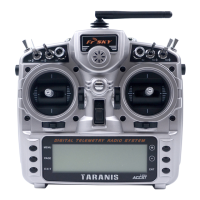
| Product color | Silver |
| Frequency band | 2.4 GHz |
| Channels quantity | 32 channels |
| Display resolution | 212 x 64 pixels |
| Telemetry receiver | Yes |
| Brand compatibility | FrSky |
| Compatible memory cards | MicroSD (TransFlash) |
| Operating temperature (T-T) | -10 - 60 °C |
| Battery voltage | 1.5 V |
| Battery capacity | 270 mAh |





 To Next Page

