Version
1.0
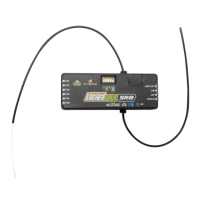
Instruction Manual for FrSky ARCHER PLUS SR8 Receiver
FrSky Electronic Co., Ltd. www.frsky-rc.com Contact us : frsky@frsky-rc.com
Add: F-4,Building C, Zhongxiu Technology Park, No.3 Yuanxi Road, Wuxi, 214125, Jiangsu, China Technical Support: sales4tech@gmail.com
Move to [SRX Calibration] tool and calibrate the gyroscope sensor
1. The gyroscope of device (6 surfaces) must be calibrated before mounting into the model. Please place the
device on a flat ground or a table, and follow the instruction steps below to calibrate the gyrosope sensor;
2. Make sure the stabilization device with the Logo label side facing upwards laying on the desktop, move to the
radio and enter the [SRX Calibration] tool, and select "click to confirm". At this moment, the yellow LED light
will flash until it lits off, then follow the prompts to calibrate the sensor;
3. Complete the calibration of all the device surfaces. Ensure the values of each axis (X, Y, Z, Mod) is about
1.000 while placing the device in the corresponding direction, and the deviation could be ±0.1;
4. The calibration is completed if all the steps above are done.
Gyroscope Sensor Calibration
[System] → [SRX Stable] [SRX Stable] → [Stabilizing] → [On]
Ensure the Archer Plus SR8 stabilization function is enabled.



 To Next Page