Need help?
Do you have a question about the FrSky R9 and is the answer not in the manual?
General description of the FrSky ACCESS R9 receiver including its purpose and key aspects.
Detailed technical specifications including dimensions, weight, channel numbers, and operating parameters.
Highlights of the receiver's capabilities such as long range, low latency, and redundancy.
Explanation of the Smart Port interface for full duplex digital transmission.
Step-by-step guide for registering and binding the receiver using Smart Match technology.
Instructions on how to enable or disable the receiver's telemetry output.
Details on setting up failsafe modes (No Pulse, Hold, Custom) for model safety.
Information regarding FCC compliance rules and guidelines for interference.
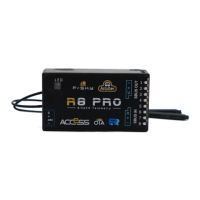
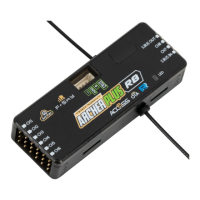
The FrSky ACCESS R9 Receiver is a sophisticated long-range telemetry receiver designed for advanced remote control applications. Operating in the 900MHz (Non-LBT Version) or 868MHz (LBT Version) frequency bands, it offers an extended operating range of up to 10KM and beyond, ensuring reliable communication for various models. A key feature of this receiver is its redundancy function, which significantly enhances the security and safety of your model by maintaining a robust connection.
The R9 receiver utilizes the FrSky ACCESS protocol, a modern communication standard that provides low latency and high precision, crucial for responsive control. It supports both telemetry and non-telemetry modes, allowing users to choose between receiving real-time data from their model or simply focusing on control. The receiver offers 8 or 16 channels, providing ample control options for complex models. An integrated RSSI (Received Signal Strength Indicator) output is available on board, providing an analog 0-3.3V signal, which is vital for monitoring signal quality and ensuring safe operation.
The Smart Port (S.Port) is a full-duplex digital transmission interface that enables seamless connectivity with other FrSky Smart Port-enabled devices. This includes modules like XJT, receivers such as XSR, X6R, and X8R, as well as various sensors and input/output devices. The S.Port allows for the connection of multiple devices without limitations on their number or sequence, all operating at a high transmission speed, facilitating comprehensive data exchange and system expansion.
The receiver supports a wide operating voltage range of DC 3.5V to 10V and has an operating current of 100mA at 5V. Its firmware is upgradable, ensuring that the receiver can always benefit from the latest improvements and features. It is compatible with FrSky R9M 2019, R9M Lite, and R9M Lite Pro modules that also use the ACCESS protocol.
The FrSky ACCESS R9 Receiver simplifies the binding process through its Smart Match™ feature, eliminating the need to press a physical "F/S" button on the receiver during registration. To register and bind the receiver, the transmitter or transmitter module is first set to "Reg" status. For instance, with a Taranis X-Lite Pro, this involves navigating to the External RF-Mode R9MLP ACCESS and selecting "Reg." Then, the battery is connected to the receiver while holding the F/S button, causing both the RED and GREEN LEDs to illuminate, indicating "Reg" status. Selecting "ENTER" on the transmitter will cause the LEDs to flash, and the transmitter will confirm "Registration ok."
Once registered, the binding process is straightforward. The transmitter is put into "Bind" status, and the receiver is connected to the battery. The GREEN LED on the receiver will light up, indicating "Bind" status. After selecting "RX" on the transmitter, it will display "Bind successful." Upon exiting "Bind" mode, the GREEN LED will flash, and the RED LED will be off, signifying normal operation.
Telemetry functionality can be easily enabled or disabled via the transmitter's menu. For example, on a Taranis X-Lite Pro, users can access the External RF settings, select the Receiver, and use the ENTER button to toggle telemetry options.
The receiver offers three Failsafe modes: No Pulse, Hold, and Custom, providing flexible options for handling signal loss.
The FrSky ACCESS R9 Receiver is designed for ease of maintenance, primarily through its firmware upgradability. FrSky continuously releases updates to add new features and improve existing ones. Users are encouraged to regularly check the download section of the FrSky website (www.frsky-rc.com) for the latest firmware and manuals. This ensures that the receiver always operates with the most current and optimized software, enhancing performance and compatibility.
A critical maintenance note is the requirement to install the dedicated 915/868 MHz antenna if the firmware version (Non-LBT/LBT) is changed on R9 series products. This ensures proper frequency matching and optimal signal reception.
For technical support, users can contact FrSky Electronic Co., Ltd. via email at frsky@frsky-rc.com or sales4tech@gmail.com. The company's commitment to continuous improvement means that users can expect ongoing support and updates for their products.
 General
| Number of Channels | 16 channels |
|---|---|
| Telemetry | Yes |
| RSSI Output | Analog RSSI Output |
| Firmware Upgradeable | Yes |
| Range | Up to 10 km (depending on conditions) |
| Modulation | Lora |
| Compatibility | FrSky R9 system transmitters |

 To Next Page