UHC-HD
3-8
Add, Change or Delete a Menu Item
1. Press the program button.
2. Enter access sequence is displayed.
3. Enter 1955.
4. Press the timer button adjacent to the Items display.
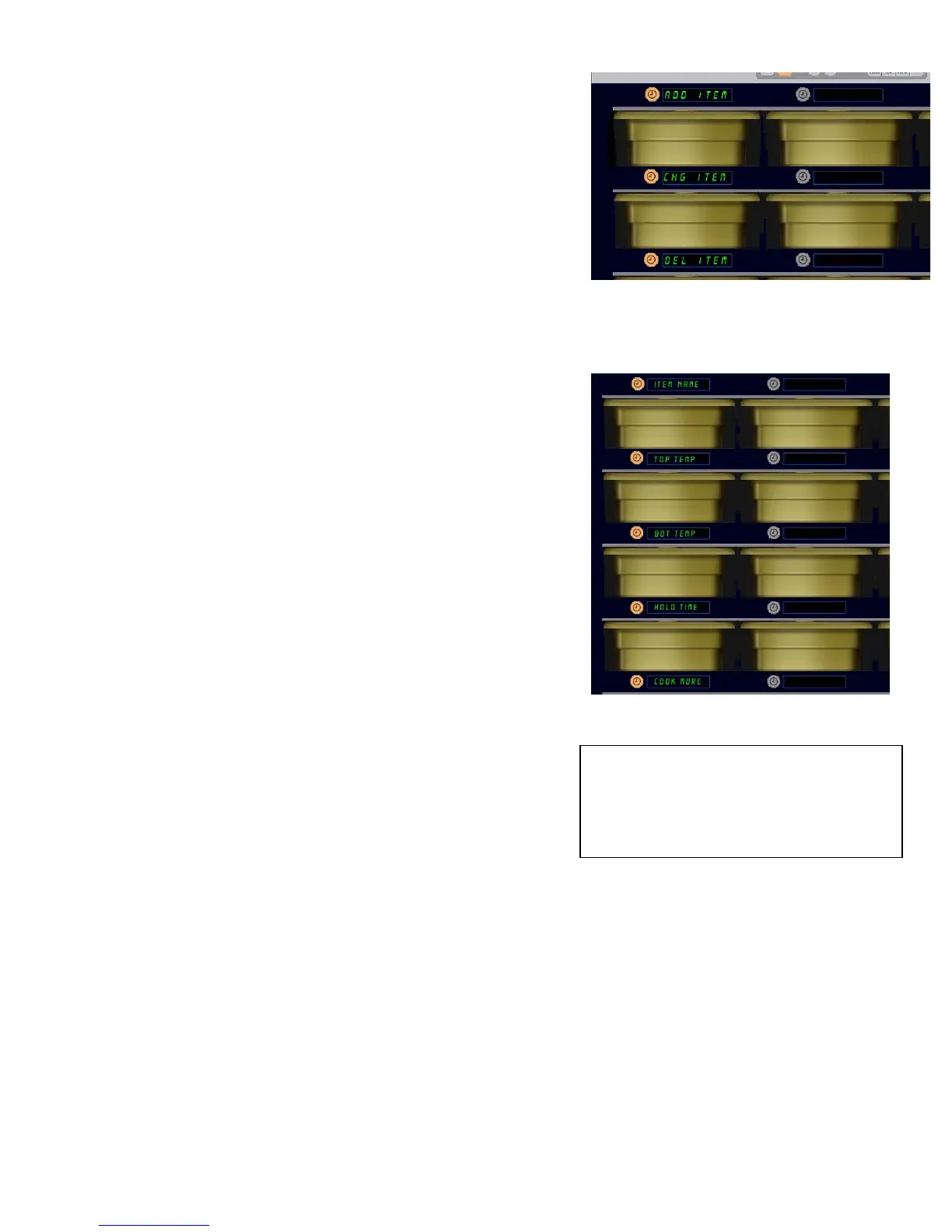
5. The cabinet display becomes Add Item, Chg Item,
Del Item
.
6. The keypad displays Select Task.
Instructions for each task are detailed below:
Add New Item
With the cabinet in Items mode, press the timer button next to
the Add Item display.
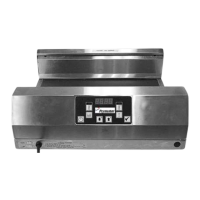
The left column of displays becomes
Item Name
Top Temp
Bot Temp
Hold Time
Cook Now
1. Press the Item Name button. The keypad display
becomes Select Setting to Change. The name
display becomes Name New Item. Use the keypad to
enter a product name.
2. Press the button. Display becomes Select
Setting to change or Press OK to Save
.
3. Press the Top Temp button. Use the keypad to slowly
enter the top temperature.
4. Press the button. Display becomes Select
Setting to change or Press OK to Save
.
5. Press the
Bot Temp button. Use the keypad to slowly
enter the bottom temperature.
6. Press the button. Display becomes
Select
Setting to change or Press OK to Save
.
7. Press the
Hold Time button. Use the keypad to enter the time the product can be held in the
cabinet.
8. Press the button. Display becomes Select Setting to change or Press OK
to Save
.
9. Press the
Cook Now button. Keypad display becomes Change Item. Use the keypad to
enter the point in the countdown the cabinet will display a
Cook Now alert.
10. Press OK. Display becomes
Select Setting to change or Press OK to Save.
11. Press OK. Display becomes
CHG Complete.
12. Press key once to enter another product, starting at Items. Press key twice more to
return the cabinet to operational mode and end programming.
Add, Change and Delete Item are displayed
when the Item choice is taken in programming
mode.
Choosing any option in the Item mode
produces the display shown above.
NOTE: Temperaturesabove200°F(93°C)and
below165°F(73°C)cannotbeentered.Some
numberedkeysbecomeinoperativewitha
temperaturesettothemaximumorminimum,
preventingentryofahigherorlowernumber.


 To Next Page