UHC-HD
3-7
Changing Items Displayed in a Menu
1. Press the program button.
2. Enter access sequence is displayed.
3. Enter 1955.
4. Press OK key.
5. Press the timer button adjacent to the Menu display.
6. The cabinet’s left column of displays becomes menu
choices.
7. Press the desired menu.
8. The current configuration for that menu is displayed.
9. Press the timer key at the position to be changed*.
10. Scroll through choices with the illuminated timer key
or the keys (arrow keys allow forward and
backward scrolling) on the controller.
11. With the desired item displayed, press OK.
12. Controller display becomes CHG Complete. The
key remains illuminated.
13. Press the key three times, returning the cabinet to
operation in the selected menu.
Changing Menu on a Single Row
1. Press the row mode button on the desired row.
2. Menu choices, including OFF and Clean, are displayed with each button push.
3. With the desired menu choice displayed, press OK
on the keypad.
4. The control display changes from the previous
menu name to
Mixed.
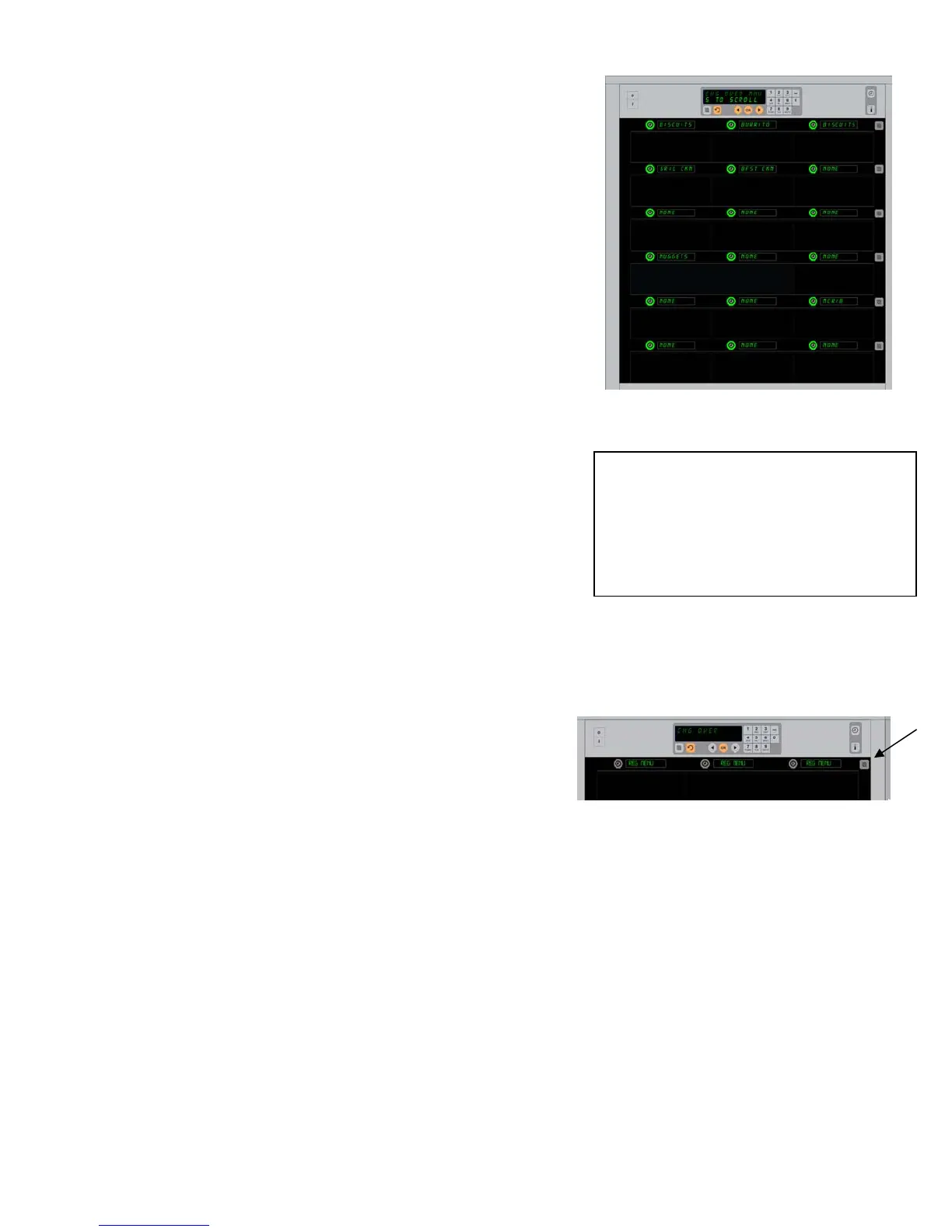
The cabinet is shown with the Breakfast
menu displayed.
Pressing the row mode button (see arrow)
produces a sequence of menu choices. With
the desired menu for the row displayed,
press the OK button on the top keypad.
*NOTE: Menuitemsthatchangetherow
temperaturemustbeintroducedintheleft
rowposition.Itemsinthecenterandright
positionshavetohavethesametemperature.
Menuitemswithtemperaturesincompatible
withtheleftpositionarenotshownwhen
scrollingthroughproducts.


 To Next Page