28
11/2022
Presets
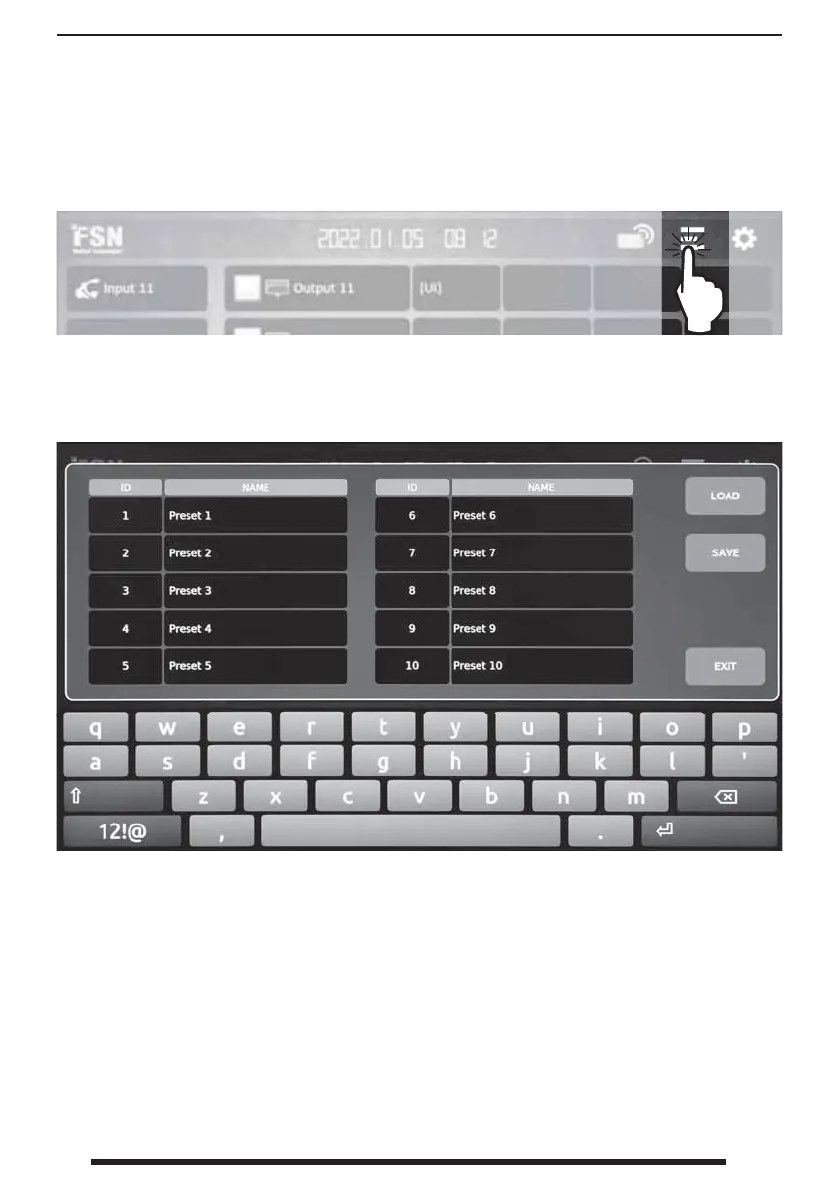
From the dashboard, select the user preset icon to name presets or save and load system con-
gurations.
To change a preset name, select the preset name, edit and press the APPLY button.
To save a current IPS4000 con guration as a preset, select a preset ID/NAME and press the SAVE
button. The system will initialize.
To recall a saved preset, select a preset ID/NAME and press the LOAD button. The system will
initialize.



 To Next Page