27
11/2022
Streaming
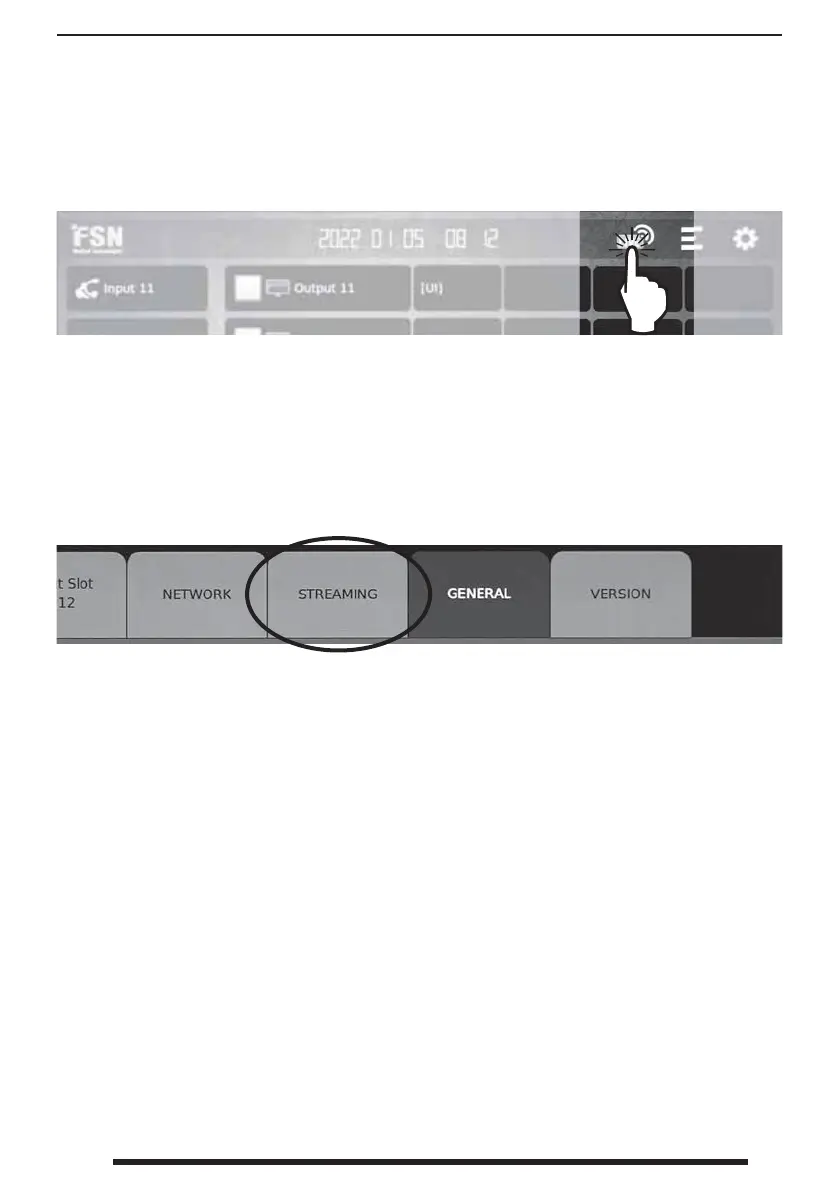
From the dashboard, select the streaming icon to enable or disable streaming capabilities.
Connect to RTSP streaming server.
1. On the STREAMING tab in the setup menu, select
an ‘RTSP’ item in the Protocol eld, for the channel
you want to stream.
2. Enter the RTSP URL in the VLC media player to
connect to the RTSP streaming server.
(Format) rtsp://user name:password@IP
Address:RTSP Port/Channel name.
(Example) rtsp://ips4000:i
ps4000@192.168.11.111:554/stream1
3. Click Play
Connect to RTMP streaming server.
1. On the STREAMING tab in the setup menu, select
a ‘RTMP’ item in the Protocol eld, for the channel
you want to stream.
2. Enter the RTMP URL in the VLC media player
to connect to the RTMP streaming server.
(Format) rtmp://IP Address:RTMP Port/Channel
name?user=user name&pass=password.
(Example) rtmp://192.168.11.111:1935/stream1?us
er=ips4000&pass=ips4000
3. Click Play
Connect to HLS streaming server.
1. On the STREAMING tab in the setup menu, select a
‘HLS’ item in the Protocol eld, for the channel you
want to stream.
2. Enter the HLS URL in the VLC media player to
connect to the HLS streaming server.
(Format) https://IP Address/Channel
name?user=user name&pass=password.
(Example) https://192.168.11.111/stream1?user=i
ps4000&pass=ips4000
3. Click Play
Connect to Multicast streaming server.
1. On the STREAMING tab in the setup menu, select
a ‘Multicast’ item in the Protocol eld, and enter
the multicast IP address in the Name eld for the
channel you want to stream.
2. Enter the multicast URL in the VLC media player
to connect to the multicast streaming server.
(Format) rtp://Channel name:Multicast Port
(Example) rtp://224.0.0.1:5000
3. Click Play
Connect to a streaming server such as VLC media player.
1. In order to play the stream on a PC, install VLC media player.
2. Run the VLC media player.
3. Click Media in the top menu bar and click Open Network Stream.
4. Enter the network URL according to streaming protocol (RTSP, RTMP, HLS, Multicast).



 To Next Page