26
11/2022
Setup
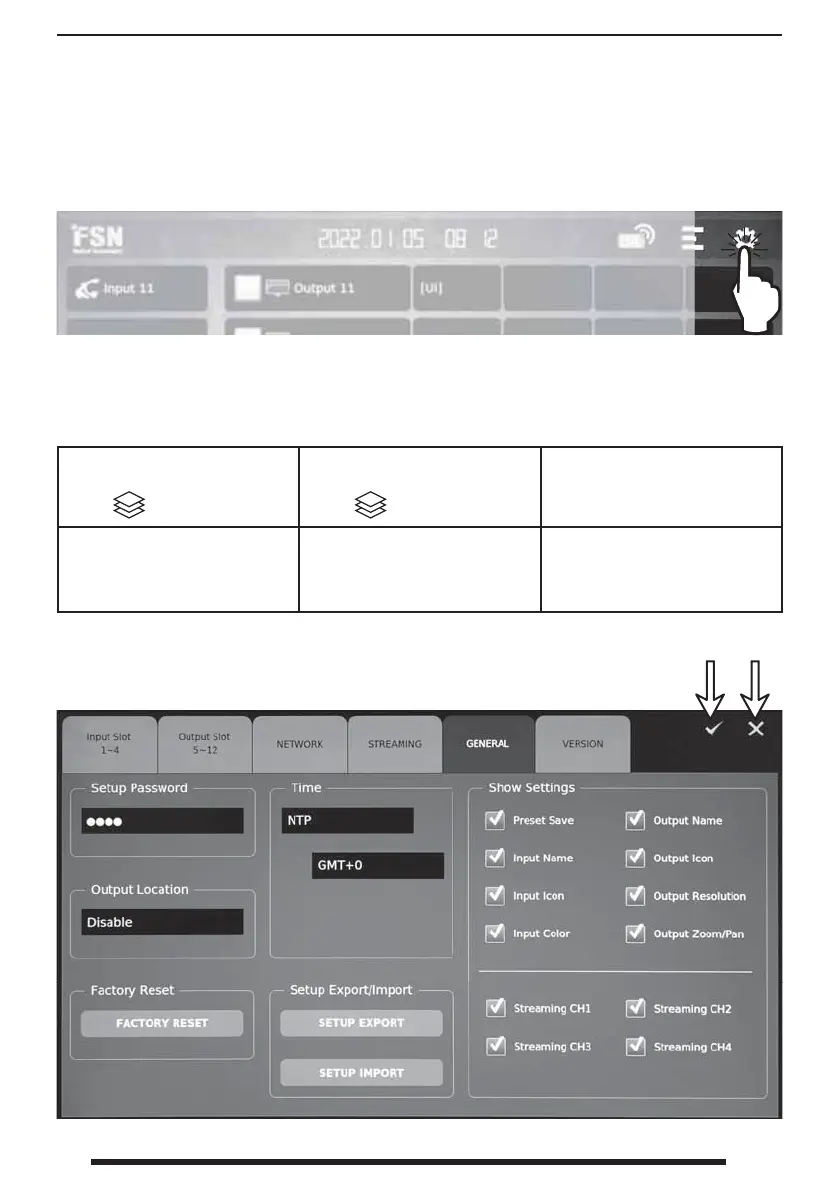
From the dashboard, select the setup icon. Setup is passwaord protected. The initial password is
0000.
Tabs in the setup screen control functions as outlined below.
INPUT SLOT 1-4 - Setup input
slot boards.
Select
to adjust port order.
OUTPUT SLOT 5-12 - Setup
output slot boards.
Select to adjust port order.
NETWORK - Setup network
addresses, servers, and other
con gurations.
STREAMING - Setup channels,
authentication, ports, bitrate, and
codecs.
GENERAL - Setup password
and time, show or hide features,
identify output locations, export
or import saved settings.
VERSION - View and update
rmware, typically using a USB
memory stick.
Apply Exit



 To Next Page