25
10/2021
External Monitor User Interface - Task List IPS710A
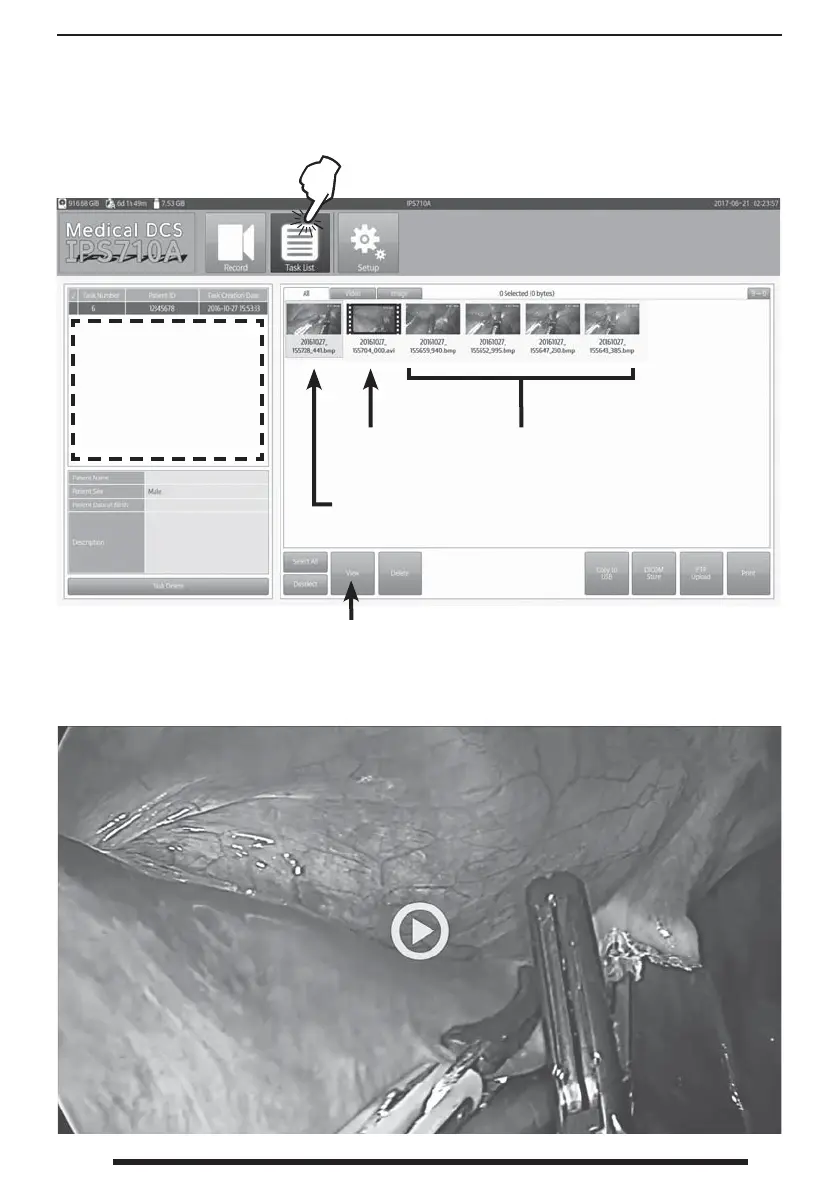
Video le.
File selected for further
action (view, delete, copy,
upload, print).
Select for full screen view of a highlighted thumbnail.
Thumbnails can also be clicked twice for full screen view.
Click a full screen view once to return to the task list.
Full screen video le ready for playback.
All other button functions are
performed according to the button
label and Setup dashboard options.
Still image les.
Press the Task List button to open the dashboard
where all tasks and le thumbnails can be viewed .
All tasks stored on
the internal hard disk
drive are listed here.
Tap to activate a task.


 To Next Page