PAG.
14
rev 1.0
PANEL & REMOTE CONTROL DESCRIPTION
1. PANEL & REMOTE CONTROL DESCRIPTION
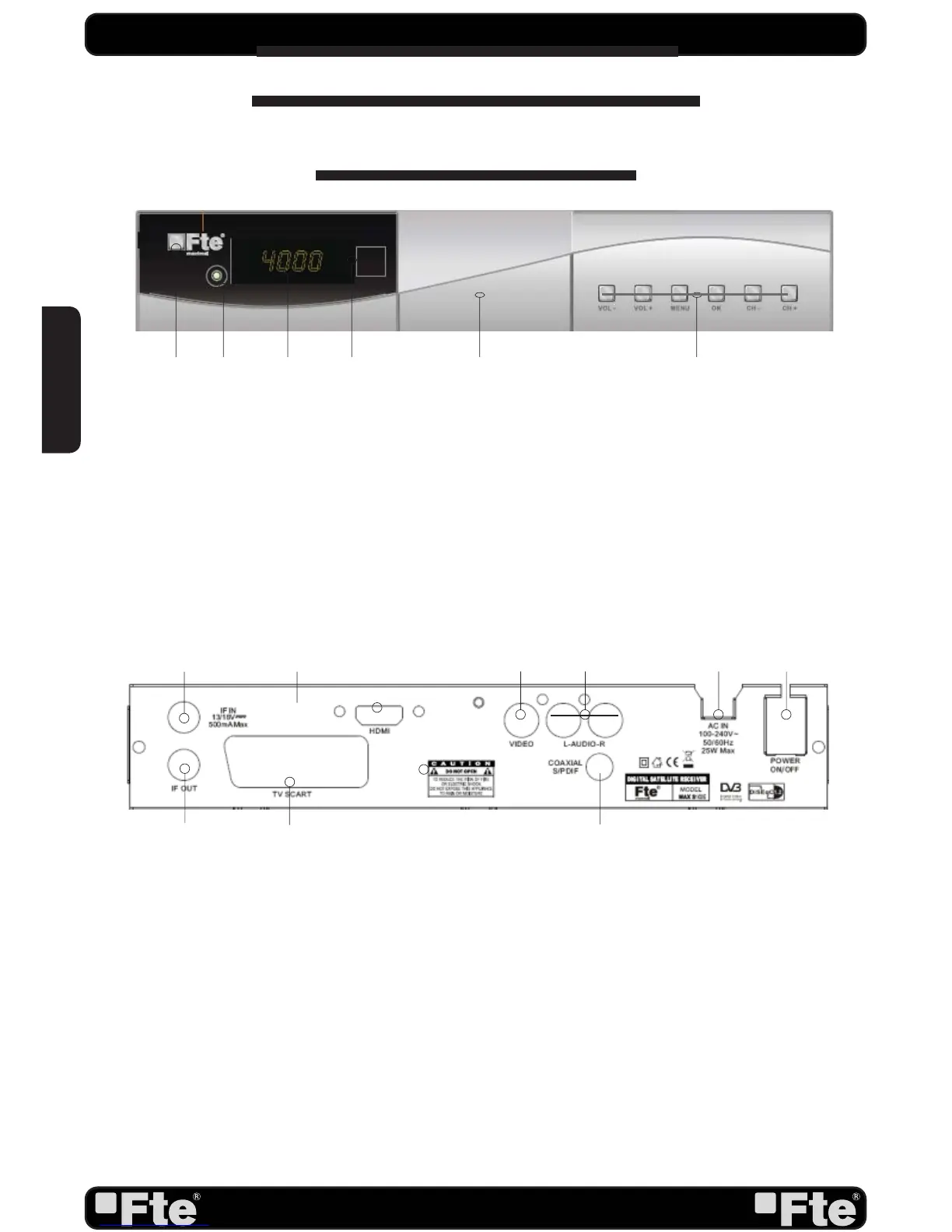
1.1. FRONT PANEL DESCRIPTION
1. IF IN: Satellite input.
2. HDMI: HDMI Output
Note: If you have the HDMI output connected and you select the progressive mode, the SCART
output is automatically disabled.
3. VIDEO: Video output for external monitor, TFT or video beamer.
4. AUDIO: Audio output for home audio systems.
5. AC IN: Mains input cable.
6. POWER ON/OFF: Allows to completely switching off the receiver.
7. IF OUT: Satellite output for cascading to other devices.
Note: The operation of another receiver at the same time is only possible with limited channel
selection.
8. TV SCART: Output SCART for the connection to a TV set.
9. COAXIAL S/PDIF: Coaxial output for digital audio (AC3).
1.2. REAR PANEL DESCRIPTION
1. POWER: Switches the receiver on, or enters standby mode. To completely switch off the receiver,
you have to use the switch on the back of the receiver.
2. LOCK LED: Indicates a suffi cient signal level at the IF IN input.
3. DISPLAY: 4 Digits to display the program numbers.
4. IR-SENSOR: Reception sensor for the IR remote control signals.
5. USB: Opening front door, you can access to USB 2.0 connector.
6. BUTTONS: These buttons allow controlling the main functions of the receiver, and
provide the same functionality as the remote control ones.
1 2 3 4 65
2
7
1
8
4 5 63
9
ENGLISH


 To Next Page