5
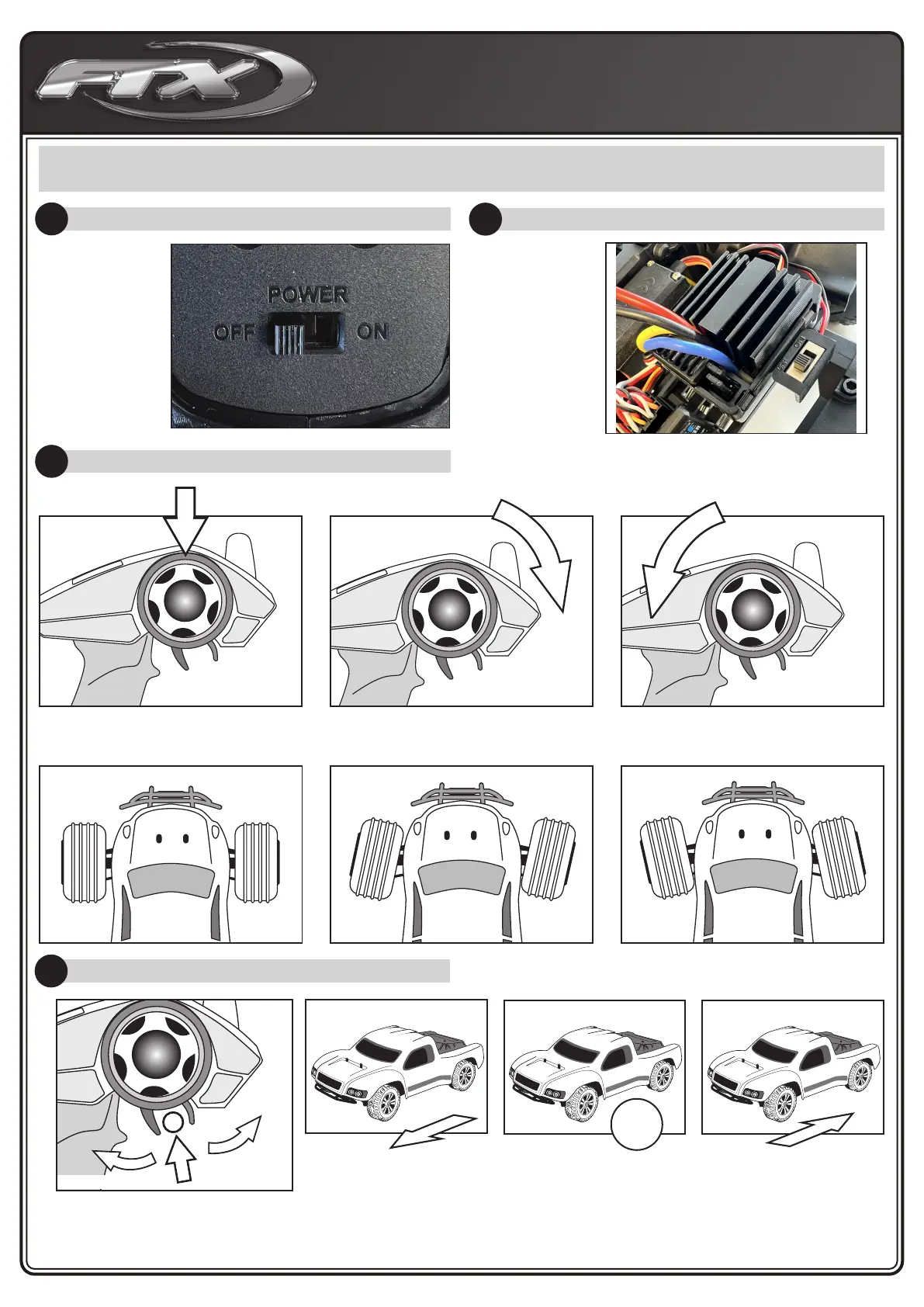
RUNNING YOUR CAR
1. TURN ON THE RADIO CONTROLLER
2. TURNING ON THE RECEIVER OF YOUR CAR
3. CHECK STEERING PERFORMANCE
Switch on the
power switch
on the radio
controller.
Your radio is
bound with
your car
automatically.
The ESC
Receiver switch
is located under
the bodyshell
of the model.
Switch on the
ESC/Receiver
Switch as
shown in the
picture.
CENTRE TURN RIGHT TURN LEFT
1. To keep the car running straight,
keep the streering wheel centered.
2. Turn the steering wheel to the right
to allow the car to right.
3. Turn the steering wheel to the left
to allow the car to turn to the left.
4. CHECK TRIGGER RESPONSE
PLEASE NOTE: THE MODEL SWITCHES BETWEEN
FORWARD AND REVERSE INSTANTLY FOR SLOW SPEED
MANEOUVABILITY. EXCESSIVE USE OF THIS FEATURE
CAN CAUSE TRANSMISSION AND ESC DAMAGE.
A.
B.
A. Pull the trigger back to accelerate, release it to decelerate.
B. To stop running your car, release the trigger to neutral.
C. Pushing the trigger forward activates reverse.
PULL TRIGGER BACK
CENTRE
PUSH
TRIGGER
FORWARD
C.
STOP!



 To Next Page