-40-
Reference Guide - Main Unit
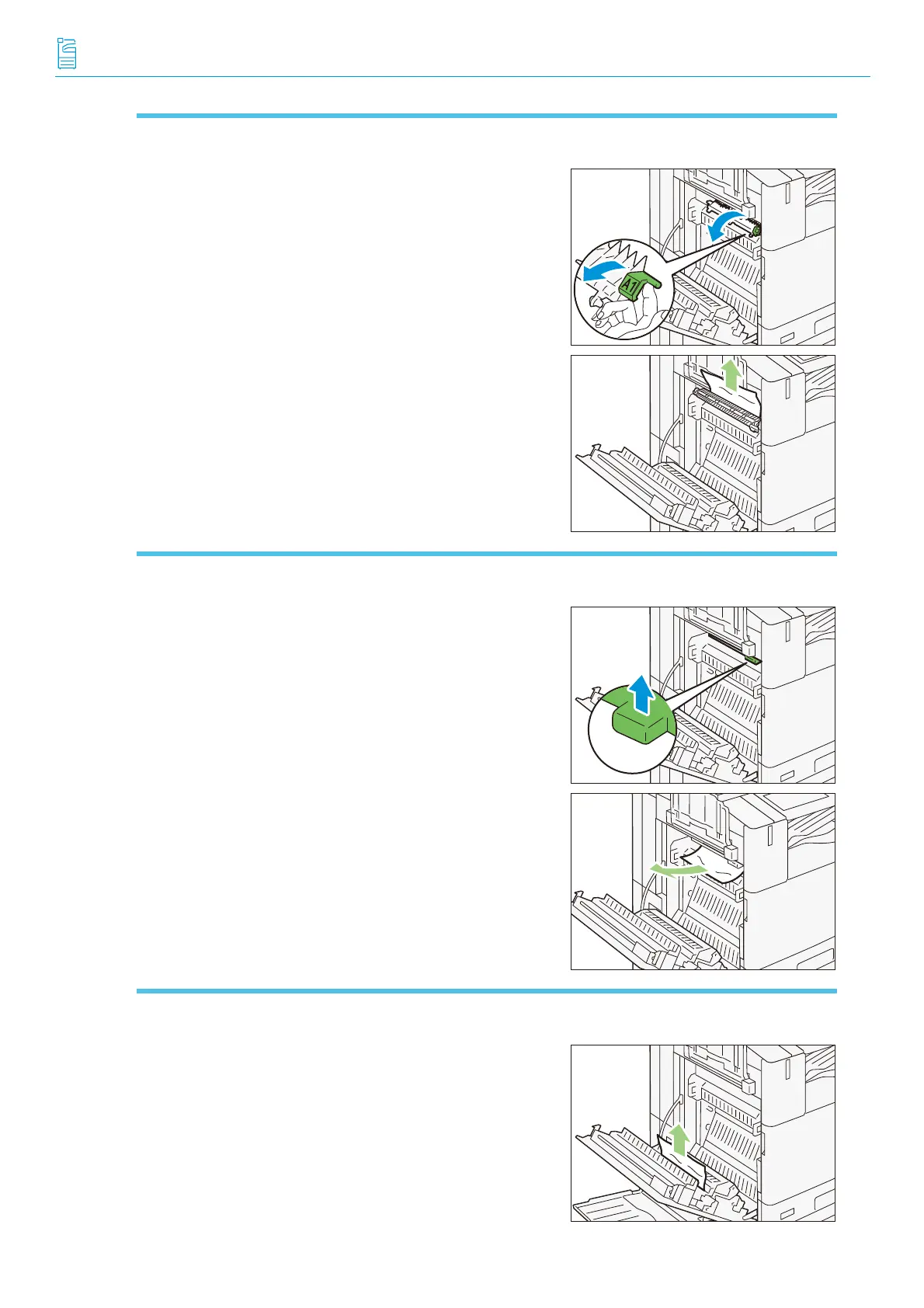
Fusing Unit
(1) Pull the lever [A1].
(2) Remove the jammed paper.
(3) Return the lever [A1] to the original position.
Center Tray Exit
(1) Pull the lever [A2].
(2) While holding the lever [A2], remove the jammed paper.
(3) Return the lever [A2] to the original position.
Duplex Unit
(1) Remove the jammed paper.
A2



 To Next Page
 Loading...