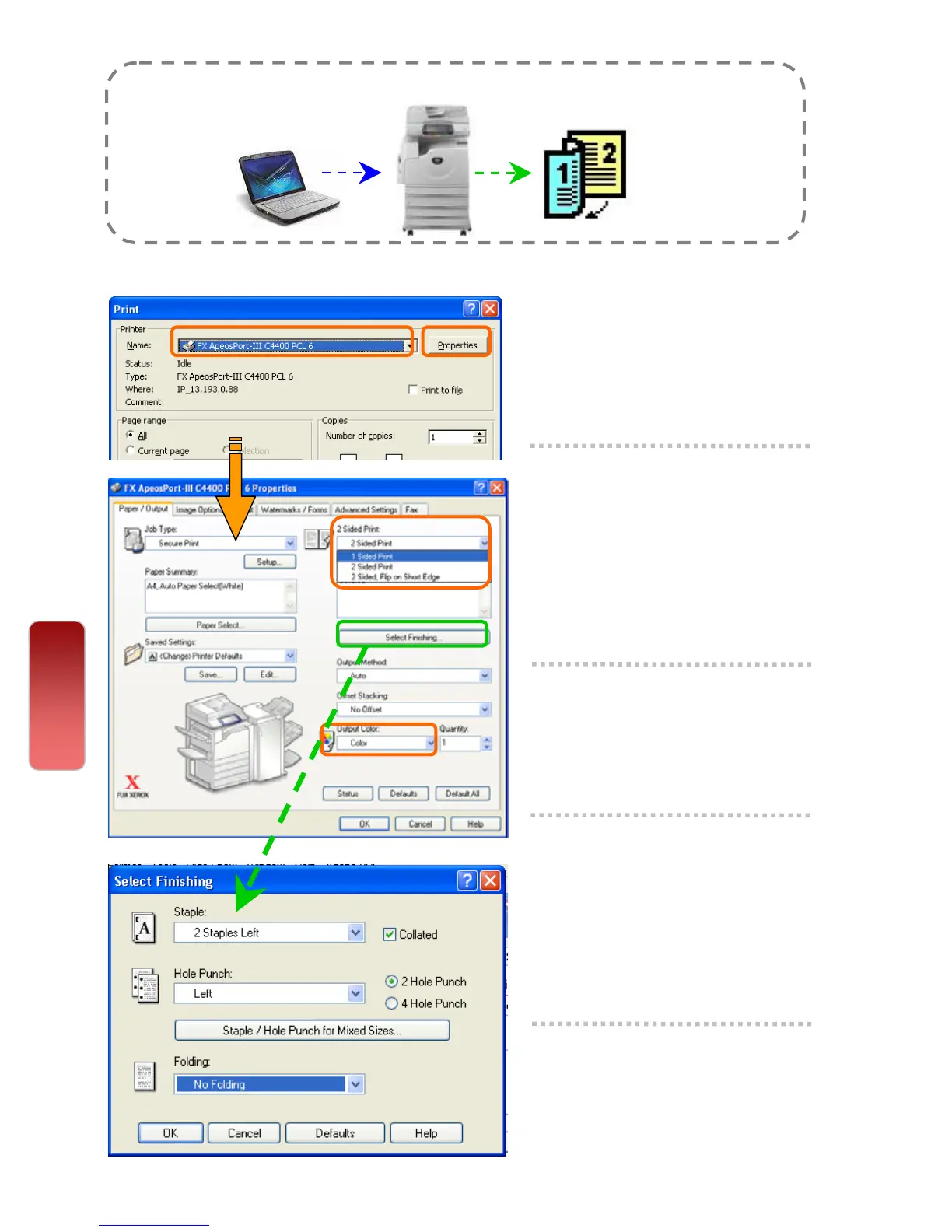
Making a 2-sided print (optional - Finishing)
Files can be printed into 2 sided format with 2 sided flip on long edge or
flip on short edge.
1 From application, Select
Printer – [Properties]
2 On the [Paper/Output] tab,
select <2 Sided Print>
- 2 Sided Print
- 2 Sided Flip on Short
Edge
3 Select <Output Color> as
COLOR or BLACK
4 *Optional Feature
Select <Finishing> to
enable Stapling / Hole
punch. Set
required stapling
and hole punching position.
5 Select [OK] on all open
windows to print.
Print
29
29


 To Next Page
 Loading...




