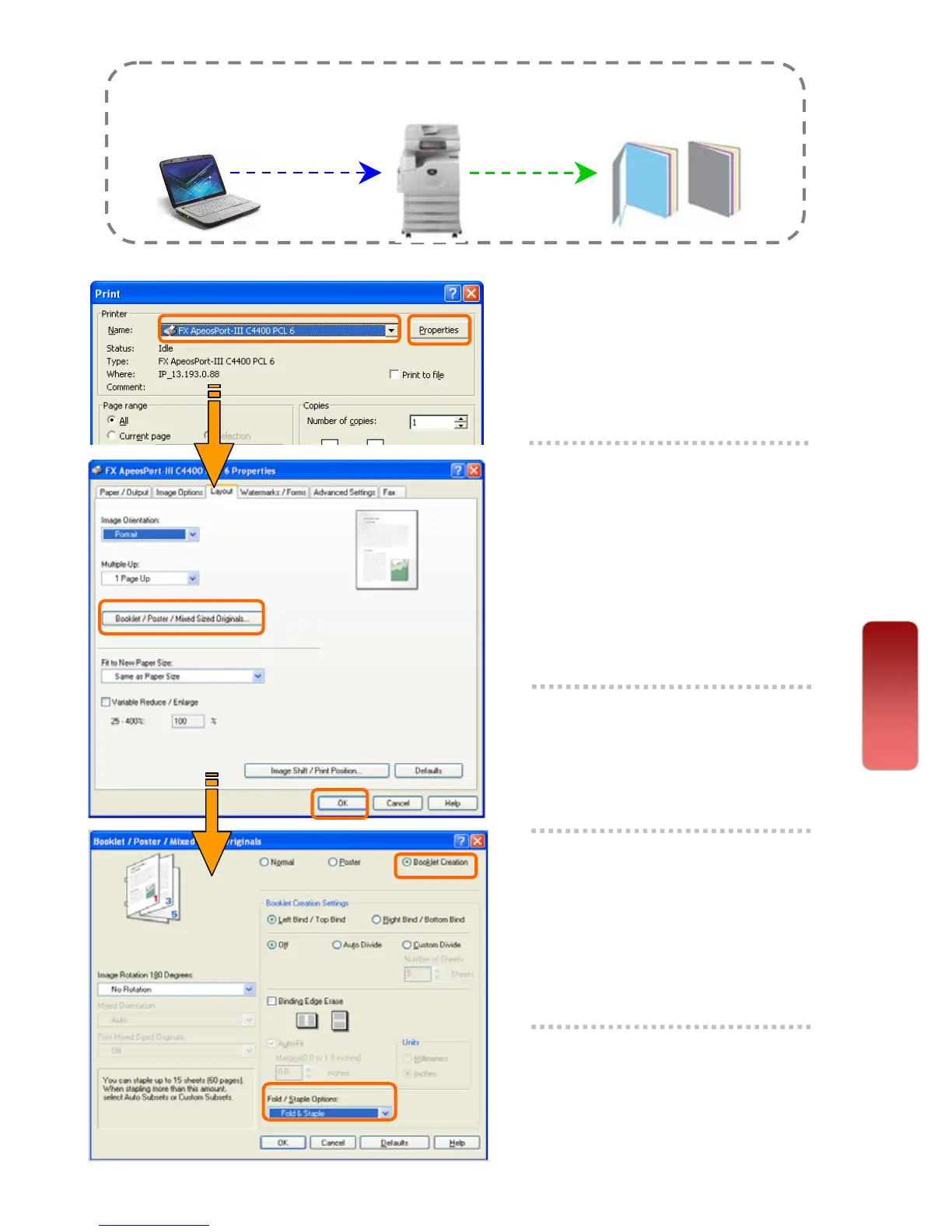
Making a booklet print from computer
Booklet printing enables multi-page files printed 2-sided booklet format
arranged in ascending order, and fold to form a booklet.
1 From application, Select
Printer – [Properties]
2 On the [Layout] tab, select
<Booklet/Poster> Select
Booklet Creation
Choose Binding [Left / Right]
* Optional: Fold & Staple
Select [OK]
3 A popup window displays
the changes. Select [OK]
4 Select ‘Fit to New Paper
Size’ – Set any preferred
paper size or select A4
(210mm x 297mm)
5 Select [OK] on all open
windows to print.
Print
30
30


 To Next Page
 Loading...




