Fax/Internet Fax Procedure
69
Basic Operation
3
1
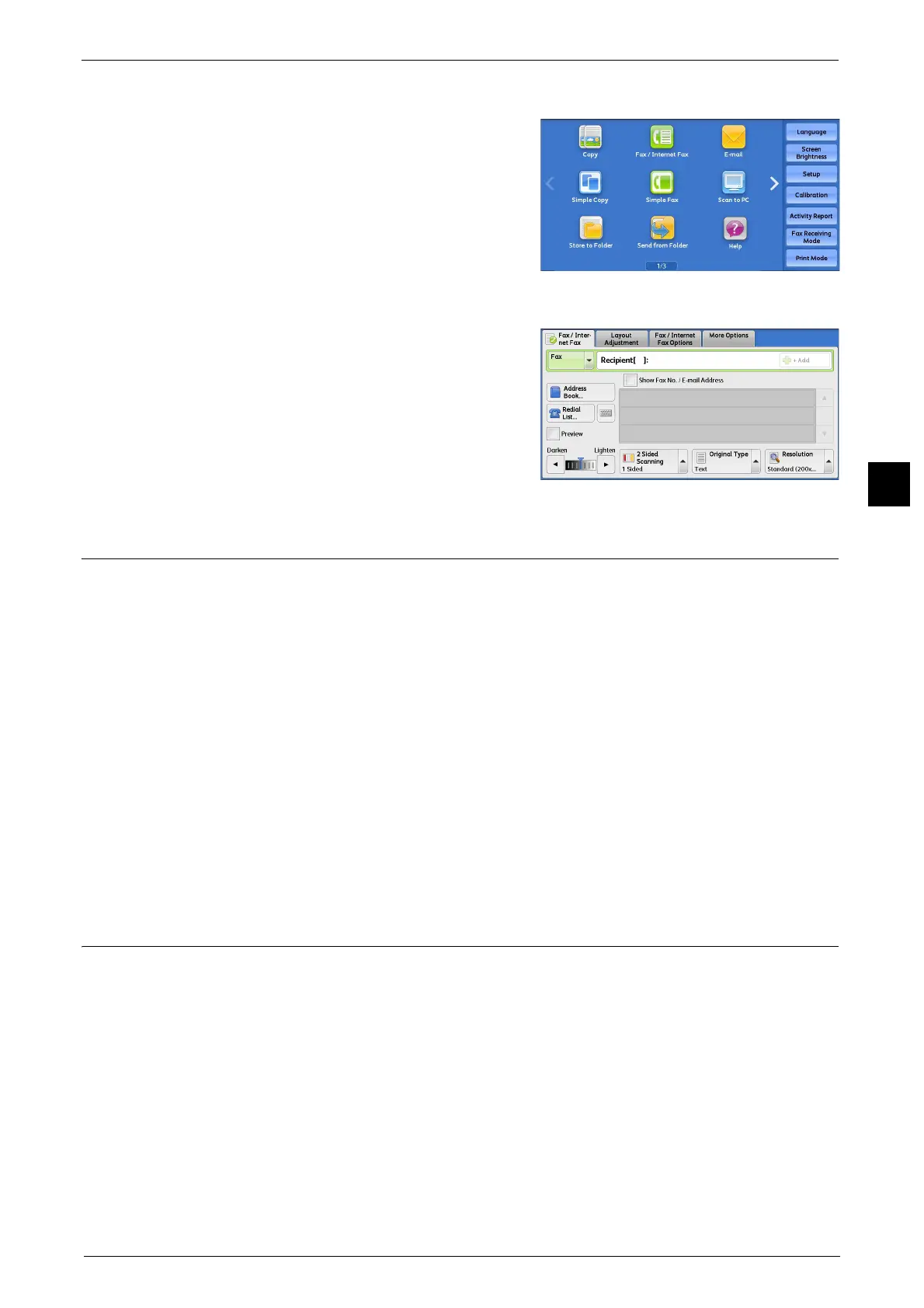
Press the <Services Home> button.
2
Select [Fax/Internet Fax].
3
If the previous settings still remain, press the
<Clear All> button.
4
Select each tab, and select a feature as
necessary.
Step 3 Specifying the Destination
The following explains how to specify a destination (fax numbers or e-mail addresses). The
machine allows the following dialing methods.
z
Using the numeric keypad on the control panel
z
Using the <Speed Dial> button on the control panel
z
Using the one touch buttons on the control panel
z
Using the screen keyboard on the touch screen
z
(For Internet Fax) Using the screen keyboard on the touch screen
1
Enter the destination using any method from the above.
Note • Before sending a document, check your entries to make sure you specified correct destinations.
2
To specify multiple recipients, select [+ Add] on the touch screen.
Step 4 Starting the Fax/Internet Fax Job
1
Press the <Start> button.
Important • If the document has been loaded in the document feeder, do not hold down the document while it is
being conveyed.
• Fax cannot be sent if a copy protection code is detected.
Note • Depending on the settings, the screen to re-enter the recipient may be displayed after pressing the
<Start> button. In this case, re-enter the recipient.
• If a problem occurs, an error message appears on the touch screen. Solve the problem according to
the message.



 To Next Page
 Loading...