Fax/Internet Fax Options
221
Fax
4
Remote Folder Number
Select the [Remote Folder Number] box, and enter a 3-digit folder number of the remote
machine using the numeric keypad.
Folder Passcode
Select the [Folder Passcode] box, and enter the 4-digit passcode of the remote folder using
the numeric keypad. If a passcode is not set, leave this box blank.
Secure Polling (Fax Signal Method)
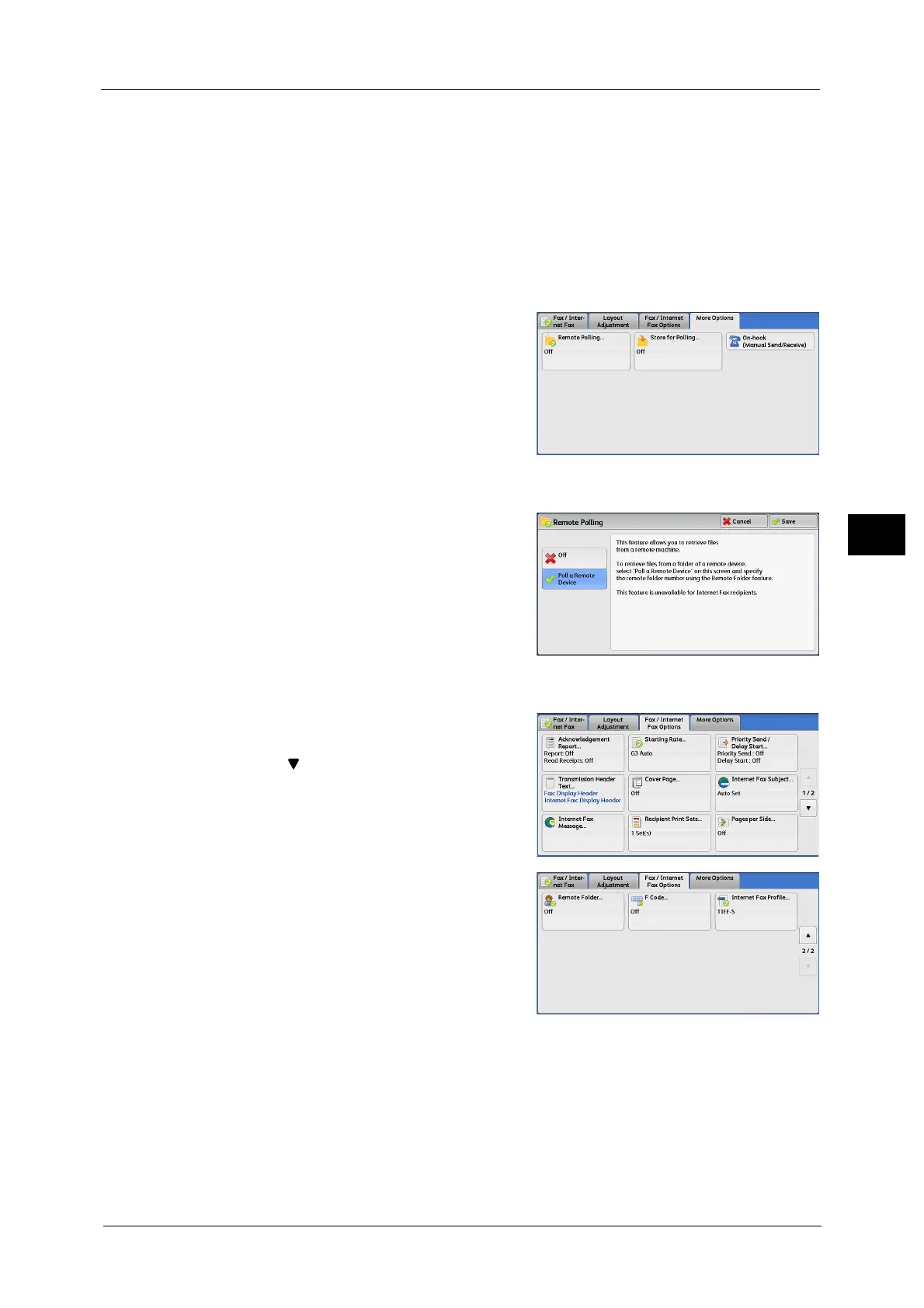
1 Select [More Options] tab to display the [More
Options] screen.
2 Select [Remote Polling].
3 Select [Poll a Remote Device].
4 Select [Save].
5 Select the [Fax/Internet Fax Options] tab to
display the [Fax/Internet Fax Options] screen,
and select [ ] to display the next page.
6 Select [Remote Folder].



 To Next Page
 Loading...

