EasyManua.ls Logo

FujiFilm 4700 - User Manual

FujiFilm 4700
63 pages
Print Icon
To Next Page IconTo Next Page
Loading...
BB10959-200
(
1
)
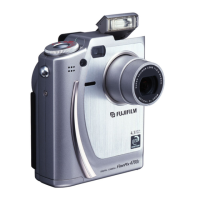
This manual will show you how to use your
FUJIFILM DIGITAL CAMERA
FinePix4700 ZOOM correctly. Please follow the instructions carefully.

Table of Contents

Questions and Answers

  • G
    Gary MackAug 18, 2025
    Why does my FujiFilm Digital Camera battery run out so quickly?
    • C
      cowanterryAug 18, 2025
      Your FujiFilm Digital Camera battery might be draining quickly due to several reasons. It could be that you're using the camera in extremely cold conditions; in that case, try warming the battery in your pocket before use. The terminals might be soiled, so wipe them with a clean, dry cloth. Or, the battery might simply be flat, requiring you to load a new, fully charged battery.
  • K
    Katherine AveryAug 20, 2025
    What to do if my FujiFilm Digital Camera has no power?
    • P
      Penny CaldwellAug 20, 2025
      If your FujiFilm Digital Camera has no power, the most likely cause is either an exhausted battery or a disconnected AC power adapter. Try loading a new, fully charged battery. If you're using the AC adapter, make sure it's properly plugged into the power outlet.
  • M
    Martin SharpAug 23, 2025
    Why is the playback image too dark on my FujiFilm Digital Camera even though I used the flash?
    • J
      jameswilliamsAug 23, 2025
      If your playback images are too dark even when using the flash on your FujiFilm Digital Camera, it could be because the subject is too far away; try moving closer. Alternatively, your finger might be covering the flash, so ensure you hold the camera correctly.
  • M
    Michele MorrisAug 26, 2025
    Why is the image blurred on my FujiFilm 4700?
    • S
      Samantha SimmonsAug 26, 2025
      If the image is blurred on your FujiFilm Digital Camera, it may be because the lens is dirty; try cleaning it. Alternatively, if the lens is zoomed to telephoto in Macro mode, cancel Macro mode.
  • S
    Samantha FieldsAug 28, 2025
    What to do if there is no picture or sound on the TV connected to my FujiFilm Digital Camera?
    • M
      Melanie ParrishAug 28, 2025
      If you're not getting any picture or sound on your TV when it's connected to your FujiFilm Digital Camera, there are a few things to check: * Ensure the A/V cable is correctly connected during movie playback. * Verify that the camera and TV are connected correctly. * Make sure the TV input is set to 'Video,' not 'TV'. * Also, check that the TV volume isn't set too low and adjust it as needed.
  • C
    Christina RobertsonAug 31, 2025
    Why won't the flash charge on my FujiFilm Digital Camera?
    • L
      Laurie AnthonyAug 31, 2025
      The flash on your FujiFilm Digital Camera might not charge for several reasons. Check if a compatible SmartMedia is loaded; if not, load one, erase a frame, or remove the write-protection. Also, ensure the camera isn't set to Suppressed Flash mode; if it is, switch to Auto, Red-Eye Reduction, or Forced Flash mode. Additionally, verify that the camera isn't set to Macro Photography, and ensure the battery isn't exhausted by loading a new one.
  • L
    Lisa RiversSep 2, 2025
    Why can’t I use the flash to take pictures with my FujiFilm Digital Camera?
    • J
      Jodi NguyenSep 2, 2025
      If you can't use the flash on your FujiFilm Digital Camera, it could be due to a few reasons. Check that the Mode switch and Photography mode dial are set to the correct setting. Ensure that the flash is not set to Suppressed Flash mode; instead, set it to Auto, Red-Eye Reduction, or Forced Flash mode by popping the flash unit up. Also, make sure you wait until charging is completed before pressing the shutter button.
  • J
    John MaddenSep 4, 2025
    What to do if nothing happens when I use the switches and dial on my FujiFilm 4700 Digital Camera?
    • J
      Jennifer SloanSep 4, 2025
      If your FujiFilm Digital Camera isn't responding to the switches and dial, it could be due to a camera malfunction. Try switching the camera on again using the 'POWER' switch. Another possibility is that the Mode switch and Photography mode dial has been moved to another setting; in this case, remove and re-insert the battery. Finally, ensure that the battery is not exhausted; if it is, load a new battery.
  • J
    Jorge RobinsonSep 7, 2025
    Why does my FujiFilm 4700 Digital Camera power cut out during operation?
    • H
      hbestSep 7, 2025
      If your FujiFilm Digital Camera is cutting out during operation, the most likely reason is that the battery is exhausted. Try loading a new, fully charged battery to resolve this issue.
  • L
    Louis SandovalSep 9, 2025
    What to do if there is no sound on my FujiFilm 4700?
    • G
      gregoryhernandezSep 9, 2025
      If there is no sound on your FujiFilm Digital Camera, check the following: ensure the camera volume is not set too low and adjust it if needed. Also, make sure you are not covering the microphone during recording. Finally, disconnect the A/V cable if it is connected.

Summary

Camera Features and Accessories

Camera Features Overview

Details on the Super CCD, zoom lens, and other key camera specifications.

Available Accessories

List of included and optional accessories for the FinePix4700 ZOOM.

Nomenclature

Identifying Camera Controls

Labels for buttons, dials, and ports on the camera's exterior.

LCD Panel Display Guide

Explanation of icons and status indicators shown on the LCD screen.

Mode Selection Explained

Understanding the camera's mode switch and photography mode dial functions.

Getting Ready

Attaching the Camera Strap

Instructions for securely attaching the camera's neck strap.

Selecting the Power Supply

Guidance on using batteries or the AC power adapter for camera operation.

Setting the Date and Time

Procedure for configuring the camera's internal clock.

Basic Photography

Taking Pictures in Auto Mode

Step-by-step guide to capturing images using the automatic shooting mode.

Using AF;AE Lock

How to lock focus and exposure for precise composition.

Viewing Images in Playback

Steps to review recorded images on the camera's LCD monitor.

Advanced Features

Advanced Photography Modes

Overview of specialized photography modes like Manual, Night Scene, and Continuous.

Flash Photography Options

Guide to using different flash modes for optimal lighting.

Advanced Features Playback

Playback Mode Menu Options

Exploring advanced functions for reviewing images and movies.

Resizing Images

Procedure for reducing image file size for e-mail or storage.

Settings

Set-up Mode Configuration

Accessing and adjusting camera settings like quality, file size, and startup screen.

Adjusting LCD Brightness and Volume

How to modify screen brightness and speaker volume settings.

Using USB Cables and Software

Connecting to a Personal Computer

Instructions for downloading images using USB cables and software.

Notes on Using Your Camera Correctly

Places to Avoid Using Camera

Guidance on environments detrimental to camera operation and safety.

Battery Handling and Safety

Important precautions for battery use, charging, and disposal.

Warning Displays

Troubleshooting Common Problems

Solutions for error messages and operational issues encountered with the camera.

Specifications

Camera Specifications Summary

Detailed technical data including sensor, lens, file formats, and power.

Safety Notes

General Safety Precautions

Essential warnings and guidelines for safe camera handling and usage.

EC Declaration of Conformity

Product Compliance Information

Details regarding the camera's conformity to EU directives and standards.

FujiFilm 4700 Specifications

General IconGeneral
Optical Zoom3x
Digital Zoom2.5x
Image Sensor1/2.7 inch Super CCD
LensFujinon
ApertureF2.8 - F4.9
Shutter Speed1/2 - 1/1000 sec
StorageSmartMedia card
Video Recording320x240, 10fps, with sound
Camera TypeCompact Digital Camera
Focal Length8.3 - 24.9mm (35mm equivalent: 36 - 108mm)

Related product manuals