EasyManua.ls Logo

FujiFilm FinePix 40i - User Manual

FujiFilm FinePix 40i
58 pages
Print Icon
To Next Page IconTo Next Page
Loading...
BB11754-200
(
1
)
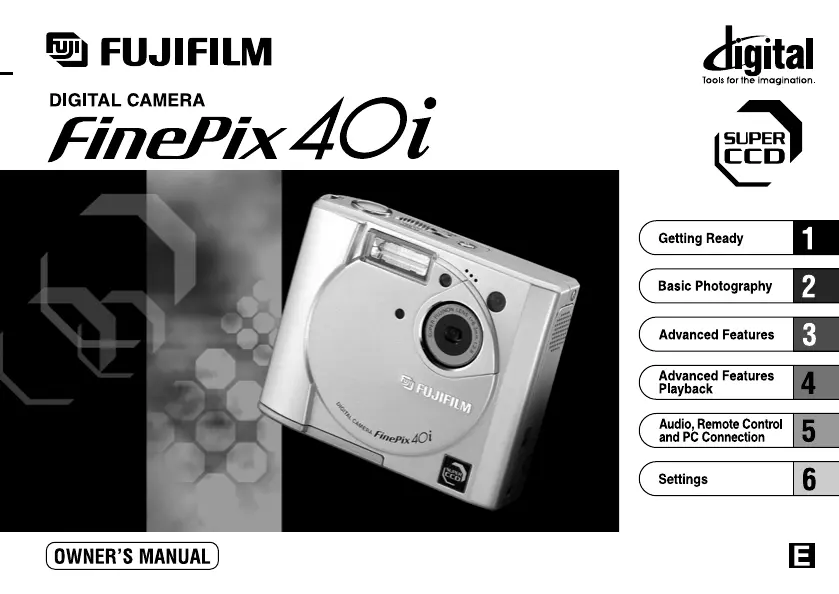
This manual will show you how to use your FUJIFILM DIGITAL CAMERA
FinePix40i correctly. Please follow the instructions carefully.

Table of Contents

Other manuals for FujiFilm FinePix 40i

Questions and Answers

  • E
    Elizabeth GarciaAug 15, 2025
    Why won't the flash charge on my FujiFilm Digital Camera?
    • R
      Rebecca RoseAug 15, 2025
      If the flash on your FujiFilm Digital Camera won't charge, it could be due to several reasons. First, ensure a compatible SmartMedia is loaded; if not, load a new one, erase a frame, or remove the write-protection. Also, check if the camera is set to Suppressed Flash mode and, if so, set it to Auto, Red-Eye Reduction, or Forced Flash mode. Another possibility is that the camera is set to Macro Photography; cancel this mode. Finally, the battery might be exhausted, so try loading a new battery.
  • R
    Robert ChanAug 18, 2025
    Why does the battery on my FujiFilm Digital Camera drain so fast?
    • L
      Lisa AustinAug 18, 2025
      If your FujiFilm Digital Camera's battery runs out quickly, especially in cold conditions, try warming the battery in your pocket before use. Also, clean the battery terminals with a dry cloth, load a new fully charged battery, and avoid using alkaline batteries; instead, use Ni-MH or Ni-Cd batteries.
  • M
    Matthew RoweAug 21, 2025
    What to do if my FujiFilm Digital Camera power cuts out during operation?
    • M
      mike81Aug 21, 2025
      If your FujiFilm Digital Camera's power cuts out during operation, it could be due to an exhausted battery. In this case, load a new, fully charged battery. Another cause might be soiled battery terminals, so wipe them with a clean, dry cloth before charging.
  • A
    Alicia Martinez MDAug 25, 2025
    Why can't I use the flash on my FujiFilm FinePix 40i?
    • H
      hbassAug 25, 2025
      If you can’t use the flash to take pictures with your FujiFilm Digital Camera, make sure the Mode dial is set to the correct setting. Also, check if the flash is set to Suppressed Flash mode and set it to Auto, Red-Eye Reduction, or Forced Flash mode. Finally, ensure you wait until the flash is fully charged before pressing the shutter button.
  • M
    Miranda StevensonAug 27, 2025
    Why are my FujiFilm FinePix 40i Digital Camera playback images too dark with flash?
    • Y
      Yvette DanielAug 27, 2025
      If the playback image on your FujiFilm Digital Camera is too dark even when using the flash, it might be because the subject is too far away; try moving closer. Alternatively, ensure your finger isn't covering the flash and hold the camera correctly.
  • D
    david64Aug 30, 2025
    How to fix a blurred image on a FujiFilm FinePix 40i Digital Camera?
    • W
      williammitchellAug 30, 2025
      If your FujiFilm Digital Camera is showing a blurred image, try cleaning the lens. Another possible reason is that the lens is zoomed to telephoto in Macro mode, so cancel Macro mode.
  • J
    Jacqueline DicksonSep 2, 2025
    What to do if FujiFilm FinePix 40i buttons and dial don't work?
    • D
      Dennis GrossSep 2, 2025
      If nothing happens when you use the buttons and dial on your FujiFilm Digital Camera, the camera may have malfunctioned. Try switching the camera off and on again using the “POWER” switch. Also, check if the Mode dial has been moved to another setting. Remove and re-insert the battery and try again. Finally, the battery may be exhausted, so load a new battery.
  • J
    Joyce SandersSep 5, 2025
    Why no image appears when I press the “DISP” button on my FujiFilm FinePix 40i?
    • T
      Terri FosterSep 6, 2025
      If no image appears when you press the “DISP” button on your FujiFilm Digital Camera, ensure the Mode dial is set to the correct setting.
  • E
    Ethan ShermanSep 8, 2025
    Why is there no picture or sound from my FujiFilm FinePix 40i on the TV?
    • R
      Ronald PhillipsSep 8, 2025
      If there is no picture or sound on the TV when using your FujiFilm Digital Camera, ensure the A/V cable is connected correctly and that the TV and camera are connected correctly. Check that the TV input is set to “Video,” and adjust the volume on the TV.
  • J
    Jack MatthewsSep 12, 2025
    Why is there no sound on my FujiFilm FinePix 40i?
    • T
      Tyler JacksonSep 12, 2025
      If there is no sound from your FujiFilm Digital Camera, first check if the camera volume is set too low and adjust it. Also, ensure that the microphone was not covered during recording. Finally, disconnect the A/V cable if it is connected.

Summary

Getting Ready

SELECTING THE POWER SUPPLY

Understand how to power the camera using batteries or an AC adapter.

LOADING THE SmartMedia

Learn how to insert and remove the SmartMedia card for storage.

REMOVING THE SmartMedia

Proper procedure for safely removing the SmartMedia card from the camera.

Basic Photography

TAKING PICTURES (AUTO MODE)

Guide to capturing photos using the camera's automatic shooting mode.

USING AF;AE LOCK

How to lock focus and exposure settings for precise composition.

Advanced Features

ADVANCED FEATURES PHOTOGRAPHY

Explore advanced shooting modes beyond basic auto.

SETTING THE FILE SIZE AND QUALITY (COMPRESSION RATIO)

Adjust image resolution and compression for storage and quality.

MACRO (CLOSE-UP) PHOTOGRAPHY

Techniques for taking detailed close-up shots of small subjects.

SETTING THE BRIGHTNESS (EXPOSURE COMPENSATION)

Manually adjust image brightness to compensate for lighting conditions.

WB SETTING THE WHITE BALANCE

Correct color casts by adjusting white balance for different light sources.

FLASH PHOTOGRAPHY

Control flash modes like Auto, Red-Eye Reduction, and Slow Synchro.

MOVIE

Record video clips with sound using the camera's movie mode.

Advanced Features Playback

ERASING SINGLE-ALL FRAMES;ALL AUDIO FILES;FORMAT

Options for deleting files, including bulk erase and media formatting.

Audio, Remote Control and PC Connection

TAKING PHOTOGRAPHS USING THE REMOTE CONTROL

Use the remote control for shooting, especially in macro or low light.

USB CONNECTION;DOWNLOADING DATA

Transfer image and audio files between camera and PC via USB.

Setting

SET-UP MODE

Configure various camera settings like auto power off and beep volume.

Notes on Using Your Camera Correctly

Places to Avoid

Guidelines on environments and conditions to avoid for camera safety.

Notes on the Power Supply

Applicable Batteries

Information on compatible battery types for the camera.

Notes on the Batteries

Important precautions and guidelines for using camera batteries.

FujiFilm FinePix 40i Specifications

General IconGeneral
BrandFujiFilm
ModelFinePix 40i
CategoryDigital Camera
LanguageEnglish

Related product manuals